
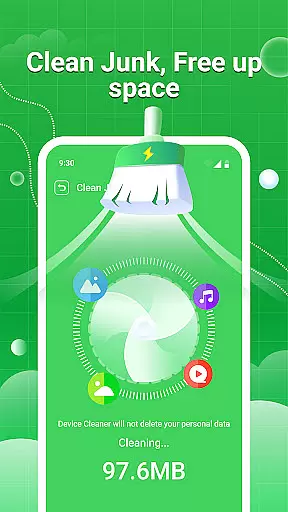
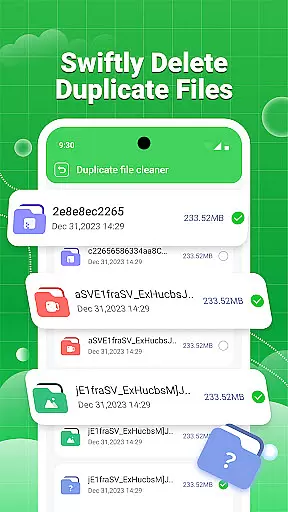
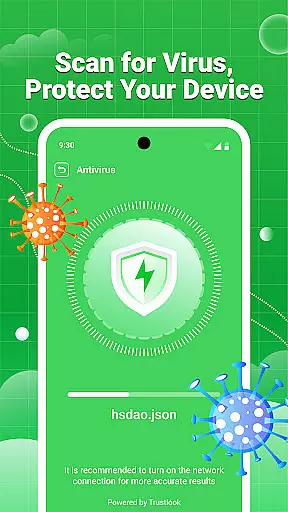
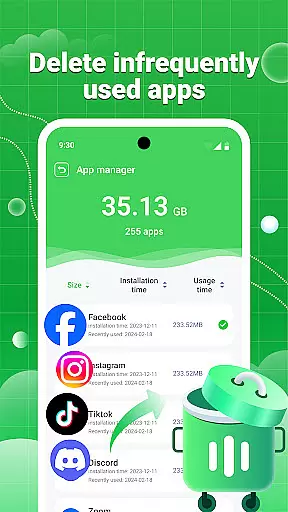
Clean Swipe & Antivirus is a comprehensive tool designed to optimize your device's performance and protect your privacy. The app focuses on storage management, security protection, and media file organization. With features like junk cleaning, virus scanning, and photo management, it ensures your phone runs smoothly while safeguarding sensitive data.
Whether you're looking to free up space by removing duplicate files or want to secure your personal information through advanced permission controls, Clean Swipe & Antivirus offers an all-in-one solution for maintaining a clean and safe device environment.
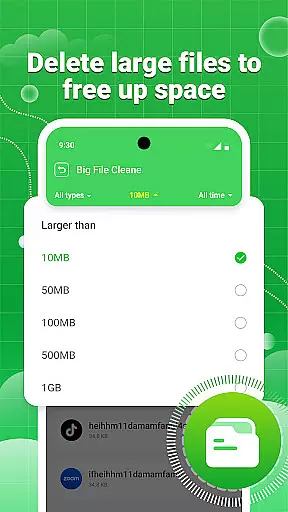
The app provides robust junk cleaning capabilities that help users remove unnecessary files and free up valuable storage space. Its large file management feature allows sorting by size, making it easier to identify and delete bulky files. Additionally, the duplicate file identification tool supports batch deletion, saving time and effort.
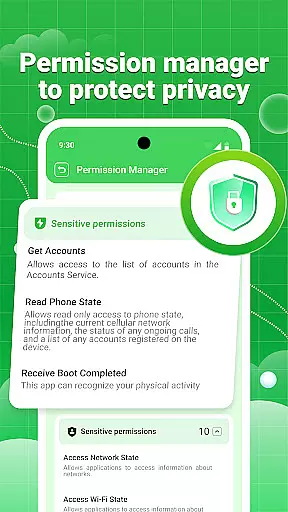
On the security front, Clean Swipe & Antivirus includes virus scanning to detect potential threats and photo privacy protection to strip location data from images. The permission management system empowers users to control app authorizations, ensuring better privacy protection.
When it comes to utility applications like Clean Swipe & Antivirus, the precision and effectiveness of core functions are paramount. This app offers a comprehensive suite of tools designed to manage storage space efficiently. It includes junk cleaning, large file management, and duplicate file identification, all of which work in tandem to ensure your device remains clutter-free and optimized.
The virus scanning feature is engineered to swiftly detect potential risk files, safeguarding your device against malicious threats. Additionally, the app provides photo privacy protection by erasing location data from images, thus securing your personal information. Permission management allows users to monitor and control app permissions, ensuring that your privacy remains under your control.
With its robust functionality, Clean Swipe & Antivirus delivers tangible benefits. Users can expect a significant improvement in their device's performance, thanks to freed-up storage space and enhanced security measures. The practical features such as picture compression and similar picture detection further augment the user experience by maintaining optimal device functionality without compromising on quality or safety.
A streamlined and intuitive interface is crucial for user adoption and satisfaction, especially in tool-based applications like Clean Swipe & Antivirus. The app excels in providing an accessible and easy-to-navigate environment where users can effortlessly manage their device's storage and security settings. Its design prioritizes clarity and ease of use, making it suitable for both tech-savvy individuals and those less familiar with digital tools.
Clean Swipe & Antivirus categorizes its features into distinct sections such as storage space management, device security protection, and album management. This logical segmentation allows users to quickly locate and utilize the tools they need without unnecessary complexity. Each section is equipped with straightforward options that facilitate efficient management of files, permissions, and media.
By focusing on interface simplicity, the app ensures that users can maximize their productivity without a steep learning curve. The intuitive layout not only enhances user engagement but also encourages regular use, leading to sustained device optimization and security. Overall, Clean Swipe & Antivirus combines powerful functionality with an approachable design, offering a seamless experience for all users.
Efficient Junk Cleaning
Advanced Security Features
Comprehensive Photo Management
User-Friendly Interface
Batch File Deletion
Limited Free Features
Occasional Slow Performance
Ads in Free Version
Complex Settings for Beginners
Requires Regular Updates

Just one-tap to easy translate in any language after calls within seconds.
 4.20
4.20
Just swipe the edge to do something!
4.40
eXtended Permission Manager - a small app to manage permissions and AppOps
4.50
Undelete and recover your lost or deleted files with DiskDigger!
3.40
Screen Mirroring for Roku Sticks, Roku TCL TV and Roku Hisense TV
4.50
Download any file easily and quickly with Downloader
4.1
Game Booster, GFX Tool is now compatible with newer game update
4.50
A clean app.
4.50
The ideal app to be the digital eye of your family
3.40
The Ultimate Flex Drivers Utility App - Convenient Tapping & Block Filters
4.70
The one-and-only remote control for PC, Mac, and Linux
4.70
Protect your device with antivirus, storage cleanup, and system monitoring
4.70
Quickly check the frequency of the Earth
4.30
pdf merge, word to pdf, jpg to pdf, edit pdf, convert to pdf and much more!
4.20
App that Recover your pictures, videos or files after you delete them.
4.20
Carry a FTP server in your pocket and avoid USB cables for file transfer
4.20
Smart and comfortable browsing experience.
3.80
Safely recover deleted photos, videos, and files with a single easy tap.
3.70
This app unlocks the Pro features of the Central for DayZ app
3.60


User Reviews