
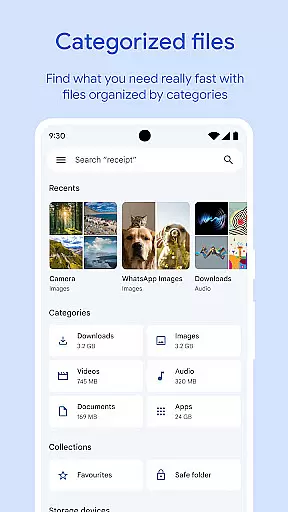
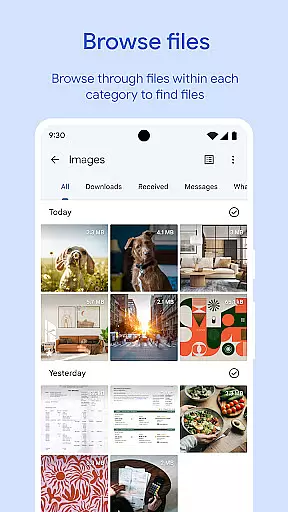
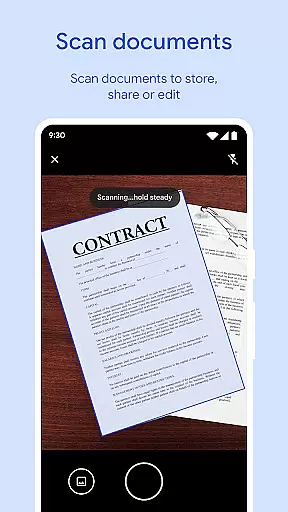
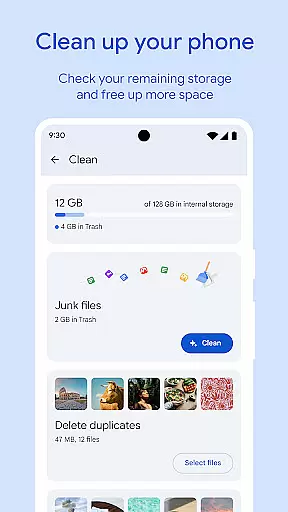
Files by Google is a powerful file management tool designed to help users efficiently organize and manage their device storage. The app provides cleaning recommendations to free up space, allowing users to easily identify and remove unnecessary files such as old photos, duplicate files, and cached data.
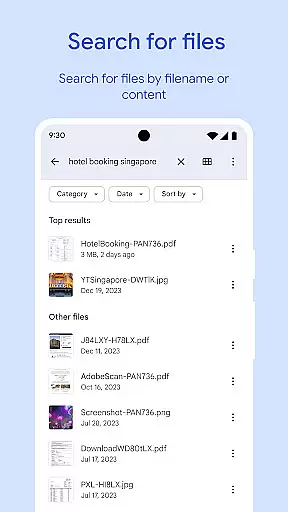
In addition to storage optimization, Files by Google offers fast file search and browsing capabilities. Users can quickly locate photos, videos, and documents through an intuitive interface. The app also supports offline file sharing with Quick Share, enabling secure transfers at speeds up to 480 Mbps without requiring an internet connection.
One of the standout features of Files by Google is its comprehensive cleaning recommendations. The app scans your device to identify old photos from chat apps, duplicate files, and cached data that can be safely removed to free up valuable storage space.
The app's file search and browsing functionality is equally impressive. It allows users to find specific files quickly and sort them by size or type. Additionally, Files by Google includes advanced media playback controls for offline use, supporting features like playback speed adjustment and shuffle.
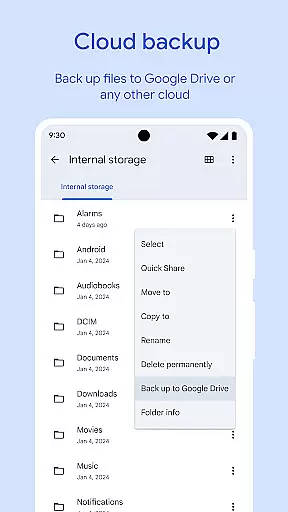
Security is another key aspect of this app. Users can protect sensitive files with a separate PIN or pattern lock, ensuring that important data remains secure even if the device is unlocked. The app also supports backing up files to Google Drive or other cloud storage services, providing an extra layer of protection against data loss.
Files by Google excels in providing accurate and effective core functions that cater to users' file management needs. The app offers precise recommendations for freeing up space by identifying old photos, duplicate files, and cache data. This targeted approach ensures users can efficiently manage their device storage without wasting time on irrelevant suggestions.
The search and browsing functionality is another example of the app's commitment to accuracy. Users can quickly locate specific files, whether they are photos, videos, or documents, thanks to the app's intelligent sorting and searching capabilities. This feature saves valuable time and enhances productivity by streamlining file retrieval.
Additionally, Files by Google supports fast offline file sharing through Quick Share, enabling transfers at speeds up to 480 Mbps. This reliable and swift sharing mechanism, secured with end-to-end encryption, demonstrates the app's focus on both performance and security. Such features ensure users can share files confidently and efficiently.
Overall, the precision in space-saving recommendations, quick file searches, and secure sharing options highlight the app's dedication to delivering an effective and reliable user experience. These core functions collectively contribute to a seamless and efficient file management solution.
Files by Google stands out for its simple and intuitive interface, making file management accessible even for less tech-savvy users. The app provides clear visual indicators of storage usage across the device, SD card, and USB drives. This straightforward presentation allows users to understand their storage situation at a glance and take appropriate actions.
Navigating through different file types is effortless due to the app's well-organized layout. Whether users are looking for photos, videos, or documents, they can easily browse through categories or use the search function. The absence of complex menus or cluttered screens ensures that users can focus on managing their files without distraction.
Moreover, the app's smart recommendations further enhance its intuitive design. By offering personalized suggestions based on user behavior, Files by Google anticipates users' needs and helps them maintain an organized device effortlessly. These proactive tips simplify routine tasks like cleaning up unnecessary files or backing up important data.
In summary, Files by Google combines a clean design with practical features, resulting in an interface that is both easy to learn and efficient to use. Its simplicity does not compromise functionality but rather enhances the overall user experience by reducing complexity and increasing accessibility.
User-friendly interface
Efficient storage management
Fast offline sharing
Advanced security options
Smart recommendations
Limited to Android devices
No built-in cloud storage
Requires Google account
Occasional bugs reported
Ads in some regions

Just one-tap to easy translate in any language after calls within seconds.
 4.20
4.20
Optimize your WiFi network, turn your phone into Wifi Analyzer
4.70
eXtended Permission Manager - a small app to manage permissions and AppOps
4.50
Amateur Radio app for APRS: Track friends, exchange messages, get tactical info.
3.90
Making emulation easy for everyone!
4.30
With videos, electrical calculators, and built-in ebook, Ugly’s has your answer.
4.50
The Ultimate Bluetooth Keyboard & Mouse. Securely control your PC, Mac, and more
4.50
Quickly check the frequency of the Earth
4.30
Mobile Security with Scam Protection | Malware & Virus Cleaner | Safe Browser
4.70
The ultimate tool for network analysis, wifi scanning and problem detection.
4.90
Fast Video Downloader, Movie Downloader, Torrent Downloader & Adblock Browser
4.70
Creation, Learning, Entertainment & More — The All-in-One AI Search Engine
4.70
FV File Manager Pro, Fast and powerful file manager for Android
4.60
HD Video player and downloader for all formats, fast & smooth 4K video playback.
4.60 4.50
4.50
A simple app to back up and restore SMS & MMS messages and call logs.
4.10
Family Locator, Share location, StayConnect with your family in real time
3.90
A powerful, easy-to-use flight computer on your phone or tablet!
3.80
Smart and comfortable browsing experience.
3.80


User Reviews