
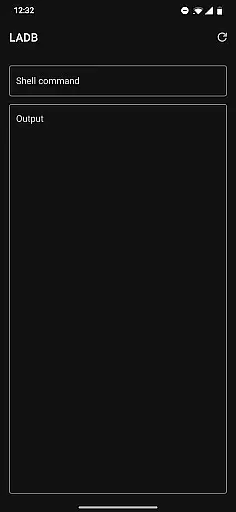
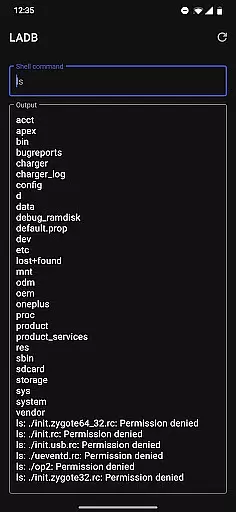
LADB is a powerful tool designed for Android developers and power users who need local ADB shell access directly from their device. The app bundles an ADB server within its libraries, enabling wireless debugging without requiring a USB connection. This functionality is particularly useful for troubleshooting, executing commands, or managing devices remotely.
One of the standout features of LADB is its compatibility with Android's Wireless ADB Debugging feature. Users can establish a secure connection by pairing their device through a generated code and port. This makes it ideal for developers who frequently work with ADB commands but want to avoid the hassle of physical cables. Additionally, the app provides clear setup instructions and troubleshooting tips to ensure smooth operation.
The app is especially valuable in scenarios where quick debugging is necessary, such as testing apps or modifying system settings on the go. With its ability to function independently of external hardware, LADB streamlines workflows and enhances productivity for Android development tasks.
LADB offers several notable features that cater specifically to Android developers. First, it includes an integrated ADB server, which eliminates the need for external tools or connections. This allows users to execute shell commands directly from their device, providing flexibility and convenience. The app also supports manual pairing for devices facing compatibility issues, ensuring broader usability across different Android versions.
Another key aspect is its seamless integration with Android's Wireless ADB Debugging feature. By copying the pairing code and port into the app, users can quickly establish a stable connection. For troubleshooting, LADB provides guidance on resolving common errors, such as clearing app data or rebooting the device. These resources help minimize downtime and improve user experience.
Additionally, LADB prioritizes privacy and security by not collecting or processing any device data outside the app. Its open-source nature under a modified GPLv3 license further reinforces transparency. Developers can trust that their activities remain private while benefiting from the robust functionality this tool offers.
LADB u2014 Local ADB Shell offers a unique solution for Android developers and power users by bundling an ADB server within the app itself. This allows for local device connections without the need for USB cables, providing a more flexible debugging experience.
The application leverages Android's Wireless ADB Debugging feature to establish communication between the bundled server and the client device. By following the initial setup instructions, users can pair their devices seamlessly, ensuring that the connection remains active as long as needed.
Despite some compatibility issues with other apps like Shizuku, LADB provides clear troubleshooting steps. Most problems can be resolved by clearing app data, removing wireless debugging connections, and rebooting the device, thus maintaining reliable functionality.
With its innovative approach to local ADB connections, LADB ensures that developers can efficiently manage their debugging tasks with precision and consistency, making it an essential tool for advanced Android operations.
The interface of LADB is designed to simplify the complex process of ADB debugging. By providing clear instructions and utilizing features like split-screen mode or pop-out windows, the app makes it easy for users to navigate through the setup process without dismissing critical dialogs accidentally.
Users are guided step-by-step on how to add a Wireless Debugging connection and input necessary details such as pairing codes and ports directly into LADB. This intuitive design helps maintain an active connection until the setup is complete, reducing potential errors during configuration.
In cases where users encounter issues with Assisted Pairing mode, LADB offers a manual pairing tutorial via a linked video. This ensures that even if automatic methods fail, there's always a reliable way to establish a connection, enhancing user confidence in using the app.
Overall, LADBu2019s straightforward interface minimizes the learning curve associated with ADB debugging tools, allowing both new and experienced users to focus on their development tasks rather than struggling with complicated setups.
User-friendly interface
Wireless ADB support
Integrated troubleshooting
Manual pairing option
Privacy-focused design
Incompatible with Shizuku
Requires initial setup
Occasional connectivity issues
Limited to Android devices
No cloud backups

 4.50
4.50
Easily install aab(Android App Bundle) files on your Android device with our app
4.80
Complete kernel toolbox with features to manage and tweak your rooted device
4.30
Unit and currency converter with easy and simple UI.
4.80
Enjoy smooth gameplay with Game Booster
4.90
Forza Tuning Calculator App for Forza Horizon 5, Motorsport and Earlier Titles
4.40
The Ultimate Bluetooth Keyboard & Mouse. Securely control your PC, Mac, and more
4.50
Mirror your screen to Fire TV - Super fast and simple
4.40
Mobile Security with Scam Protection | Malware & Virus Cleaner | Safe Browser
4.70
Small and simple app to Verify Root Access and BusyBox Install!
4.70
Creation, Learning, Entertainment & More — The All-in-One AI Search Engine
4.70
Connect instantly to a fast, encrypted VPN with one tap
4.60
Keep track of your Palia friendships, tasks, and inventory with Palia Notebook
4.60
Button mapper, mouse toggle, sleep timer and a lot of another features
4.50
Use your phone as a webcam on your computer over WiFi or USB.
4.40
PC precision for mobile gaming: dominate with keyboard and mouse!
4.30
Quickly check the frequency of the Earth
4.30
App that Recover your pictures, videos or files after you delete them.
4.20
Automate everything from settings to photos, SMS to speech. ADC2 prize winner.
4.10


User Reviews