
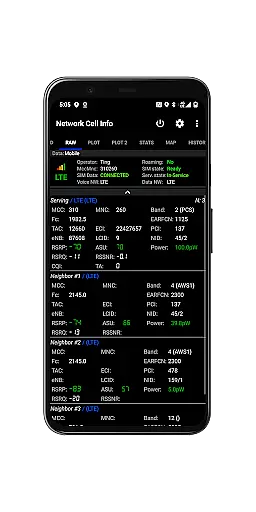
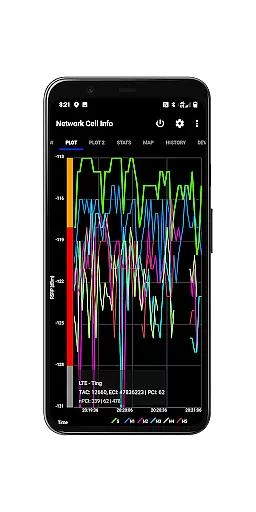
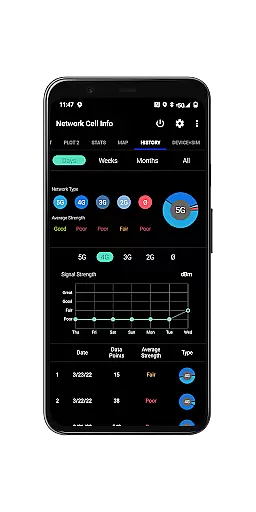
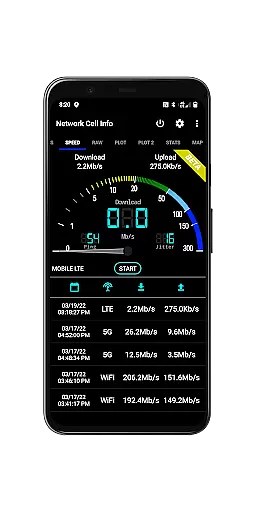
Network Cell Info & Wifi is a comprehensive mobile network monitoring tool designed for users seeking to optimize their connectivity experience. The app provides detailed insights into cellular and Wi-Fi signals, supporting technologies like 5G, LTE, CDMA, and GSM. With its advanced diagnostic features, users can troubleshoot reception issues, identify connected cell towers, and analyze signal strength history.
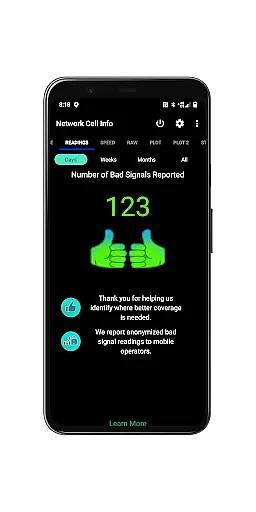
A standout feature of the app is the Bad Signal Reporter, which allows users to automatically report poor signal areas to mobile network operators. This functionality not only empowers users to improve their personal network experience but also contributes to enhancing overall network quality. Whether you're a tech enthusiast or someone looking to maximize your device's performance, Network Cell Info & Wifi delivers essential tools for better connectivity.
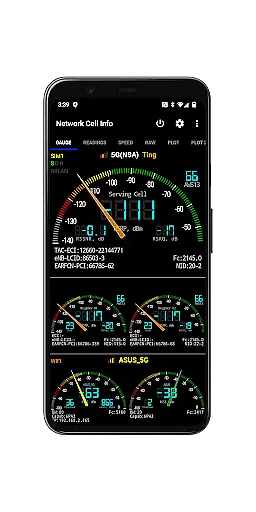
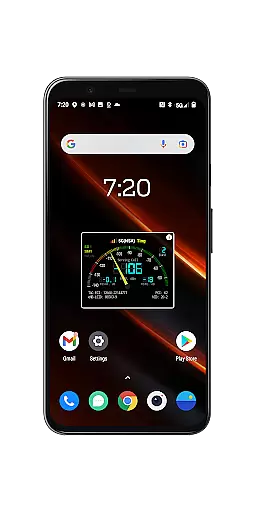
Network Cell Info & Wifi offers an array of powerful features tailored for network analysis and optimization. One of its core capabilities is real-time monitoring of cellular and Wi-Fi signals, displayed through intuitive gauges and raw data tabs. The app supports multiple network types, including 5G, LTE+, and CDMA, while providing dual-SIM support for enhanced flexibility.
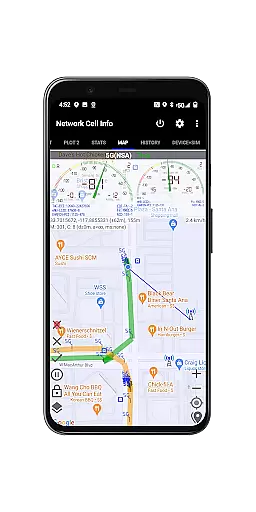
In addition to signal monitoring, the app includes advanced tools such as a one-tap speed test for measuring internet performance, detailed signal plots, and a Personal Best Signal Finder. Users can visualize network coverage on maps, access historical logs, and export data for further analysis. These features collectively enable users to pinpoint optimal signal locations and make informed decisions about their connectivity.
The app also emphasizes user empowerment through crowdsourced data. By contributing to the Bad Signal Reporter, users help mobile network operators identify and address weak coverage areas. This combination of personal utility and community-driven improvement makes Network Cell Info & Wifi a versatile tool for anyone invested in achieving reliable mobile and Wi-Fi connections.
Network Cell Info is designed to provide accurate and effective monitoring of mobile network signals, which is crucial for users who want to optimize their connectivity. The app supports a wide range of network types including 5G, LTE+, LTE, CDMA, WCDMA, and GSM, ensuring comprehensive coverage for different user needs.
The application offers almost real-time monitoring of cellular carrier and WiFi signals through its Gauge/Raw Tabs, enabling users to troubleshoot reception issues efficiently. With features like one-tap speed tests for WiFi and mobile internet, users can quickly assess their download, upload, ping, and jitter performance, making it easier to identify and resolve connectivity problems.
For those relying on dual-SIM devices, Network Cell Info provides support with 5-6 signal-meter gauges for both SIMs and WiFi. This ensures that no matter the configuration of the user's device, they have access to detailed signal information that can help them maintain optimal connection quality.
Ultimately, the core functions of Network Cell Info empower users by giving them precise data about their network environment. Whether it's through personal best signal finder maps or crowdsourced best signal locations, the app equips users with tools to enhance their mobile experience and achieve stronger signal strength.
A straightforward and intuitive interface is essential for a tool like Network Cell Info, which caters to both casual users and professionals. The app excels in this area by providing clear visual indicators such as signal-meter gauges and plots that display up to six cells, allowing users to easily interpret complex network data.
With an emphasis on usability, the app includes a map feature that overlays network cellular info and signal strength, simplifying the process of finding optimal coverage areas. Users can also access historical logs and measurements directly from the map tab, streamlining the way they track changes in their network environment over time.
Network Cell Info further simplifies navigation with options like SIM# preference settings for non-Gauge tabs and readings that report bad signals. These features ensure that even those new to network diagnostics can manage their settings without hassle.
By combining powerful diagnostic tools with an accessible interface, Network Cell Info delivers an experience that is both functional and user-friendly. This balance allows users to focus on improving their mobile experience without being overwhelmed by technical complexity.
Comprehensive network monitoring
Real-time signal tracking
Dual-SIM support
Bad Signal Reporter
Exportable data logs
Complex for beginners
Premium features locked
Heavy battery usage
Limited CDMA mapping
Requires constant updates

Easily install aab(Android App Bundle) files on your Android device with our app
 4.80
4.80
Complete kernel toolbox with features to manage and tweak your rooted device
4.30
Family Locator, Share location, StayConnect with your family in real time
3.90
Universal TV remote control all TVs, Roku, LG, Samsung, Fire, Vizio, Sony, TCL.
4.40
App that Recover your pictures, videos or files after you delete them.
4.20
Smart and comfortable browsing experience.
3.80
Support Fossify apps with a warm thank you!
5.00
Planner and Tracker for Stardew Valley
4.60
Screen Mirroring for Roku Sticks, Roku TCL TV and Roku Hisense TV
4.50
Navigate with Ease and Style
4.90
Extremely fast, secure, and protects your privacy
4.80
Fast Video Downloader, Movie Downloader, Torrent Downloader & Adblock Browser
4.70
App to pay for FUTO Keyboard
4.60 4.50
4.50
With videos, electrical calculators, and built-in ebook, Ugly’s has your answer.
4.50
Button mapper, mouse toggle, sleep timer and a lot of another features
4.50
An easy-to-use calculator designed to save time calculating and bending conduit
4.30
Just one-tap to easy translate in any language after calls within seconds.
4.20
An open-source APK explorer for Android!
4.10


User Reviews