
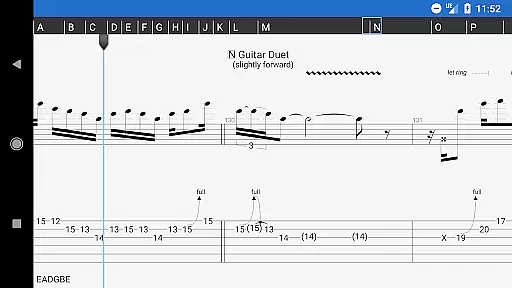
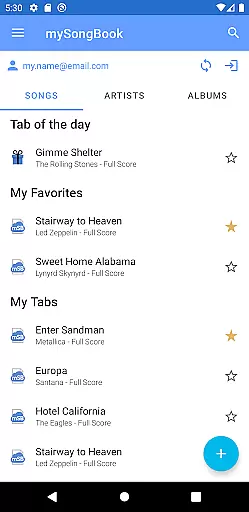
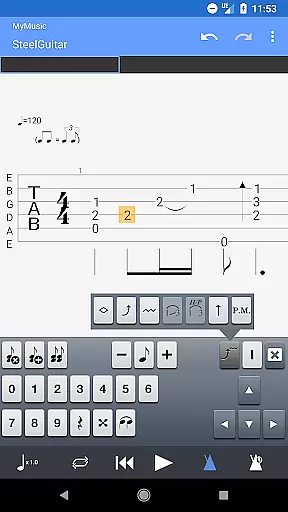
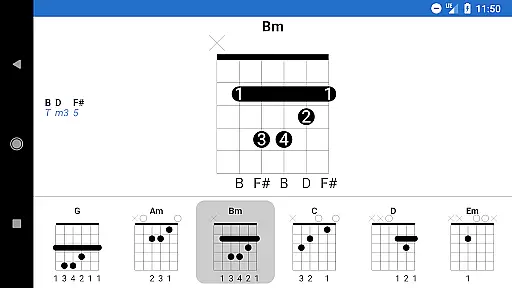
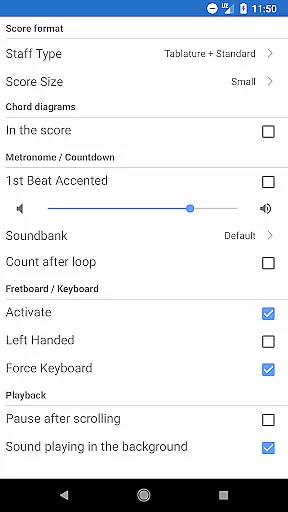
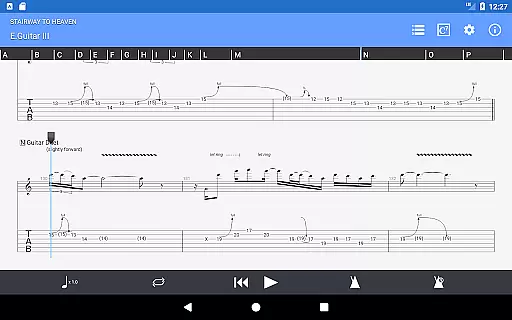
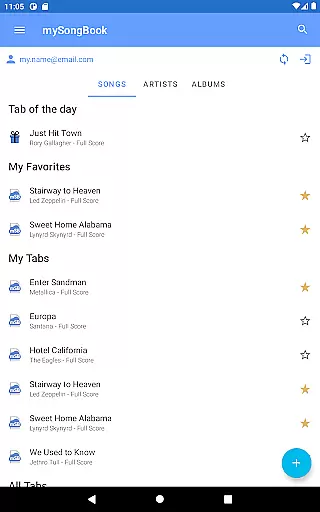
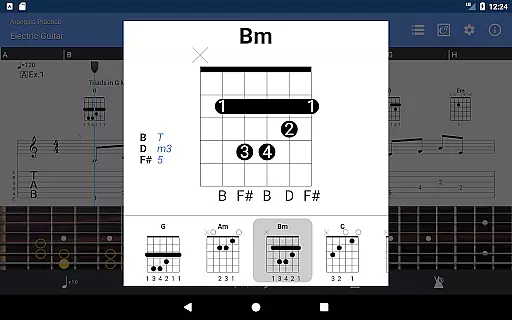
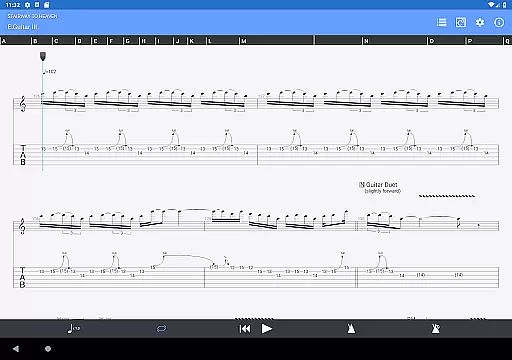
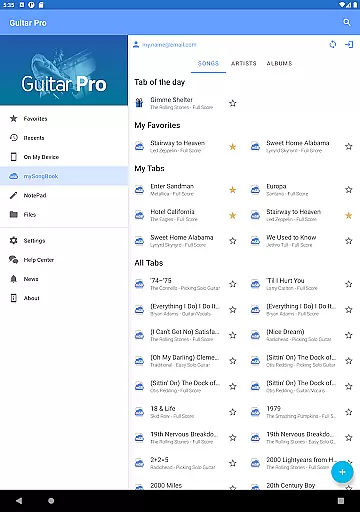
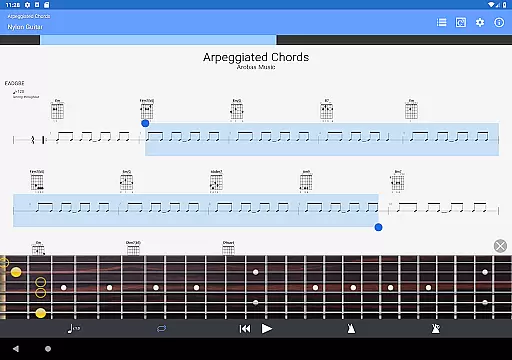
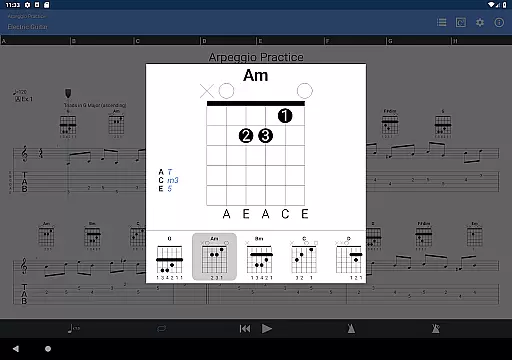
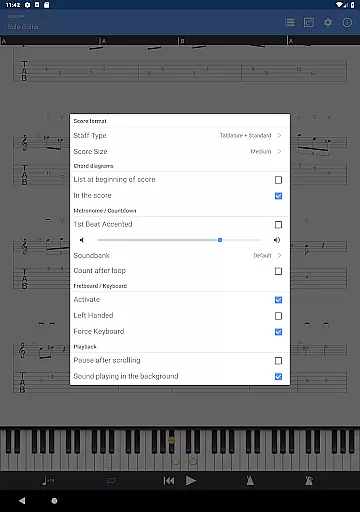
Guitar Pro is a powerful mobile application designed specifically for guitarists and musicians who want to create, edit, and play tablature on the go. The app supports GP3/4/5/6/7/8 file formats, allowing users to easily load and view complex tablature files directly on their mobile devices. With its integrated sheet-music library, users can search, filter, and save their favorite scores for quick access anytime.
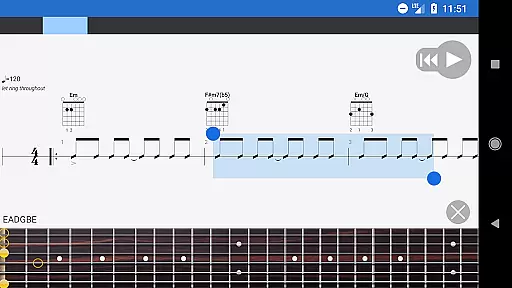
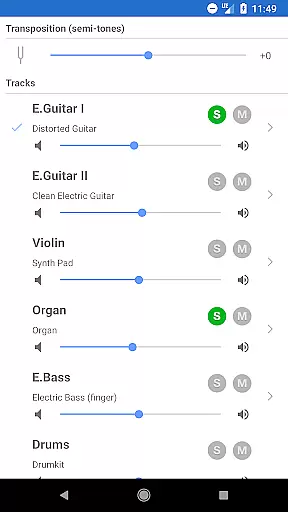
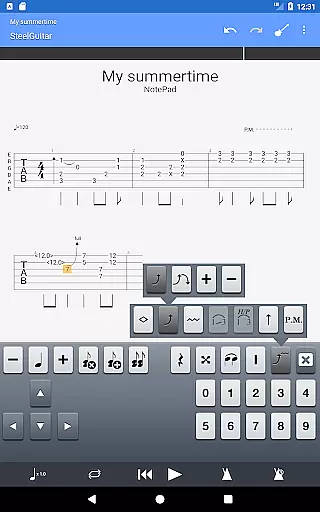
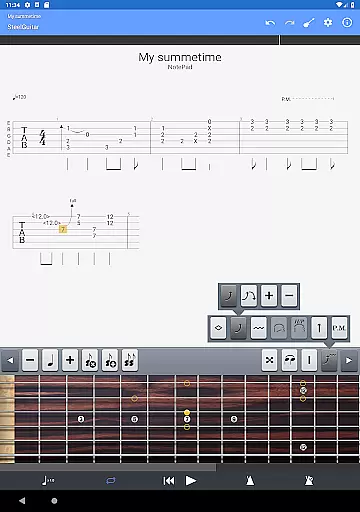
One of the standout features of Guitar Pro is its NotePad tool, which allows musicians to quickly jot down musical ideas in single-track tablature format. Whether it's an arpeggio, riff, or chord sequence, you can capture your inspiration for guitar, bass, banjo, ukulele, or mandolin. Additionally, the app offers a multitrack player with soundboard controls, making it easy to practice songs with adjustable tempo, transposing, and looping options.
This app is perfect for musicians who need a portable solution for composing and practicing music. Its compatibility with mySongBook portal and ability to export files into Guitar Pro desktop formats ensures that users can seamlessly transition between mobile and desktop environments. With frequent updates and active support channels, Guitar Pro remains a reliable tool for both amateur and professional musicians.
Guitar Pro stands out with its comprehensive set of features tailored for musicians. One of the key functionalities is its powerful score player, which supports multiple file formats including GP3/4/5/6/7/8. This allows users to load files via WiFi, web browser, and email, ensuring maximum flexibility when accessing tablature. The app also includes an integrated sheet-music library with advanced search and filtering capabilities, helping users organize their music efficiently.
The NotePad tool is another highlight, enabling users to create single-track tablature for various stringed instruments. With support for 4- to 8-string instruments, customizable tuning, and 19 built-in sounds, musicians have everything they need to experiment with new ideas. The app also provides essential practice tools such as a metronome, visual countdown, and on-the-fly tempo changes. These features ensure that users can practice effectively while maintaining precise timing and rhythm.
Additionally, Guitar Pro offers seamless integration with the desktop version of the software. Users can export their compositions in Guitar Pro 6 and 7 formats, allowing them to continue working on more complex arrangements using the full suite of desktop features. The app also supports global transposing by half-tones and simplified navigation between sections, making it easier than ever to refine and perfect your musical creations.
Guitar Pro offers an extensive music library that caters to musicians of all levels. The app supports GP3/4/5/6/7/8 file formats, allowing users to access a wide range of tablature files from various sources.
Compatibility with the mySongBook portal provides additional sheet music options, although a monthly subscription is required for full access. This ensures that users have a vast selection of legal and authentic content at their fingertips.
The integrated sheet-music library includes search, filter, and favorite functionalities, making it easy for users to organize and retrieve their preferred scores. These features enhance the overall user experience by streamlining music discovery and management.
With the ability to load files via WiFi, web browser, and email, Guitar Pro ensures seamless integration with other devices and platforms. This connectivity not only expands the music library but also reinforces the legitimacy of the content being shared and accessed.
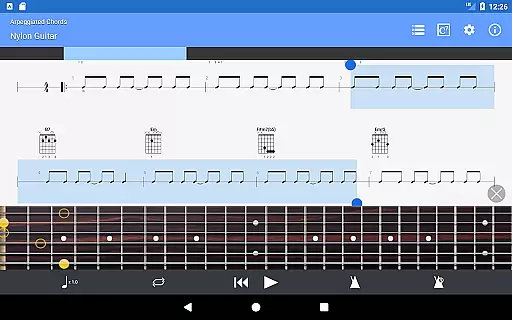
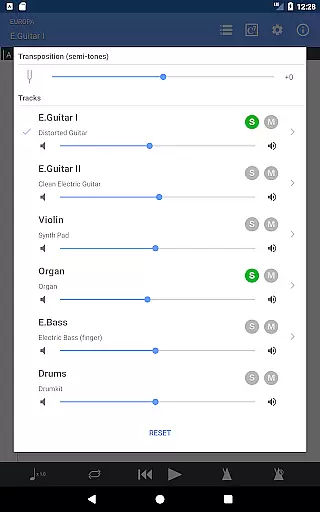
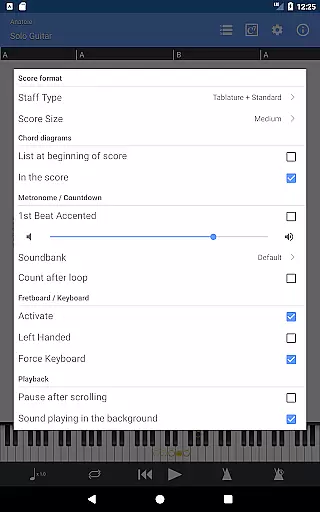
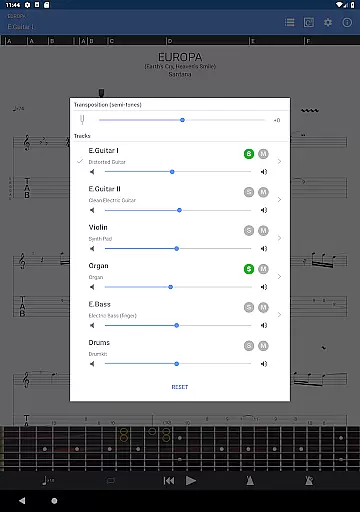
Guitar Pro provides a robust platform for audio playback with several quality options. The multitrack player comes with a soundboard feature, allowing users to adjust volume, apply solo-mute functions, and select different soundbanks.
For precise practice sessions, the app includes a metronome and visual countdown, ensuring accurate timing and rhythm control. Users can also make on-the-fly tempo changes and global transposing by half-tones, offering flexibility in how they play back their tabs.
Three zooming levels and the choice between guitar or bass fretboard views cater to individual preferences and improve readability. These options are available for both right- and left-handed players, alongside a virtual keyboard for additional versatility.
Moreover, the NotePad tool allows for exporting ideas into Guitar Pro 6 and 7 formats, preserving the audio quality when transitioning from mobile to desktop compositions. With 19 built-in sounds and customizable tuning and tempo, users can create high-quality audio outputs tailored to their musical needs.
Powerful score player
Supports multiple file formats
Integrated sheet-music library
NotePad tool for quick ideas
Frequent updates and support
No audio track feature
Limited notation editing
Monthly subscription excluded
Single-track tablature only
Drum track editing unavailable

Pay Once, no monthly payment
 4.60
4.60
Performance-Synthesizer & Multi-Track-Sequencer, polyphonic + multi timbral!
4.70
Full-featured, High-Quality Groovebox Workstation, perfect for Live Performance!
4.80
DJ Music Mixer - DJ Remix: remix songs, make beat music & record mix of DJ.
4.40
Visualize the guitar fretboard, master scales & play through changes like a pro!
4.50
Guzheng Master supports many playing techniques as an acoustic Guzheng
4.50
Music, News & Sports Radio Tuner App. Tune in Live FM & AM Radio Stations.
4.80
Make songs with AI! Any genre, custom lyric, song generator for music creation!
4.80
Offline Tunes, Unlimited Vibes
3.90
Tune in to the greatest hits on UK Radio | The home of Capital, Smooth & Heart.
4.90
More downloads than any other metronome. Includes drum machine & tempo trainer.
4.80
Gorgeous UI, Powerful music Search and Equalizer, the great choice for you!
4.70
Over 100 million tracks available for high quality streaming and download
4.60
AI Music Maker: Generate And Compose AI Tunes & AI Songs & AI Music & AI Melody!
4.60
Play KORG’s revolutionary touch-based instrument on a variety of devices.
4.40
Bass Booster Pro takes auto-equalizing to the next level!
4.30
A High-Precision Audio Spectrum Analysis App
4.20
A sleek, no-frills player designed for true music lovers.
4.20
Turn your Android phone into a professional audio analyser with up to 120 bands.
4.00


User Reviews