
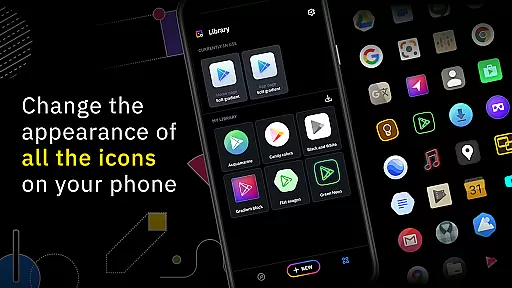
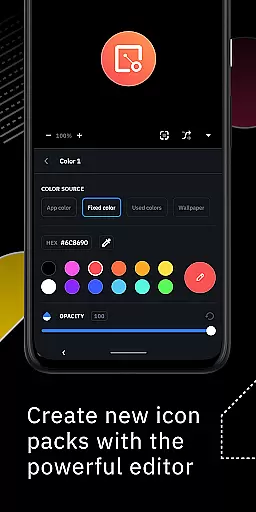
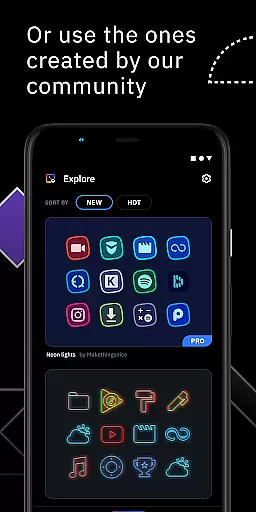
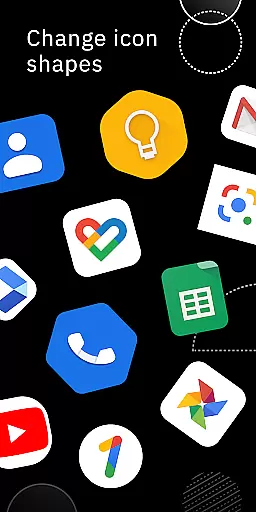
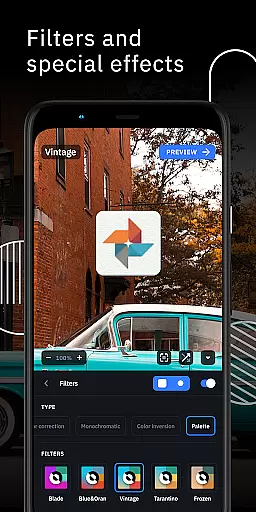
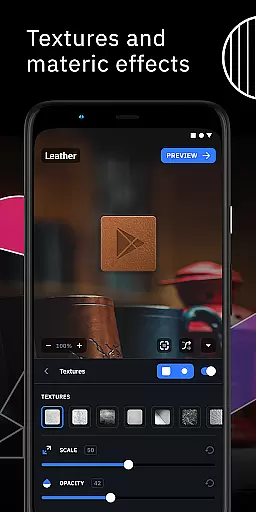
Icon Pack Studio is a powerful personalization tool that allows users to create custom icon packs tailored to their preferences. With this app, you can either design an icon pack from scratch or download and apply community-created packs. The advanced editor provides precise control over icon elements, enabling resizing, repositioning, and applying filters like lights, shadows, textures, and bezels.
This app stands out by covering any app on your device, which no other Play Store icon pack can achieve. It's designed primarily for Smart Launcher but is compatible with most popular launchers such as Nova, Action, and Lawnchair. Whether you're looking to personalize your home screen or need specific icon designs, Icon Pack Studio offers the tools to make it happen.
One of the standout features of Icon Pack Studio is its advanced editor, which allows detailed customization of icons. Users can resize and move elements, apply various filters, and tweak existing icon packs installed on their devices. Starting from version 2, the app supports importing and modifying any installed icon pack, providing unparalleled flexibility.
The app also boasts compatibility with a wide range of launchers including Nova, Action, and Poco Launcher, ensuring broad usability. Its ability to cover any app on your device sets it apart from other icon packs available on the Play Store. This feature-rich application empowers users to fully personalize their smartphone experience with ease and precision.
Icon Pack Studio offers a wide array of customization options, allowing users to create their own icon packs from scratch. This feature is crucial for those who seek a personalized home screen that perfectly matches their preferences and style.
The advanced editor in the app enables users to resize and move any element of their custom icons. With special filters such as lights, shadows, textures, and bezels, users can fine-tune every detail until they are satisfied with the outcome.
By providing these comprehensive customization tools, Icon Pack Studio empowers users to express their creativity and achieve a unique look for their devices. The ability to tweak and perfect each icon ensures that no two home screens need to be alike.
Theme compatibility is a significant aspect of Icon Pack Studio, ensuring that the icon packs created with the app cover any app on the user's device. Unlike other icon packs downloaded from the Play Store, IPS offers unparalleled coverage and flexibility.
Designed primarily to work seamlessly with Smart Launcher, Icon Pack Studio also supports a wide range of other popular launchers. This includes but is not limited to Nova Launcher, Action Launcher, and Lawnchair Launcher, making it versatile for different user preferences.
While some launchers like Xperia Home and Pixel Launcher are unsupported, the extensive compatibility list ensures that most users can enjoy the benefits of customized themes across various platforms. This broad support enhances the overall user experience by providing consistent aesthetics and functionality.
User-friendly interface
Extensive customization options
Wide launcher compatibility
Active community support
Regular updates
Limited to supported launchers
Advanced features may overwhelm beginners
Some functionalities require technical knowledge
Interface could be more intuitive
Occasional bugs reported

3D, live, and moving wallpapers & themes in 4K and HD for your device.
 4.50
4.50
Bring adorable pets to life on your screen. Playful, interactive and full of fun
4.60
Over 28,000 high quality icons to bring color & homogeneity to your phone.
4.60
Unique Fonts, typefaces and stylish text. Fonts for Instagram, Whatsapp & others
4.20
Transfer your live wallpapers from Windows to Android using Wallpaper Engine!
4.00 4.10
4.10
Color phone with cool effects for call screen, flash alert & ringtones music
4.50
Adorable pets roam and play right on your phone screen!
3.30
Install amazing sticker packs: endless styles, always cool.
4.70
Enjoy a variety of amazing live wallpapers and colorful EDGE lighting borders!
4.80
Customizable Glass widgets. Over 360+ stunning widgets and more!
4.70
A retro cartoon style watch face and a punch right in the face of the copyright
4.60
Icons made of colorful linear lines
4.60
Ultra realistic gold analog watch face with lots of customization options.
4.50
Try creating your own keyboard with "Keyboard theme for android" app now!
4.50 4.50
4.50
Fingerprint Lock Screen & Live Animations with 4K Wallpapers as Live Wallpaper
4.40
More than 3000+ themes and 9000+ wallpapers for everybody!
4.10
Prank your friends with realistic broken screen and cracked HD effects!
4.5


User Reviews