
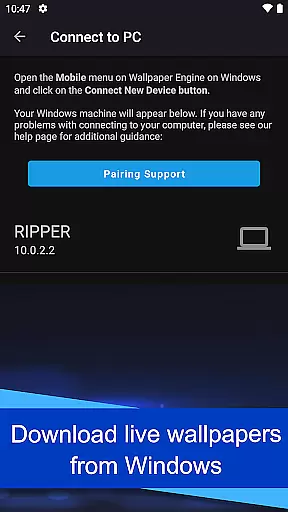
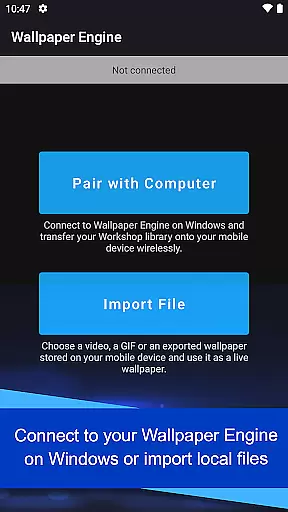
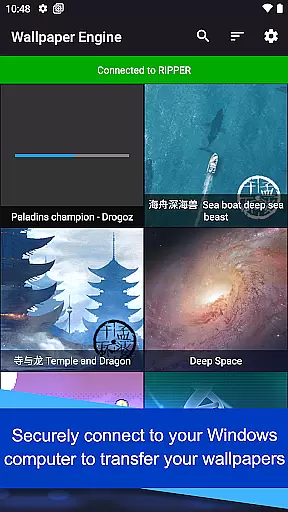
Wallpaper Engine is a personalization app that allows users to bring their live wallpapers from the desktop version to their Android devices. The app supports various formats including videos, GIFs, and interactive 2D/3D scenes, making it versatile for different user preferences. Users can connect their Android device to Wallpaper Engine on Windows to seamlessly transfer their existing library of wallpapers.
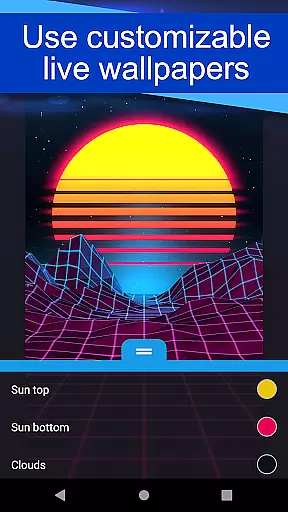
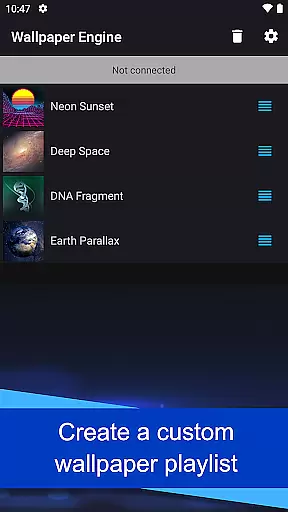
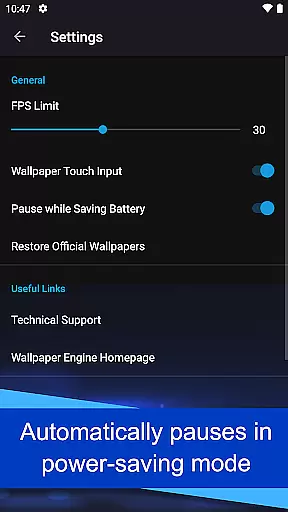
One standout feature is the ability to customize wallpapers by adjusting settings to match individual tastes. Additionally, users can create playlists that automatically cycle through wallpapers at set intervals or based on the time of day. This ensures a dynamic and personalized experience. The app also respects battery life by pausing wallpapers when power-saving mode is activated.
This app is ideal for users who want to enhance their mobile experience with visually appealing and dynamic wallpapers without compromising device performance or privacy, as it is completely ad-free and does not track user behavior.
Wallpaper Engine offers an array of features designed to provide a rich and customizable wallpaper experience. The app supports multiple formats such as videos, GIFs, and interactive 2D/3D scenes, allowing users to choose from a wide variety of visual styles. By connecting to the desktop version of Wallpaper Engine, users can easily transfer their entire library of wallpapers to their mobile devices, ensuring a seamless transition between platforms.
Customization is at the heart of Wallpaper Engine's functionality. Users have the ability to tweak the appearance and behavior of their wallpapers to suit their preferences. Another notable feature is the playlist functionality, which enables automatic cycling of wallpapers at regular intervals or specific times of the day. This adds variety and keeps the visual experience fresh and engaging.
The app is designed with user privacy and device performance in mind. It operates without ads and refrains from tracking user behavior, providing a clean and secure environment. Additionally, wallpapers are automatically paused when the device enters power-saving mode, thus conserving battery life while maintaining aesthetic appeal.
Wallpaper Engine offers an extensive range of customization options, allowing users to tailor their wallpapers to their personal preferences. The app supports various formats including videos, GIFs, and interactive 2D/3D scenes, providing a dynamic and engaging visual experience.
Users can connect their Android device to Wallpaper Engine on Windows, enabling them to transfer their existing desktop library onto their mobile devices. This seamless integration ensures that your personalized settings and collections are always at your fingertips, no matter where you are.
In addition to importing from the desktop application, users can also customize the look and feel of their wallpapers directly within the mobile app. With features like setting up playlists for automatic cycling of wallpapers based on time intervals or times of day, the level of personalization is unparalleled.
This flexibility in customization not only enhances user engagement but also allows for a more immersive and tailored mobile experience, making it a top choice for those looking to express their individuality through their device's appearance.
Theme compatibility is a standout feature of Wallpaper Engine, ensuring that all wallpapers integrate seamlessly with Android devices. Whether you're using static images, animated GIFs, or complex interactive scenes, the app guarantees a smooth and visually appealing experience across different themes and interfaces.
The app is designed to automatically pause wallpapers when the device enters power-saving mode, thus maintaining optimal performance without compromising the user's preferred aesthetic. This intelligent management of resources ensures that your device remains efficient while still showcasing your chosen designs.
Furthermore, Wallpaper Engine is completely ad-free and refrains from tracking user behavior, offering a pure and uninterrupted theming experience. Users can enjoy their customized wallpapers without any distractions or privacy concerns, enhancing the overall satisfaction with their deviceu2019s appearance.
With its commitment to compatibility and user-centric design, Wallpaper Engine sets a high standard for theme integration in personalization apps, ensuring that every wallpaper looks great and functions flawlessly on any Android device.
User-friendly interface
Versatile format support
Seamless desktop integration
Customizable settings
Privacy-focused design
Limited to Android
Requires desktop version
No iOS support
Resource-intensive
Premium pricing

Ultra realistic high quality analog watch face for Wear OS.
 4.60
4.60
Turn your lock screen into fun with smile live wallpapers & animated wallpapers!
2.50
Dark icon pack based on One 8
4.80
Zip lock screen with magic wallpaper to decorate your phone with fun zipper lock
4.60
Design your screen with unique, vibrant clocks
3.80
Embrace the Night. Unleash the power of darkness with Raven Dark Icon Pack
4.60
Stylish Pink Cute Hippo keyboard with 10000+ customized keyboard themes!
4.60
400+ Beautifully crafted widgets inspired by NOTHING.
4.70
Create stunning widgets with Widget 2026: Aesthetic Widgets for Android!
4.60
Only for Wear OS devices!
4.90
One 8 icons glass color version
4.80
Customizable Glass widgets. Over 360+ stunning widgets and more!
4.70
Glass style colourful icons with a One UI look and feel
4.60
Ultra realistic gold analog watch face with lots of customization options.
4.50
Turn text & photos into stunning AI videos, art, and creative visual stories.
4.50
AI-powered Copilot. Personalized keyboard with gifs, stickers & themes
4.40
Art & Emoji Keyboard with Cool Fonts, Cute Themes and Custom Designs.
4.40
Adult video chat, dating, making friends, random matching
4.20
Unleash Your Creativity and Connect with Loved Ones with Lockscreen Drawing!
4.20


User Reviews