
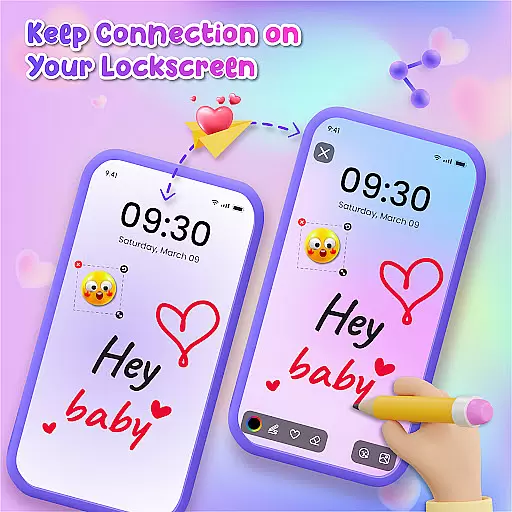
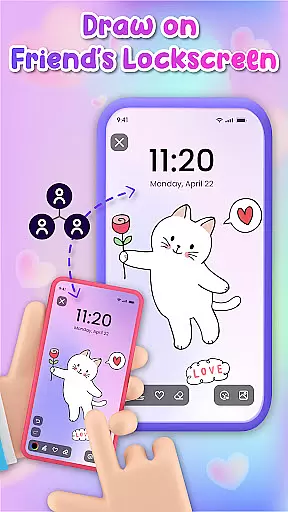
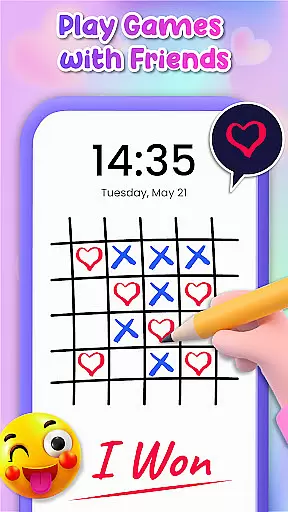
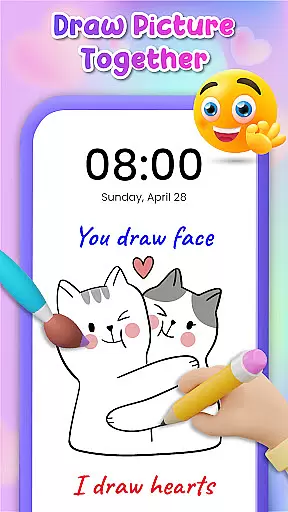
Lockscreen Drawing is a unique personalization app that transforms your phone's lock screen into an interactive canvas. This innovative application allows users to draw directly on their lock screens, share creations in real-time, and collaborate with friends through live lock screen interactions.
The app offers multiple drawing options including lock screen doodling, widget-based connections, and an in-app canvas feature. With over 100 stickers and 20 themed backgrounds, it provides diverse creative possibilities while enabling users to express themselves through personalized artwork.
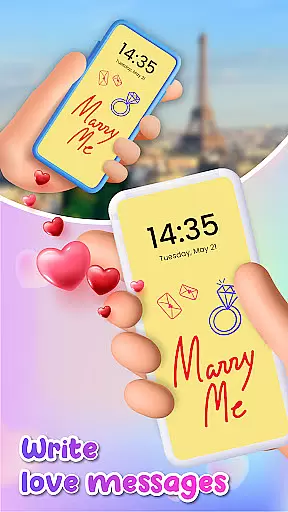
This application is particularly valuable for couples and close friends who want to surprise each other with custom drawings or messages on their lock screens, making it an excellent tool for strengthening personal connections through digital creativity.
Lockscreen Drawing stands out with its comprehensive set of creative tools and collaborative features. The app's signature functionality is its live lock screen collaboration, where users can draw simultaneously with connected friends, watching strokes appear in real-time across devices.
Beyond basic drawing capabilities, the app includes a versatile widget system for displaying friends' latest creations, an extensive library of themed backgrounds, and a vast collection of expressive stickers. These features work together to create a rich ecosystem for artistic expression and social connection.
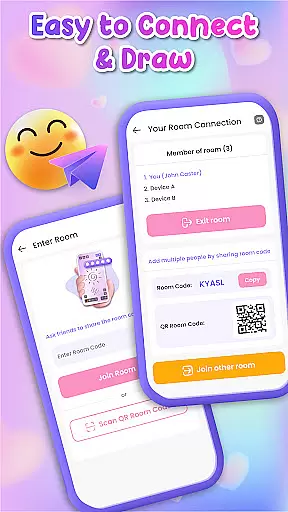
Additional notable features include multiple connection methods using QR codes or special links, automatic saving of artwork, and seamless sharing options across various platforms. The combination of these elements makes Lockscreen Drawing a powerful tool for both casual doodlers and serious digital artists seeking connection through creativity.
Lockscreen Drawing offers a rich array of customization options that allow users to personalize their lock screens like never before. With over 100 unique stickers and more than 20 themed backgrounds, the app provides endless possibilities for creativity. Users can choose from various romantic or whimsical backdrops, ensuring there's something for everyone.
The app also allows users to select photos from their gallery as backgrounds, adding a personal touch to every creation. This feature not only enhances user engagement but also makes each lock screen truly unique. By offering such diverse customization options, Lockscreen Drawing empowers users to express themselves fully through their deviceu2019s most frequently viewed interface.
Moreover, these customization features are completely free, making high-quality personalization accessible to all users. Whether you're an aspiring artist or simply looking for a fun way to connect with friends, Lockscreen Drawing ensures your lock screen reflects your personality and mood.
Theme compatibility is at the heart of Lockscreen Drawingu2019s design philosophy. The app seamlessly integrates with different themes, ensuring that whether you prefer a minimalist look or vibrant designs, your drawings will always appear visually cohesive. This compatibility extends across various devices and operating systems, providing consistent performance and appearance.
Users benefit from this robust theme support by experiencing smooth transitions between different visual styles without losing any functionality. For instance, if someone switches from a dark theme to a light one, their doodles remain clear and appealing. Such reliability enhances user satisfaction and encourages continued use of the app.
Furthermore, Lockscreen Drawing supports real-time collaboration on themed backgrounds, allowing friends to create masterpieces together regardless of individual device settings. This ensures that every participant enjoys a uniform and enjoyable artistic experience, fostering stronger connections through shared creative endeavors.
User-friendly interface
Real-time collaboration
Versatile drawing tools
Extensive sticker library
Multiple connection options
Limited advanced tools
Occasional performance lag
Basic color selection
No layer support
Device compatibility issues

Classic analogue watch face. For wear os devices.
 4.60
4.60
Customizable Glass widgets. Over 360+ stunning widgets and more!
4.70
Ultra realistic high quality analog watch face for Wear OS.
4.60
Art & Emoji Keyboard with Cool Fonts, Cute Themes and Custom Designs.
4.40
App Icon Changer & Shortcut Creator. Customize your icons without any watermarks
4.30
300+ Beautifully crafted widgets inspired by OneUI.
4.60
300+ widgets inspired by Material You and Material 3 expressive design.
4.60
Transform your device in a game console
4.40
Emoji Maker app - Design custom emojis and effortlessly blend them with Mixer
3.80
Personalize your phone with stunning HD and 4K wallpapers!
4.70
Over 28,000 high quality icons to bring color & homogeneity to your phone.
4.60 4.50
4.50
Vibrant Adaptive Icons with Material You and Enhanced Monet Colors.
4.50
Launcher OS™ Pro without ads help make your phone simple and pretty
4.30 4.10
4.10
Design your screen with unique, vibrant clocks
3.80
Transform your phone with stunning video wallpapers and a unique, personal touch
3.80
Adorable pets roam and play right on your phone screen!
3.30
⭐ OneUI inspired Fluffy Icon Pack – Soft. Stylish. Standout. ⭐
4.4


User Reviews