
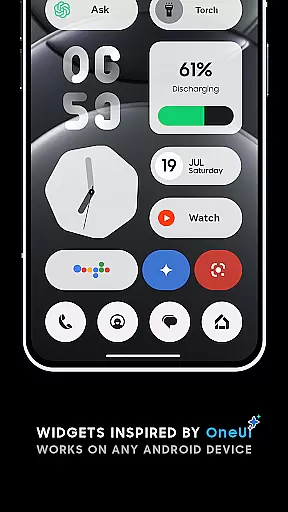
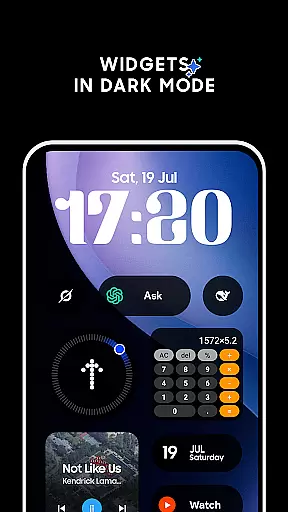
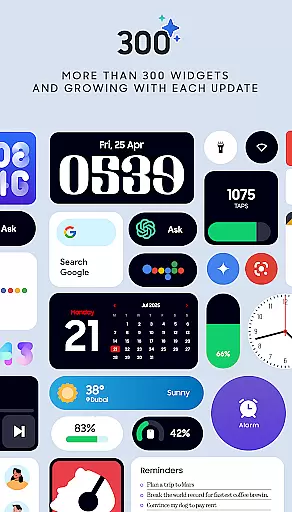
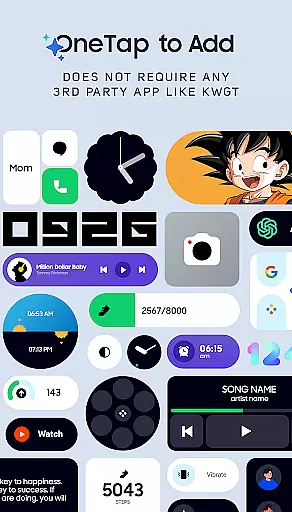
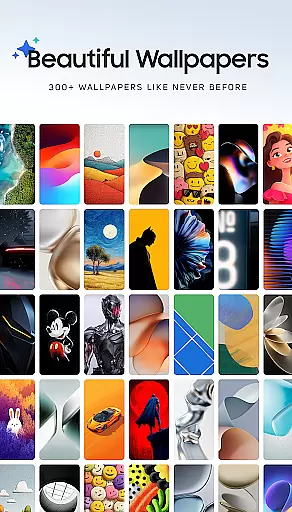
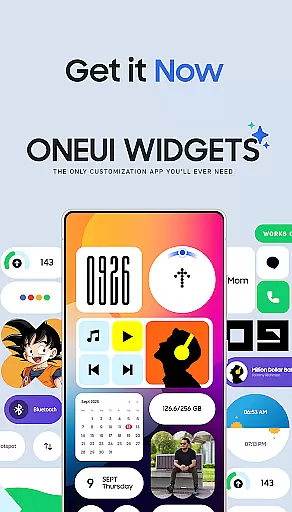
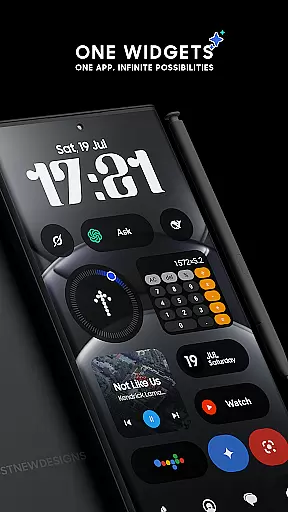
OneUI Widgets is a feature-rich personalization app that transforms your Android home screen with over 300 beautifully designed widgets inspired by Samsung's One UI OS aesthetic. The app offers a diverse range of widget categories, including Clock & Calendar, Battery, Weather, Quick Settings, and even fun Game Widgets like Snake. Each widget is crafted to provide both functionality and visual appeal, ensuring users can create a truly unique and efficient home screen.
A standout feature of OneUI Widgets is its native compatibility with Android devices, eliminating the need for third-party apps like KWGT. Users can simply tap to add widgets and customize their screens instantly. Additionally, most widgets are fully resizable, allowing for flexible arrangements that suit individual preferences. With matching wallpapers included, this app provides a complete home screen customization experience.
Whether you're looking to monitor battery life, access quick settings, or display cherished photos, OneUI Widgets caters to various needs while maintaining a sleek design language. Its commitment to quality ensures that every widget adds value to your device's usability and aesthetics.
OneUI Widgets stands out with its extensive collection of over 300 widgets, each designed to enhance both the functionality and appearance of your home screen. These include elegant Clock & Calendar widgets, minimalist Battery indicators, and informative Weather widgets that display forecasts and moon phases. For productivity enthusiasts, there are To-Do lists, notes, and motivational Quote widgets, while fun additions like the Snake game widget cater to leisure seekers.
The app also emphasizes ease of use through native integration with Android devices, meaning no additional apps are required to install or manage these widgets. Most widgets are fully resizable, giving users the freedom to adjust sizes from small to large for optimal placement on their screens. Furthermore, the inclusion of 300+ matching wallpapers ensures a cohesive look across your entire home screen setup.
OneUI Widgets continues to evolve, with plans to expand its library to 350+ widgets by focusing on quality over quantity. This dedication to thoughtful design makes it an ideal choice for fans of Samsung’s One UI aesthetic who want a personalized yet intuitive home screen experience.
OneUI Widgets Pack offers an extensive range of customization options, allowing users to transform their home screens with over 300 beautifully designed widgets. These widgets are inspired by the One UI OS aesthetic and work seamlessly on any Android device without requiring extra apps.
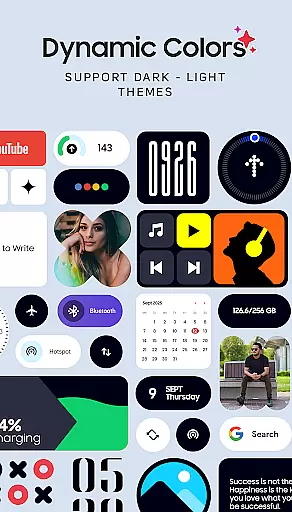
The app provides a diverse selection of widget categories including Clock & Calendar, Battery, Weather, Quick Settings, Contact, Photo, Google, Utility, Productivity, Pedometer, Quote, and even Game widgets. Each category contains multiple design variations, ensuring that users can find the perfect widget to match their personal style and functional needs.
Users benefit from the fully resizable and responsive nature of most widgets, which allows for precise adjustments in size from small to large. This flexibility ensures a perfect fit for any home screen layout, enhancing both aesthetics and usability.
With its wide variety of customization options, OneUI Widgets Pack empowers users to create a truly unique and personalized home screen experience that reflects their individual preferences while maintaining the high-quality design standards of the One UI OS.
OneUI Widgets Pack demonstrates excellent theme compatibility by offering matching wallpapers alongside its extensive widget collection. The app includes over 300 wallpapers specifically designed to complement the widgets, ensuring a cohesive and visually appealing home screen experience.
The widgets themselves are crafted to maintain visual consistency across different themes and color schemes. Whether users prefer light or dark modes, the widgets adapt seamlessly to various display settings, preserving their elegant appearance and readability.
This theme compatibility extends beyond just visual aesthetics. The app's native functionality ensures that all widgets work harmoniously with Android's operating system and other installed applications, providing a smooth and integrated user experience without requiring third-party support.
By combining comprehensive theme compatibility with a vast array of design options, OneUI Widgets Pack enables users to maintain a consistent visual identity across their entire device interface while enjoying the practical benefits of highly functional widgets.
User-friendly interface
Wide variety of widget types
No third-party app dependencies
Fully resizable widgets
Included matching wallpapers
Limited to Android devices
Some features may feel redundant
Designs cater mainly to One UI fans
Occasional performance lags
Refund policy limitations

Classic analogue watch face. For wear os devices.
 4.60
4.60
A Colorful and Minimal icon pack in an Outline Style - Over 13,600 icons!
4.70
Only for Wear OS devices!
4.90
A retro cartoon style watch face and a punch right in the face of the copyright
4.60
Wear Os Watch Face - Seasonal - Animated Snow Effect - 9 Animals
4.20
Vibrant Adaptive Icons with Material You and Enhanced Monet Colors.
4.50
Custom edge gestures for volume control, brightness, apps, and shortcuts.
4.0
Modern Glass Icon Pack with glossy icons, clean minimal theme & aesthetic style
4.2
Cool custom fonts & keyboard themes! Symbols & font changer for Instagram
4.50
Wallpaper HD 4K Live - Thousands of high-quality Anime backgrounds for you.
4.80
A launcher for Samsung Good Lock and Good Guardians modules without ads
4.70 4.50
4.50
Color phone with cool effects for call screen, flash alert & ringtones music
4.50
Art & Emoji Keyboard with Cool Fonts, Cute Themes and Custom Designs.
4.40
Romantic Kiss Stickers App. Start romantic messaging now!
4.30
Adult video chat, dating, making friends, random matching
4.20
Realistic animated snow on your wrist, with 10 images landscapes to choose from
4.00
Transfer your live wallpapers from Windows to Android using Wallpaper Engine!
4.00
Design your screen with unique, vibrant clocks
3.80


User Reviews