
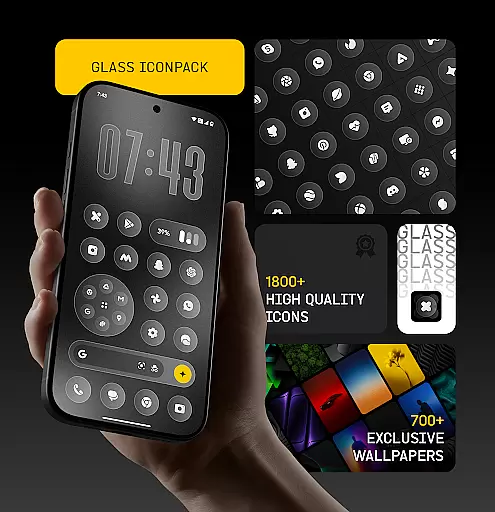
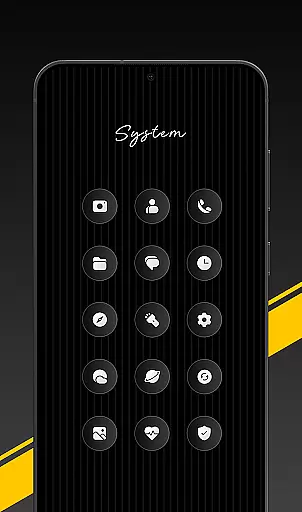
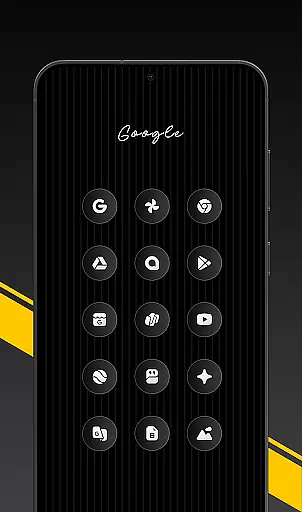
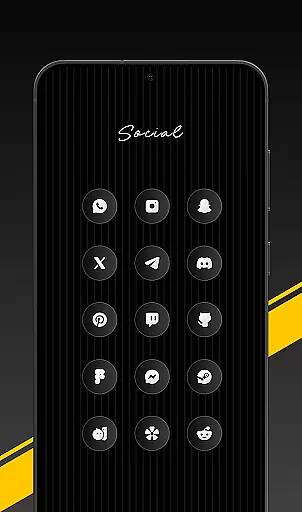
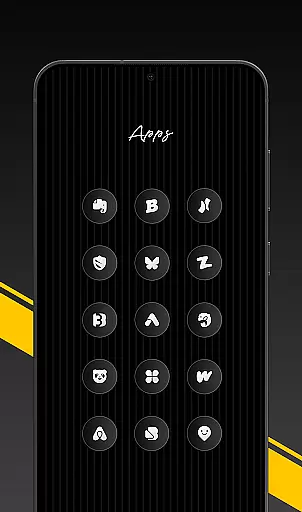
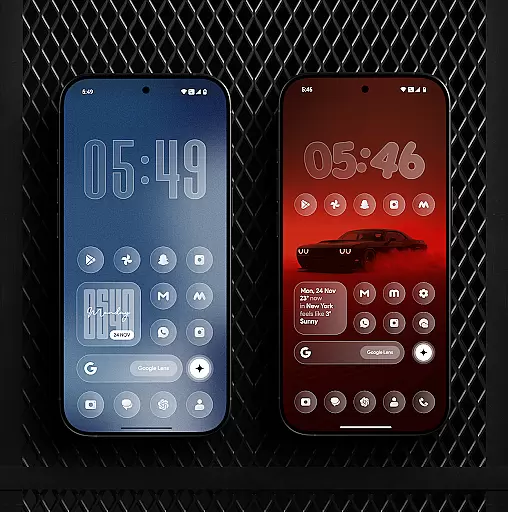
Glass Icon Pack is a premium collection of glossy, modern icons designed to enhance the visual appeal of Android home screens. With over 1850 high-quality icons, it offers users a sleek and polished aesthetic that works seamlessly with any wallpaper or setup.
The pack features HD resolution icons, dynamic calendar support, and smart masking for unthemed apps. It also includes 700+ matching wallpapers inspired by glass and gradient themes, ensuring a cohesive look across devices. Regular updates and an easy-to-use dashboard further elevate its usability.
Ideal for customization enthusiasts, this icon pack transforms plain home screens into visually stunning interfaces while maintaining intuitive navigation.
Glass Icon Pack stands out with its meticulously crafted design elements. Each icon boasts a smooth glass effect, subtle depth, and a premium shine, offering users a timeless and elegant appearance.
Key features include 1850+ icons, HD resolution, dynamic calendar support, and smart masking for unsupported apps. The inclusion of 700+ matching wallpapers ensures a harmonious aesthetic. Additionally, the app provides regular updates and an easy-to-navigate dashboard with search functionality.
These features collectively deliver both style and practicality, making it suitable for various Android setups, from minimalistic to fully customized screens.
Glass Icon Pack offers an extensive range of customization options, ensuring that users can tailor their Android home screens to their exact preferences. With over 1850 high-quality glass icons, the pack covers a wide array of app categories including system apps, social media, and tools.
Each icon is meticulously designed with a smooth glass effect, providing a glossy and modern aesthetic that enhances the visual appeal of any device. The inclusion of dynamic calendar icons and smart icon masking for unthemed apps further extends the customization possibilities.
Users benefit from regular updates that introduce new icons and improvements, keeping their home screens fresh and up-to-date. The easy-to-use dashboard allows for seamless navigation, icon search, and preview, making it simple to find and apply the desired icons.
The pack also includes 700+ matching wallpapers inspired by glass and gradient themes, offering a complete visual overhaul for users who seek a cohesive and polished look for their devices.
Ensuring theme compatibility is crucial for a seamless user experience, and Glass Icon Pack excels in this area. Designed to blend beautifully with any wallpaper or setup, these icons bring a modern and elegant touch to both minimal and fully customized home screens.
The pack supports various launchers, allowing users to apply the icons effortlessly through the Glass Icon Pack interface or their launcher's settings. This flexibility ensures that regardless of the launcher used, users can achieve a consistent and harmonious appearance across their devices.
For devices like Nothing, OnePlus, and Poco, which support third-party icon packs without needing an additional launcher, the compatibility is even more straightforward. Users can enjoy the premium design without worrying about technical limitations.
In cases where an icon is missing or unthemed, the app provides a convenient solution by allowing users to send icon requests. These requests are promptly addressed in upcoming updates, ensuring ongoing compatibility and satisfaction.
Premium glossy design
HD resolution icons
Regular updates
Smart icon masking
Wide app compatibility
Limited to supported launchers
Some icons may be missing
No iOS support
Third-party dependency
Refund policy restrictions

A retro cartoon style watch face and a punch right in the face of the copyright
 4.60
4.60
A launcher for Samsung Good Lock and Good Guardians modules without ads
4.70
More than 3000+ themes and 9000+ wallpapers for everybody!
4.10
Want to make your phone more special than ever?
4.60
Organize and manage your photos and videos effortlessly with Photo Gallery
4.20
Your go to Weather App & Home Screen. Get your weather at a swipe of a finger!
3.80
300+ widgets inspired by Material You and Material 3 expressive design.
4.60
Create stunning widgets with Widget 2026: Aesthetic Widgets for Android!
4.60
Custom ringtones songs, music ringtones for Android phones
4.60
Customizable Glass widgets. Over 360+ stunning widgets and more!
4.70
Vertically oriented rectangular icons
4.70
Personalize your phone with stunning HD and 4K wallpapers!
4.70
Stunningly Different look with Line Icons and Neon Colors
4.60
Ultimate Gallery Lock App - Hide Pictures, Videos and Lock Apps Instantly!
4.60
Try creating your own keyboard with "Keyboard theme for android" app now!
4.50
Unique Fonts, typefaces and stylish text. Fonts for Instagram, Whatsapp & others
4.20
Emoji Maker app - Design custom emojis and effortlessly blend them with Mixer
3.80 3.50
3.50
Interactive Miniature Painting Catalogue
3.30


User Reviews