
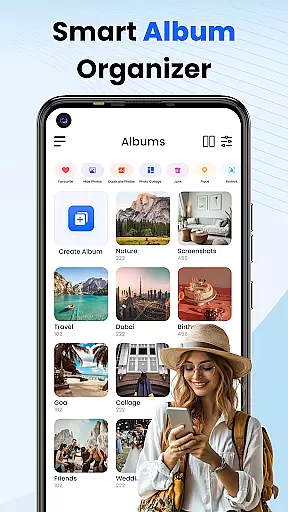
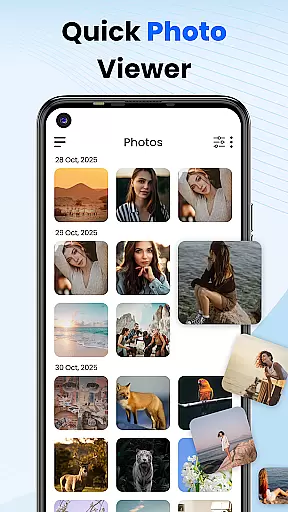
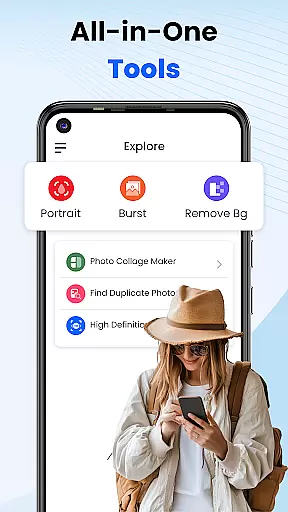
Gallery 2025 is a feature-rich photo management app designed to streamline the organization and enhancement of your photos and videos. With its smart organization tools, users can automatically categorize media by timeline, location, and path, making it easy to manage large collections. The app also supports transferring files to and from SD cards, ensuring seamless accessibility.
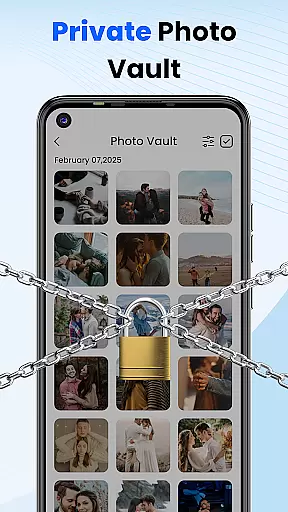
In addition to organization features, Gallery 2025 offers robust privacy protection. Users can safeguard sensitive media in a secure vault, protected by a PIN, pattern, or security question. This ensures that personal memories and confidential images remain private. Its lightweight design and full suite of functionalities, including photo editing and video playback, make it an essential tool for Android users.
Whether you're looking to organize your media library, enhance your photos, or protect your private content, Gallery 2025 provides a comprehensive solution. It combines powerful tools with an intuitive interface, ensuring that managing your digital memories is both efficient and secure.
Gallery 2025 stands out with its advanced features tailored for both casual and power users. One of its key strengths is the Smart Organization system, which automatically sorts photos and videos by timeline, location, and file path. This feature simplifies navigation and helps users quickly locate specific files using the powerful search functionality, which organizes media by date and place.
Privacy is another cornerstone of Gallery 2025. The app includes a Private Vault where users can store confidential media, secured by a numeric PIN, pattern, or security question. Additionally, the Gallery Lock feature ensures that personal images and videos are protected from unauthorized access. These security measures provide peace of mind for users concerned about data privacy.
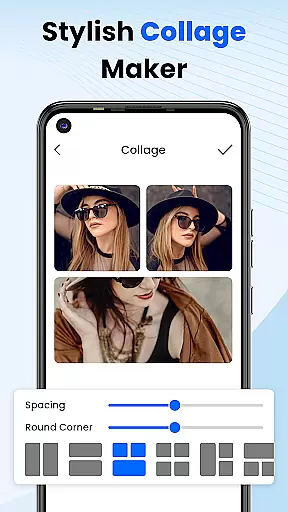
Beyond security, Gallery 2025 offers creative tools such as photo editing and collage creation. These features allow users to enhance their photos and create visually appealing compositions. With recovery options for accidentally deleted media and support for video playback, this app delivers a complete package for managing and enjoying digital content on Android devices.
Customization is at the heart of Photo Gallery, allowing users to tailor their photo management experience to their personal preferences. This app offers a wide array of customization options that cater to both novice and advanced users, ensuring that everyone can organize and manage their digital memories in a way that suits them best.
The Smart Organization feature automatically categorizes photos and videos by timeline, location, and path, providing an intuitive way to navigate through your media library. Users can also manually create albums and move files around as they see fit, offering a personalized touch to how content is arranged within the app.
For those who require privacy, the Private Vault and Gallery Lock features provide customizable security settings. You can choose between a numeric PIN, pattern, or even set up a security question to protect your confidential media. This level of customization ensures that your private content remains just thatu2014private.
Additionally, the Effortless Search function allows for customized sorting of media by places or dates, making it easy to find exactly what you're looking for without sifting through unrelated content. With these versatile customization options, Photo Gallery stands out as a powerful tool for anyone looking to take control of their photo and video collections.
Theme compatibility is an essential aspect of any personalization-focused application, and Photo Gallery excels in this area. The app supports various themes, ensuring that users can enjoy a visually consistent experience across their devices. Whether you prefer a light theme for daytime use or a dark theme to reduce eye strain at night, Photo Gallery has got you covered.
Beyond basic theming, the app's design philosophy emphasizes visual coherence and aesthetic appeal. Its sleek interface adapts seamlessly to different screen sizes and resolutions, maintaining its beauty and functionality whether you're using a smartphone or a tablet.
Moreover, the inclusion of creative tools such as photo editing and collage creation adds another layer of theme compatibility. These features allow users to apply custom filters and effects that align with their preferred visual styles, enhancing the overall thematic experience of managing and viewing photos.
With its commitment to providing a visually pleasing and highly adaptable user interface, Photo Gallery ensures that every interaction feels natural and enjoyable. By prioritizing theme compatibility, the app not only meets but exceeds user expectations for a personalized and cohesive digital environment.
User-friendly interface
Advanced privacy controls
Smart organization tools
Lightweight and fast performance
Comprehensive editing suite
Limited iOS compatibility
Occasional bugs in older devices
Premium features require subscription
Learning curve for advanced tools
Ads in free version

Capture moments that pass like a storm, second by second.
 4.3
4.3
Realistic animated snow on your wrist, with 10 images landscapes to choose from
4.00
Make your phone look simple & luxury, like iDevice
4.60
Transfer your live wallpapers from Windows to Android using Wallpaper Engine!
4.00
Customize your home screen with stunning themes, blur, widgets & icons.
4.60
Embrace the Night. Unleash the power of darkness with Raven Dark Icon Pack
4.60
300+ Beautifully crafted widgets inspired by OneUI.
4.60
Handcrafted pixel art icons, widgets & wallpapers
4.60
400+ Beautifully crafted widgets inspired by NOTHING.
4.70
Only for Wear OS devices!
4.90
100+ Stylish Fonts, Emojis, Symbols keyboard for Instagram & TikTok!
4.80
One 8 icons glass color version
4.80
Customizable Glass widgets. Over 360+ stunning widgets and more!
4.70
Vibrant Adaptive Icons with Material You and Enhanced Monet Colors.
4.50
Transform your device in a game console
4.40
Your home screen, just the way you like it.
4.30
More than 3000+ themes and 9000+ wallpapers for everybody!
4.10 3.50
3.50
Custom edge gestures for volume control, brightness, apps, and shortcuts.
4.5


User Reviews