
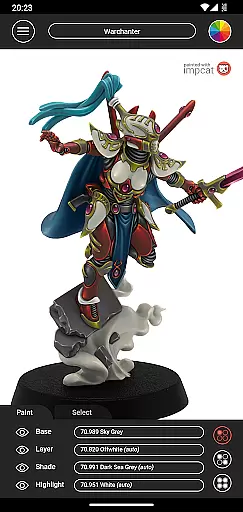
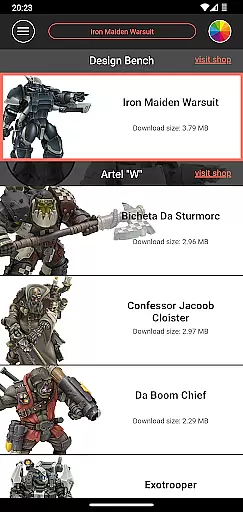
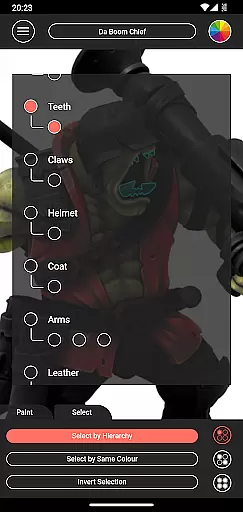
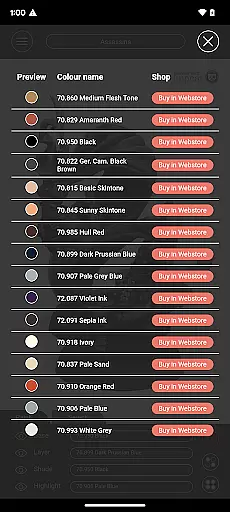
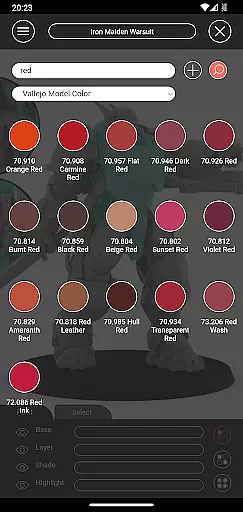
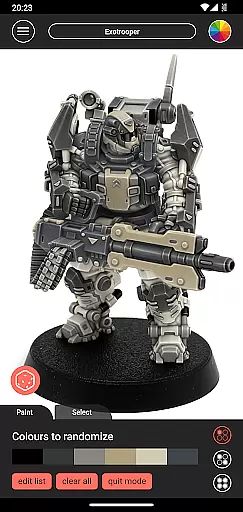
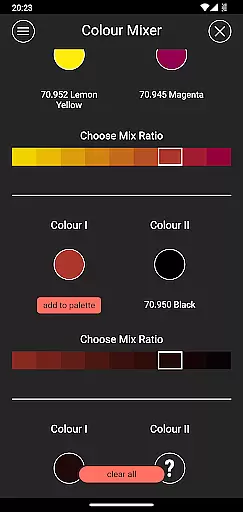
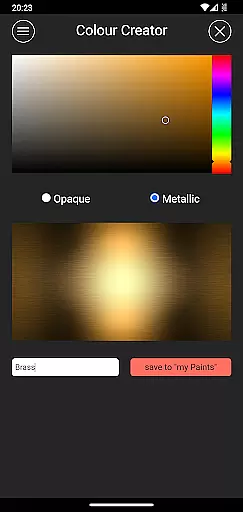
Impcat, short for Interactive Miniature Painting Catalogue, is a sophisticated simulator designed to deliver photorealistic painting results on gaming and tabletop miniatures. This app provides users with a diverse selection of miniature images that can be painted using colors from predefined palettes, simulating a four-step process: base coloring, layering, shading, and highlighting.
With features like built-in miniatures and color palettes, complement recommendation mode, and tools such as the shopping list generator, color mixer, and randomizer, impcat offers an immersive experience for hobbyists and professionals alike. Whether you're looking to experiment with new color schemes or planning your next project, impcat serves as an invaluable resource.
Impcat stands out with its comprehensive suite of features tailored for miniature painting enthusiasts. The app includes six built-in miniatures and a vast array of color palettes featuring 308 colors from Vallejo Model Color and Vallejo Game Color. Additionally, it supports access to DLCs for expanding your collection without any micro-transactions.
One of the key highlights is the complement recommendation mode, which suggests harmonizing layers, shades, and highlights based on a selected base color. Users also benefit from a photorealistic simulation of applied paints, a shopping list generator linking to shop pages, a color mixer tool, a color creator tool, and a randomizer for distributing colors across models. These functionalities ensure a rich, customizable experience.
Customization is at the heart of impcat, allowing users to explore a vast array of miniature painting possibilities. With six built-in miniatures and over 300 color options from Vallejo Model Color and Vallejo Game Color, the app provides an extensive palette for creativity.
The inclusion of DLCs for additional content ensures that your library stays fresh and expansive without any extra cost. This means access to new templates and color palettes as they become available, enriching the user's ability to customize their projects continuously.
Moreover, features like the complement recommendation mode enhance personalization by suggesting harmonious layering, shading, and highlighting options based on selected base colors. Users can further tweak these suggestions to perfectly match their artistic vision.
Ultimately, impcat empowers painters with tools such as the color mixer and creator, enabling them to experiment with unique shades and maintain a personalized collection of colors tailored to their specific needs.
While impcat focuses primarily on providing robust customization options, it also ensures theme compatibility across its platform. The application supports various themes through its photorealistic simulation feature, which accurately represents how paints will look on different miniatures.
This level of detail extends to the shopping list generator, where users receive links to purchase the exact shades used in their designs. By maintaining consistency between digital simulations and real-world products, impcat bridges the gap between virtual planning and physical execution seamlessly.
Additionally, the randomizer tool adds another layer of thematic exploration by distributing colors across models unpredictably yet aesthetically pleasing ways. This encourages users to discover new combinations they might not have considered otherwise.
In summary, impcatu2019s dedication to both customization and theme compatibility makes it an invaluable resource for hobbyists looking to bring their miniature visions to life with precision and ease.
User-friendly interface
Extensive color options
Photorealistic simulations
No micro-transactions
Comprehensive toolset
Limited initial miniatures
Requires internet for updates
Advanced features may overwhelm beginners
Color palette exclusivity
Potential performance issues

Capture moments that pass like a storm, second by second.
 4.0
4.0
Only for Wear OS devices!
4.90
Ultra realistic high quality analog watch face for Wear OS.
4.60
3D, live, and moving wallpapers & themes in 4K and HD for your device.
4.50
Icons made of colorful linear lines
4.60
Stylish Pink Cute Hippo keyboard with 10000+ customized keyboard themes!
4.60
400+ Beautifully crafted widgets inspired by NOTHING.
4.70
350+ widgets with a premium glass-style finish, perfect for home & lock screens.
4.70
Custom ringtones songs, music ringtones for Android phones
4.60
Personalize your phone with stunning HD and 4K wallpapers!
4.70
300+ Beautifully crafted widgets inspired by OneUI.
4.60
Color phone with cool effects for call screen, flash alert & ringtones music
4.50
Vibrant Adaptive Icons with Material You and Enhanced Monet Colors.
4.50
Romantic Kiss Stickers App. Start romantic messaging now!
4.30
Wear Os Watch Face - Seasonal - Animated Snow Effect - 9 Animals
4.20
Customizable flower power digital watch face for Wear OS watches.
4.00
Ultimate widget creator. Design custom widgets for a truly unique home screen!
3.90
HappyLighting is a Bluetooth lamp control software.
3.40
Struggling to find apps? Use this app to locate and open any app on your phone!
2.20


User Reviews