
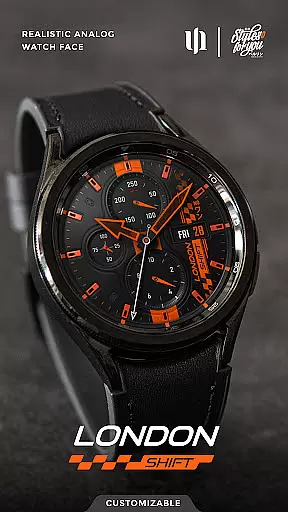
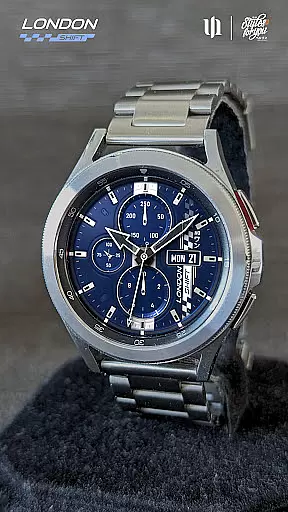
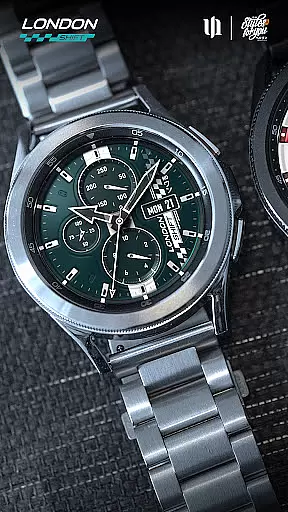
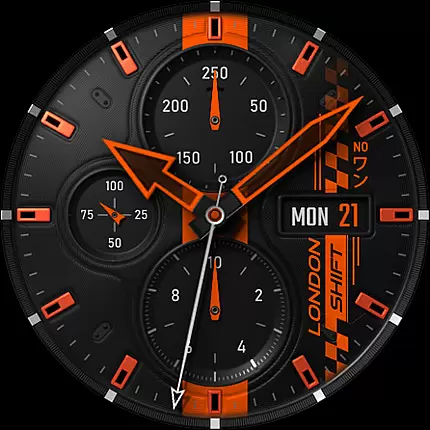
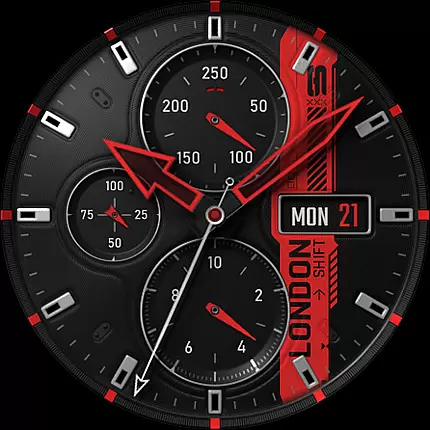
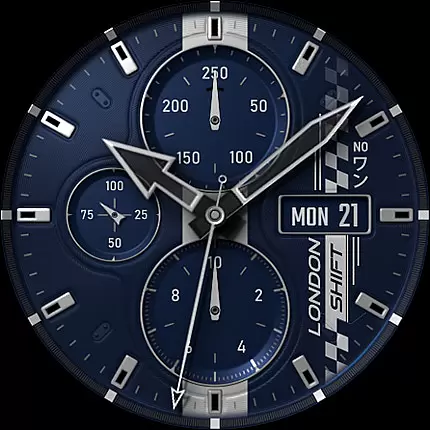
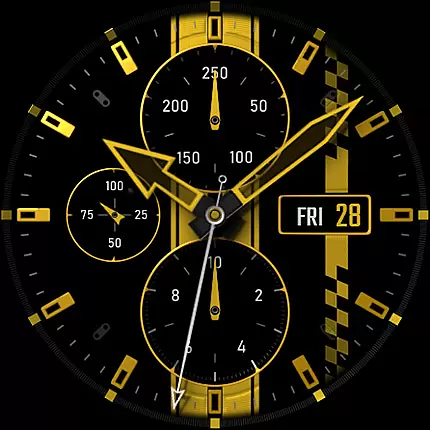
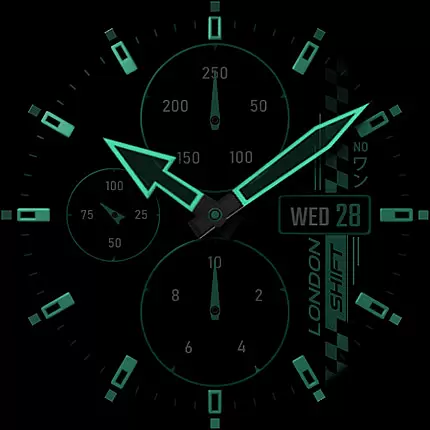
S4U Shift - Analog watch face is a premium Wear OS watch face designed for smartwatches running Wear OS 5 or higher. This highly customizable analog dial offers an ultra-realistic watch experience with its 3D effects and multiple color options, making it feel like wearing a real watch. Compatible devices include Samsung Galaxy Watch series, Google Pixel Watch, and other Wear OS 4+ smartwatches.
With features such as day, date, battery status, heart rate display, and an analog pedometer, this watch face combines functionality with aesthetics. The always-on display (AOD) provides four dimming options to balance visibility and battery life. Additionally, users can set up to seven custom shortcuts for quick access to favorite widgets, enhancing usability.
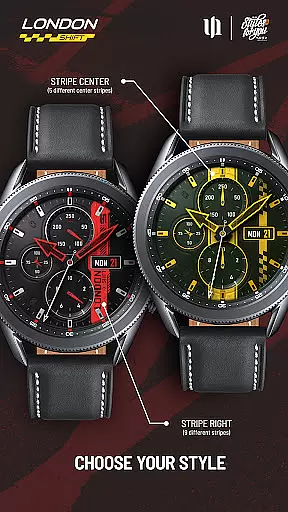
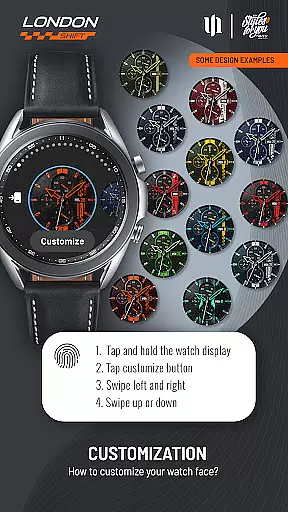
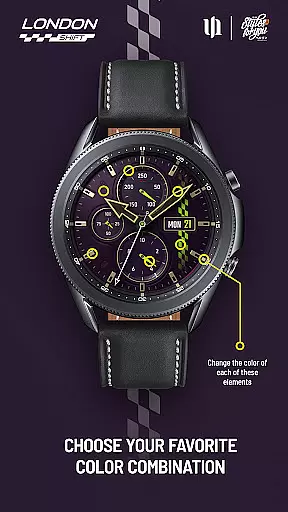
The S4U Shift watch face stands out with its extensive customization capabilities. Users can personalize various elements including background, stripes, hands, indices, and dials border through an intuitive interface. By pressing and holding on the display, users can adjust colors and styles, with options ranging from 5 to 13 variations depending on the element.
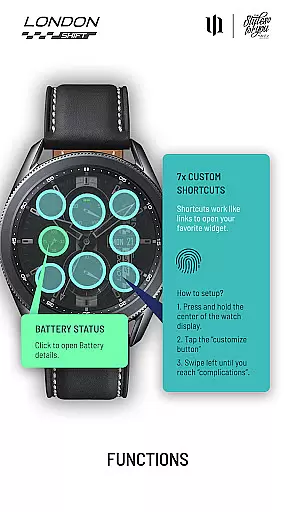
Functionality is further enhanced by interactive features such as tapping the battery indicator to view details and setting health measurement intervals directly from the watch settings. The inclusion of an always-on display with multiple brightness levels ensures that key information remains accessible at all times while offering flexibility to optimize for battery longevity.
Additional conveniences include seven customizable shortcuts, allowing users to tailor their experience by assigning preferred widgets to each shortcut. This level of personalization ensures that the watch face not only looks great but also serves practical purposes tailored to individual needs.
Customization is at the heart of the S4U Shift - Analog watch face, offering users an extensive range of personalization choices. With multiple color options available for various elements of the watch face, users can tailor the appearance to match their personal style or mood. From Backgrounds with 8 different color choices to Hands Main offering 9 variations, the level of detail allows for a unique and personalized timepiece on your wrist.
The app provides customization not just in colors but also in functionality. Users can choose from 7 custom shortcuts to access their favorite widgets quickly. This flexibility ensures that the most-used features are always just a tap away, enhancing the overall usability of the smartwatch. The ability to adjust these settings makes the interaction with the device more intuitive and aligned with individual preferences.
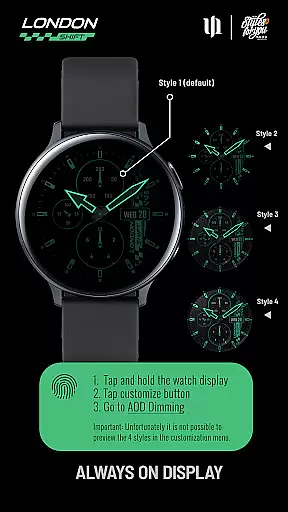
Moreover, the AOD (Always-On Display) feature comes with 4 different dimming options, allowing users to balance visibility and battery life according to their needs. Although previewing these styles isn't possible within the customization menu, this shouldn't deter users as style 1 is optimized for battery conservation and preventing screen burn-in. Such comprehensive customization options underscore the app's commitment to delivering a tailored experience that caters to diverse user requirements.
The S4U Shift - Analog watch face is designed with meticulous attention to theme compatibility, ensuring it works seamlessly across a wide array of Wear OS devices. Compatible with smartwatches running Wear OS 5 or higher, including popular models like Samsung Galaxy Watch series and Google Pixel Watch, this app guarantees a consistent and high-quality user experience regardless of the device. This broad compatibility highlights the developer's dedication to accessibility and user convenience.
Despite its wide-reaching compatibility, users might encounter installation issues even on supported devices. To address this, the app offers a companion application that guides users through troubleshooting steps, ensuring any hiccups during setup don't detract from the overall experience. Should further assistance be needed, direct support is available via email, reinforcing the developeru2019s commitment to customer satisfaction.
Furthermore, the synchronization between the normal view and AOD underscores the app's cohesive design philosophy. By maintaining visual consistency across different display modes, the app enhances the thematic integrity of the watch face. This thoughtful integration of aesthetics and functionality exemplifies how theme compatibility extends beyond mere operational support to encompass a holistic user experience.
Highly realistic design
Extensive customization
Interactive features
Seven custom shortcuts
Always-on display
Wear OS only
Complex setup
Battery intensive
Limited preview
Premium cost

Customizable Glass widgets. Over 360+ stunning widgets and more!
 4.70
4.70
A retro cartoon style watch face and a punch right in the face of the copyright
4.60
Winter's Journey: digital watch face for Galaxy Watch & Wear OS
4.80
Adult video chat, dating, making friends, random matching
4.20
Adaptive Dot Style IconPack with Light & Dark Theme.
3.70
Vibrant Adaptive Icons with Material You and Enhanced Monet Colors.
4.50
300+ Beautifully crafted widgets inspired by OneUI.
4.60
A minimalist productivity launcher. One-hand-friendly. Zero ads.
4.70
Install amazing sticker packs: endless styles, always cool.
4.70
Only for Wear OS devices!
4.90
Wallpaper HD 4K Live - Thousands of high-quality Anime backgrounds for you.
4.80
A launcher for Samsung Good Lock and Good Guardians modules without ads
4.70
Ultimate Gallery Lock App - Hide Pictures, Videos and Lock Apps Instantly!
4.60
Stylish Pink Cute Hippo keyboard with 10000+ customized keyboard themes!
4.60
Aesthetic Widgets, HD Wallpapers, Themes in Mico Widget for Home and Lock Screen
4.50 4.50
4.50
Organize and manage your photos and videos effortlessly with Photo Gallery
4.20
More than 3000+ themes and 9000+ wallpapers for everybody!
4.10
Transfer your live wallpapers from Windows to Android using Wallpaper Engine!
4.00


User Reviews