
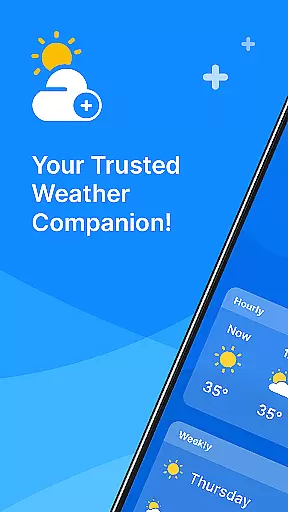
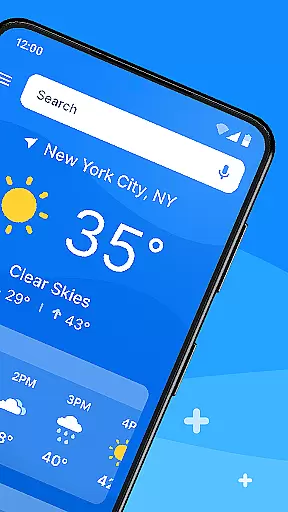
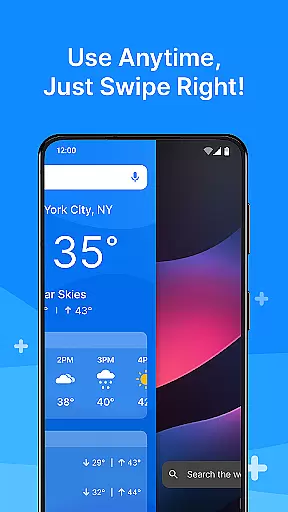
All Weather Mode is a comprehensive weather application designed to keep users informed about current and forecasted weather conditions. The app provides real-time updates, detailed forecasts, and location-based reporting, ensuring you are prepared for any weather scenario. With an intuitive home screen layout, it offers quick access to essential weather information, making it easy to plan your day or week ahead.
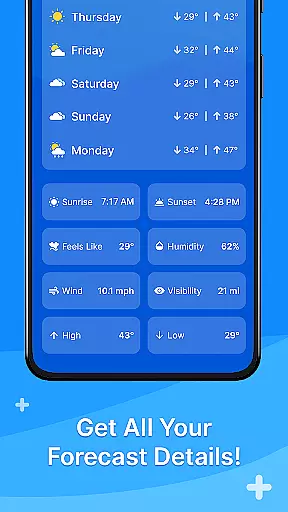
One of the standout features of All Weather Mode is its robust search functionality powered by Yahoo, which allows users to quickly find weather details for various locations. Whether you need to check the weather for your local area or a distant travel destination, this app has got you covered. Additionally, sunrise and sunset times are provided, helping you plan outdoor activities with precision.
All Weather Mode stands out with its user-friendly interface and powerful features. The app's home screen is thoughtfully designed to provide a clean and intuitive experience, allowing users to swipe through shortcuts for instant weather updates. This eliminates the need to navigate through multiple screens to get the information you need.
The real-time weather reporting feature delivers up-to-the-minute data on temperature, humidity, wind speed, and more. Users can also access detailed 7-day forecasts with daily highs and lows, as well as hourly updates that include precipitation percentages. These capabilities ensure that you can make timely decisions based on accurate and comprehensive weather information.
Weather Mode: Weather Launcher offers a wide array of customization options that allow users to tailor their weather experience according to their preferences. The app provides an intuitive home screen layout which can be personalized, offering easy access shortcuts for obtaining forecasts with a simple swipe.
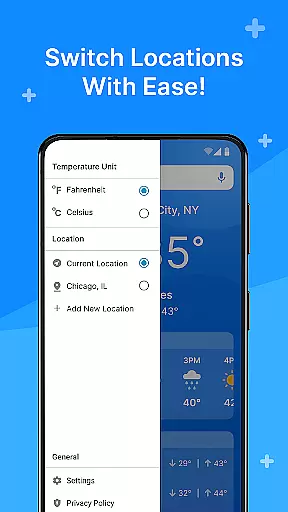
This personal touch extends to the robust search feature powered by Yahoo, enabling quick location-based weather searches and reports. Users can add multiple locations, ensuring they are always informed about the weather in places that matter to them, whether it's their current location or a travel destination.
The level of customization available ensures that you have control over what information is most prominent, allowing for an efficient and user-friendly interaction every time you use the app. With these features, Weather Mode: Weather Launcher stands out as a highly customizable weather application.
Theme compatibility is at the heart of Weather Mode: Weather Launcher, providing users with a visually cohesive experience that aligns with their deviceu2019s aesthetic. The app boasts a clean and modern design that not only looks great but also enhances usability through its straightforward navigation and layout.
Users will appreciate how seamlessly this app integrates into their Android ecosystem, maintaining consistent visual themes across different sections of the app. Whether it's checking detailed 7-day forecasts or getting real-time updates on temperature and precipitation, all information is presented within a harmonious thematic framework.
This attention to theme compatibility ensures that while using Weather Mode: Weather Launcher, users enjoy an engaging yet familiar interface that respects both form and function, making daily weather checks a delightful part of oneu2019s routine.
User-friendly interface
Real-time weather updates
Detailed 7-day forecasts
Location-based reporting
Quick-swipe shortcuts
Limited customization options
Occasional data inaccuracies
Ads in free version
Resource-intensive
No offline mode

Ultra realistic high quality analog watch face for Wear OS.
 4.60
4.60
Winter's Journey: digital watch face for Galaxy Watch & Wear OS
4.80
Unique Android Launcher
4.60
Personalize your phone with stunning HD and 4K wallpapers!
4.70
Romantic Kiss Stickers App. Start romantic messaging now!
4.30
Adaptive Dot Style IconPack with Light & Dark Theme.
3.70
Stylish Pink Cute Hippo keyboard with 10000+ customized keyboard themes!
4.60
400+ Beautifully crafted widgets inspired by NOTHING.
4.70
Your home screen, just the way you like it.
4.30
A minimalist productivity launcher. One-hand-friendly. Zero ads.
4.70
Shimeji adds cute animated characters to your screen, lively and fun.
4.70
Icons made of colorful linear lines
4.60
3D, live, and moving wallpapers & themes in 4K and HD for your device.
4.50
Try creating your own keyboard with "Keyboard theme for android" app now!
4.50
Color phone with cool effects for call screen, flash alert & ringtones music
4.50
Magic fluids wallpaper 4D: Relax with stunning fluid simulation wallpaper app
4.20
Customizable flower power digital watch face for Wear OS watches.
4.00
HappyLighting is a Bluetooth lamp control software.
3.40
Interactive Miniature Painting Catalogue
3.30


User Reviews