
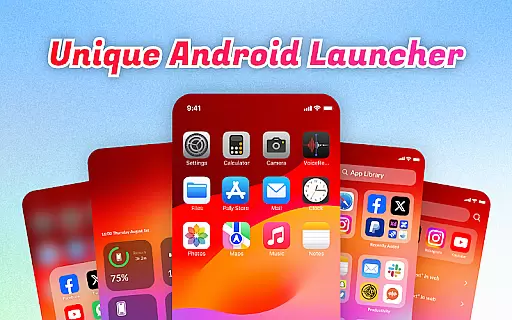
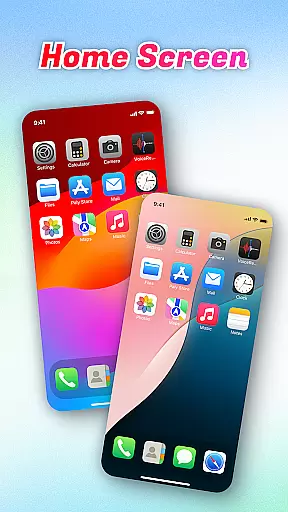
OS Launcher Theme is a personalization app designed to enhance your smartphone experience through an intuitive interface and practical features. This app offers a clean, categorized app library, quick access tools, and essential device monitoring functions.
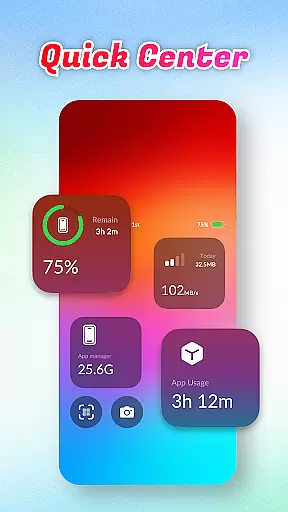
The launcher's standout features include the Quick Center for instant access to frequently used settings, a built-in QR scanner for seamless scanning, and battery and data usage monitors that help you maintain optimal device performance. These tools are particularly useful for users who want a more organized and efficient home screen setup.
With its user-friendly design and practical utilities, OS Launcher Theme is ideal for anyone looking to streamline their mobile experience while maintaining full control over their device's resources and settings.
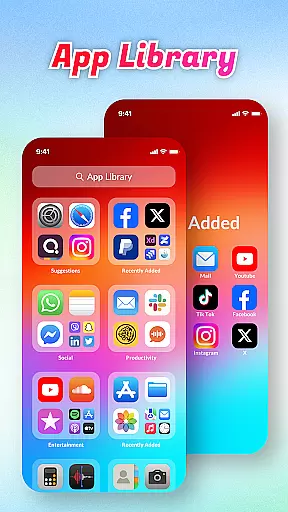
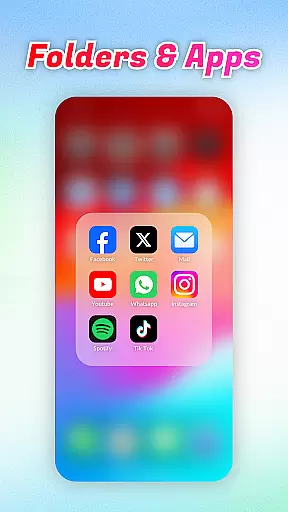
OS Launcher Theme stands out with its comprehensive feature set tailored for device optimization and personalization. The App Library automatically sorts apps into categories, eliminating clutter and making navigation effortless.
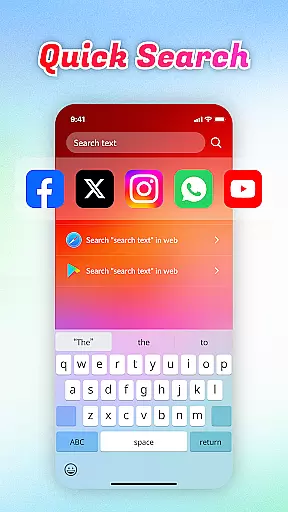
Quick Center provides one-tap access to essential functions like flashlight and settings, while Quick Search enables rapid keyword-based searches for both apps and web content. The built-in QR Scanner allows for uninterrupted scanning, and the Battery Info and Data Usage monitors give users critical insights into their device's performance and resource consumption.
These features collectively ensure that users can enjoy a personalized yet highly functional mobile experience, all within a single, easy-to-use interface.
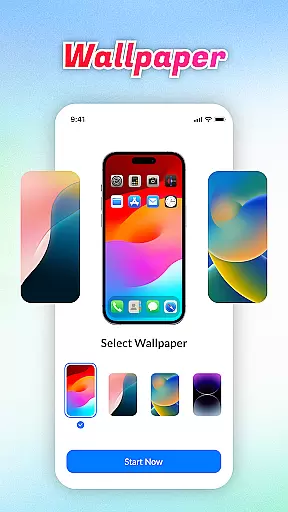
OS Launcher Theme offers a wide array of customization options that allow users to tailor their device's appearance and functionality according to their preferences.
The App Library feature automatically sorts apps into categories, reducing clutter and personalizing the way you access your applications. With Quick Center, users can customize shortcuts for convenience, putting frequently used settings just a swipe away.
Quick Search adds another layer of personalization by enabling instant searches for both apps and web content using keywords, streamlining how users interact with their devices. Additionally, built-in tools like the QR Scanner, Battery Info, Data Usage monitor, and App Manager provide practical ways to manage various aspects of your device without needing separate applications.
This extensive range of features ensures that each useru2019s experience is unique and optimized for their specific needs, enhancing both aesthetics and operational efficiency on a day-to-day basis.
Theme compatibility is a crucial aspect of OS Launcher Theme, ensuring that visual enhancements are seamlessly integrated across different devices and operating systems.
The application supports diverse themes which adapt well to various screen sizes and resolutions, maintaining high-quality visuals regardless of the device in use. This flexibility allows users to apply their preferred themes without worrying about inconsistencies or performance issues.
Moreover, the cohesive design language employed throughout the app guarantees that all elementsu2014from icons to widgetsu2014blend harmoniously within any chosen theme. Users can switch between themes effortlessly, knowing that each will function smoothly thanks to rigorous testing and optimization processes.
Ultimately, this level of theme compatibility not only beautifies the user interface but also enriches the overall user experience by providing reliable and visually appealing options tailored to individual tastes.
User-friendly interface
Efficient app organization
Comprehensive device monitoring
Convenient quick access tools
Integrated QR scanning functionality
Limited customization options
Potential compatibility issues
Higher battery usage
Occasional app crashes
Ads in free version

Glass style colourful icons with a One UI look and feel
 4.60
4.60
Make your phone look simple & luxury, like iDevice
4.60
Romantic Kiss Stickers App. Start romantic messaging now!
4.30
Customize your home screen with stunning themes, blur, widgets & icons.
4.60
Embrace the Night. Unleash the power of darkness with Raven Dark Icon Pack
4.60
Yandex Browser — stylish and secure, with voice search and data compression
4.40
300+ Stunning and well-designed widgets inspired by NOTHING.
4.70
400+ Beautifully crafted widgets inspired by NOTHING.
4.70
Amazing letter fonts in your messages and social statuses
4.70
300+ Beautifully crafted widgets inspired by OneUI.
4.60
Beautiful realistic hybrid watch face with numerous customization options.
4.50
Turn text & photos into stunning AI videos, art, and creative visual stories.
4.50 4.50
4.50
Vibrant Adaptive Icons with Material You and Enhanced Monet Colors.
4.50
More than 3000+ themes and 9000+ wallpapers for everybody!
4.10 4.10
4.10
Customize glowing edges, wallpapers, and caller screen with EdgeAura.
3.50
HappyLighting is a Bluetooth lamp control software.
3.40
Turn your lock screen into fun with smile live wallpapers & animated wallpapers!
2.50


User Reviews