
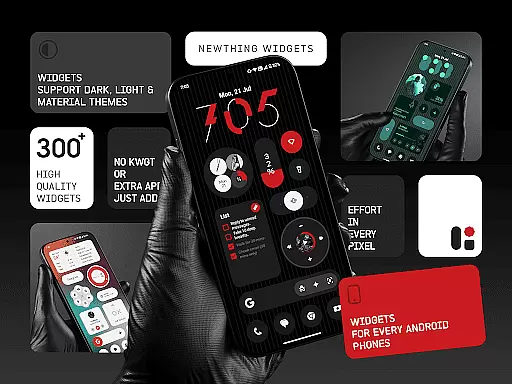
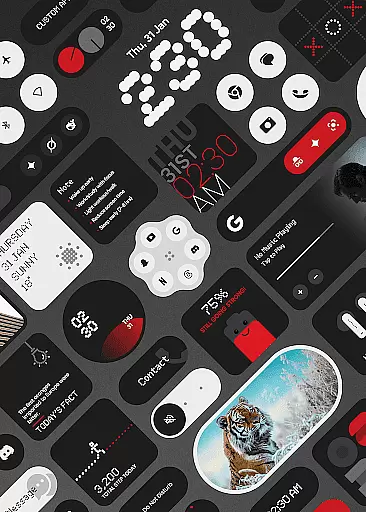
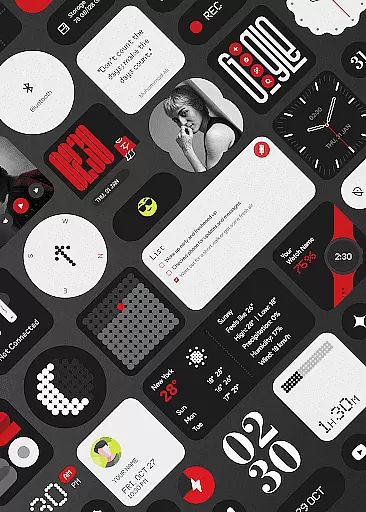
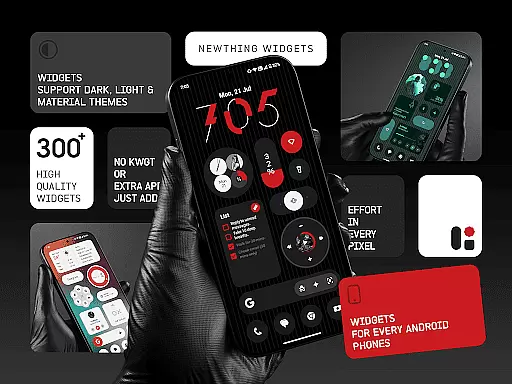
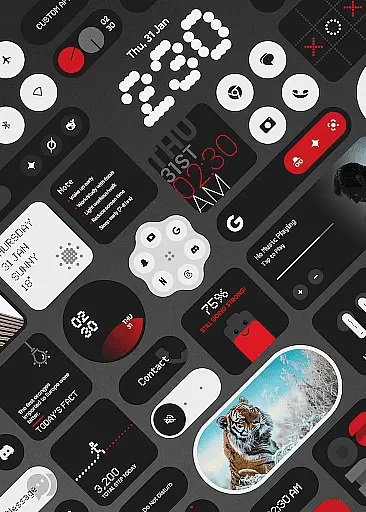
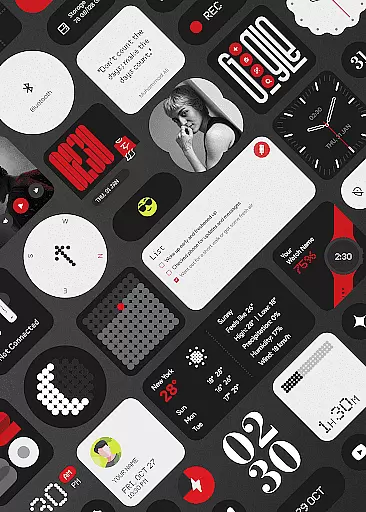
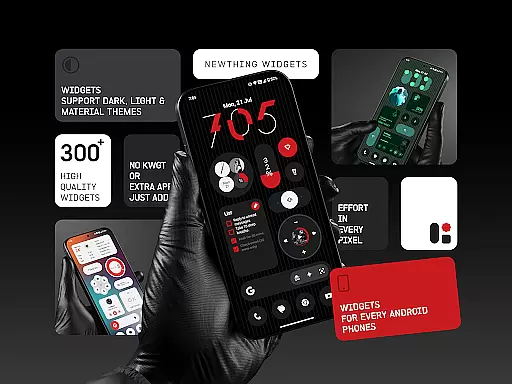
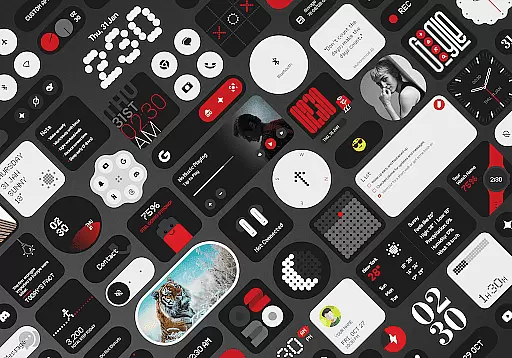
NewThing Widgets Pro is a premium Android application designed to enhance your home screen with over 300 beautifully crafted widgets. These widgets cover a wide range of functionalities including clocks, weather updates, games, quick settings, photos, compass, pedometer, and more.
What sets this app apart is its seamless integration with Material You design, ensuring that all widgets adapt perfectly to your device's theme. The app works independently without requiring any additional applications like KWGT, offering users an intuitive and hassle-free experience right after installation.
Ideal for those who value both aesthetics and functionality, NewThing Widgets Pro allows you to customize your Android home screen with minimal effort while maintaining optimal performance and battery efficiency.
NewThing Widgets Pro boasts an impressive array of features that cater to various user needs. With over 300 widgets available, the app provides options such as clocks, weather forecasts, games, quick settings panels, photo displays, compasses, pedometers, and even quotes & facts widgets.
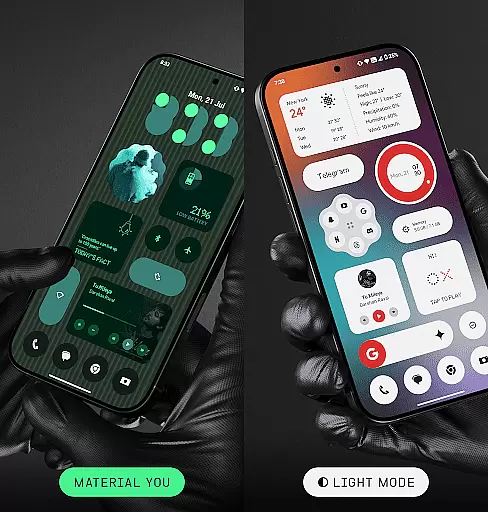
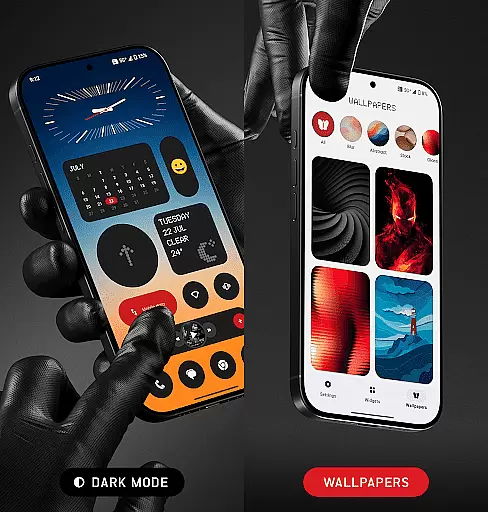
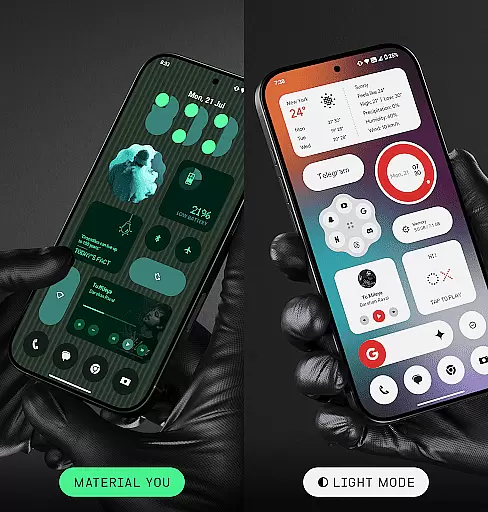
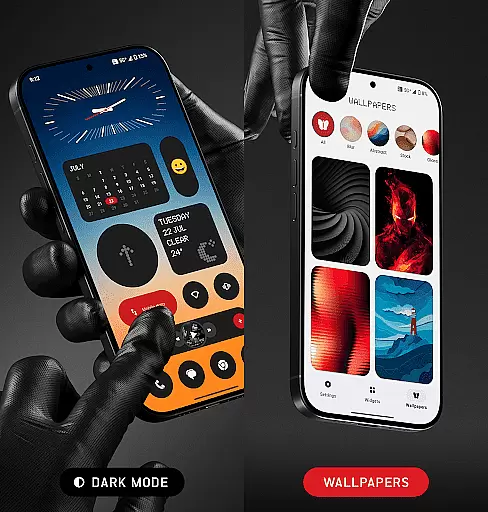
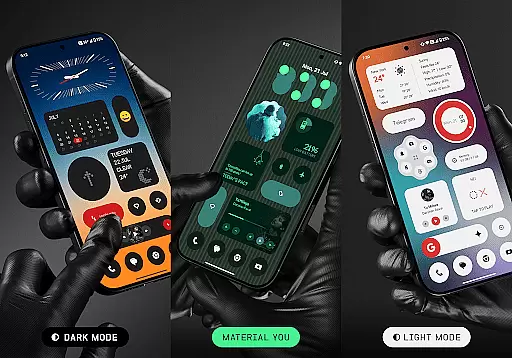
The app supports multiple display modes including dark mode, light mode, and Material You theming, allowing widgets to blend seamlessly with your device’s appearance. Each widget is optimized for performance, ensuring smooth operation without draining your battery.
Regular updates introduce new widgets and features, keeping the app fresh and engaging. Users can also enjoy smart functionalities like timely weather updates, scheduled photo changes, and accurate calendar notifications, all made possible through precise alarm permissions and foreground services.
Customization is at the heart of NewThing Widgets Pro, offering users an extensive array of options to personalize their home screens. With over 300 widgets available, this application caters to a wide range of preferences and needs. Users can choose from various categories such as Clocks, Weather, Games, Quick Settings, Photos, and more, ensuring that every aspect of their digital life is covered.
The app stands out by providing not just quantity but also quality in its customization options. Each widget is beautifully designed, supporting dark mode, light mode, and Material You mode, which allows for seamless integration with the user's device theme. This level of personalization ensures that aesthetics are not compromised, and users can enjoy a cohesive look across their devices.
Moreover, NewThing Widgets Pro empowers users with easy customization features. The ability to set theme-matching wallpapers and adapt widgets effortlessly enhances the overall user experience. Whether itu2019s adjusting the appearance of a clock or customizing quick settings, users have the freedom to tailor each widget to their liking, making their home screen truly unique.
By focusing on both form and function, NewThing Widgets Pro delivers a personalized experience that goes beyond mere aesthetics. Its adaptive widgets offer practical benefits, like battery efficiency and performance optimization, proving that style and utility can coexist harmoniously on your home screen.
NewThing Widgets Pro excels in theme compatibility, ensuring that all widgets blend seamlessly with the user's chosen device theme. This feature is crucial for users who value a consistent and polished look across their smartphone interface. By supporting dark mode, light mode, and Material You mode, the app guarantees that every widget will match the system's appearance settings, providing a unified visual experience.
The importance of theme compatibility cannot be overstated. As smartphones become an extension of personal identity, having a home screen that reflects individual style is essential. NewThing Widgets Pro addresses this need by offering widgets that instantly adapt to the device's color scheme and design language. This means whether you prefer a minimalist white-on-black design or vibrant, colorful themes, your widgets will always look like they belong.
In addition to aesthetic benefits, theme compatibility contributes to usability. A well-designed interface reduces cognitive load, allowing users to interact with their devices more intuitively. NewThing Widgets Pro understands this and ensures that its widgets not only look good but also enhance the overall functionality of the home screen. This dual focus on appearance and usability sets the app apart in the realm of personalization tools.
Furthermore, regular updates and new widget additions keep the theme compatibility feature fresh and relevant. Users can expect continuous improvements and expansions to the widget library, ensuring long-term satisfaction and relevance. With NewThing Widgets Pro, maintaining a stylish and functional home screen has never been easier or more enjoyable.
User-friendly interface
Extensive widget variety
Optimized performance
Regular feature updates
Material You support
Premium version only
Requires exact alarms
Limited iOS compatibility
No free trial option
Foreground service needed

Ultra realistic high quality analog watch face for Wear OS.
 4.60
4.60
Fingerprint Lock Screen & Live Animations with 4K Wallpapers as Live Wallpaper
4.40
AI-powered Copilot. Personalized keyboard with gifs, stickers & themes
4.40
Turn text & photos into stunning AI videos, art, and creative visual stories.
4.50
Stylish Pink Cute Hippo keyboard with 10000+ customized keyboard themes!
4.60
300+ widgets inspired by Material You and Material 3 expressive design.
4.60
Customize phone with anime themes, 3D icons, aesthetic widgets & wallpapers
4.80
Fast SMS & group chat - use GIFs and emojis from your home screen launcher.
4.50
Cool custom fonts & keyboard themes! Symbols & font changer for Instagram
4.50
Personalize your phone with stunning HD and 4K wallpapers!
4.70
Nothing Icon pack with more than 3750+ highly crafted icons.
4.70
Icons made of colorful linear lines
4.60
Handcrafted pixel art icons, widgets & wallpapers
4.60
Aesthetic Widgets, HD Wallpapers, Themes in Mico Widget for Home and Lock Screen
4.50 4.50
4.50
Vibrant Adaptive Icons with Material You and Enhanced Monet Colors.
4.50
Magic fluids wallpaper 4D: Relax with stunning fluid simulation wallpaper app
4.20
Transform your phone with stunning video wallpapers and a unique, personal touch
3.80
Adaptive Dot Style IconPack with Light & Dark Theme.
3.70


User Reviews