
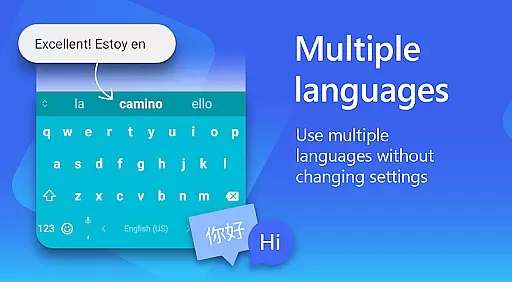
Microsoft SwiftKey AI Keyboard is a cutting-edge personalization tool designed to enhance typing efficiency and style. This intelligent keyboard learns your unique writing patterns, offering personalized autocorrect and predictive text features. With support for over 700 languages and the ability to enable up to five languages simultaneously, it caters to a global user base.
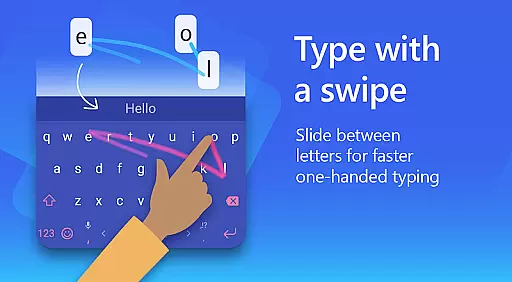
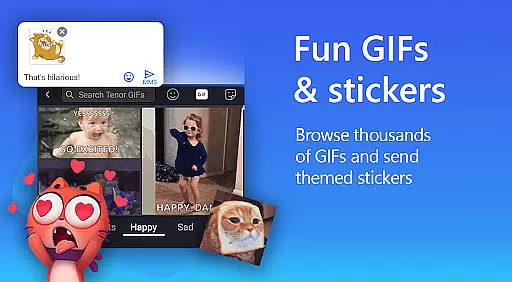
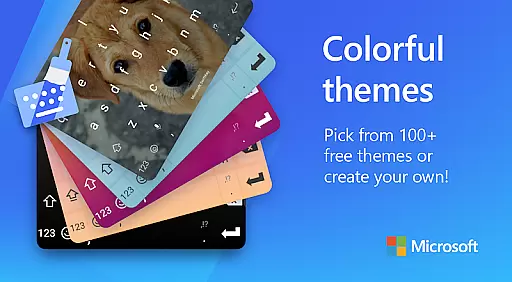
The app goes beyond basic typing by integrating rich content options such as adaptive emojis, GIFs, and stickers. Users can customize their typing experience with 100+ colorful themes and even create custom themes using personal photos. The swipe-to-type functionality and AI-powered predictions make typing faster and more intuitive, while the built-in Copilot AI companion helps users compose and rewrite text in different tones.
Whether you're looking to type more efficiently or express yourself more creatively, Microsoft SwiftKey offers a comprehensive solution that adapts to your personal style and needs.
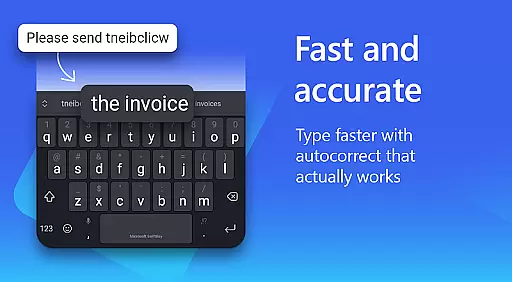
Microsoft SwiftKey AI Keyboard stands out with its advanced AI-powered features that revolutionize mobile typing. The app's core feature is its learning algorithm that adapts to your unique typing style, including slang and frequently used phrases. The AI-driven predictions and autocorrect system significantly reduce typing errors while maintaining context awareness across different apps and platforms.
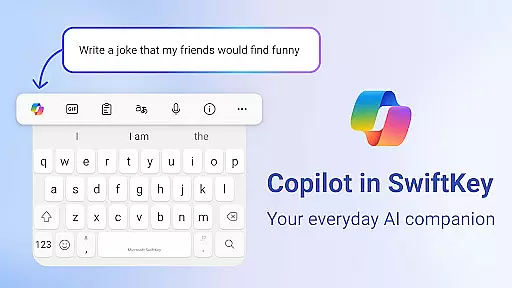
A key innovation is the Copilot AI companion, which allows users to ask questions and receive assistance directly within their favorite apps. The keyboard's swipe-to-type functionality enables faster input, while the customizable toolbar provides quick access to frequently used shortcuts and functions. Users can also transform their ideas into polished text through the AI-powered rewriting and composing features.
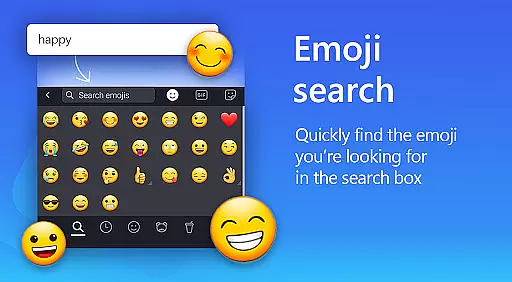
The app's multilingual support extends to over 700 languages, making it an ideal choice for international users. With its extensive theme library, searchable emojis, and GIF integration, Microsoft SwiftKey combines functionality with personal expression, creating a truly customized typing experience.
Microsoft SwiftKey AI Keyboard offers an extensive range of customization options that cater to individual preferences and styles. With over a hundred colorful keyboard themes, users can select a design that best reflects their personality or mood.
Beyond the preset themes, the application allows for a personalized touch by enabling users to create their own custom keyboard theme. This feature lets users set personal photos as the keyboard's background, making every typing experience uniquely theirs.
In addition to aesthetic personalization, Microsoft SwiftKey provides functional customization. Users have the ability to adjust their keyboard size and layout, ensuring comfort and efficiency while typing. These options accommodate different typing styles, whether you prefer swiping or tapping.
The adaptability of Microsoft SwiftKey's customization features ensures that users are not just limited to a standard keyboard experience. Instead, they have the freedom to modify their typing interface in a way that enhances both usability and enjoyment.
Theme compatibility is a crucial aspect of the Microsoft SwiftKey AI Keyboard, ensuring that all chosen themes and customizations work seamlessly across devices. The app supports a wide array of themes that maintain visual consistency without compromising functionality.
Users can switch between different themes without experiencing any lag or inconsistencies in their typing experience. This seamless integration extends to custom-created themes as well, where user-selected images are accurately displayed as keyboard backgrounds.
Moreover, Microsoft SwiftKey's adaptive technology means that regardless of the theme selected, the keyboard maintains its intelligent predictions and autocorrect features. This compatibility ensures that aesthetic enhancements do not detract from the practical aspects of typing.
With Microsoft SwiftKey, users enjoy peace of mind knowing that their customized keyboard will operate smoothly, preserving both the look they desire and the high performance they need for efficient communication.
AI-powered predictions
700+ language support
Customizable themes
Multilingual typing
Swipe-to-type feature
Optional permissions needed
Some features limited
Requires adaptation
Memory consumption
Premium themes cost

Customizable Glass widgets. Over 360+ stunning widgets and more!
 4.70
4.70
A light in the dark, a unique style and an andless cutomization!
4.30
Only for Wear OS devices!
4.90
Ultra realistic high quality analog watch face for Wear OS.
4.60
Bring adorable pets to life on your screen. Playful, interactive and full of fun
4.60
The definitive Icon pack maker and editor
4.30
Custom edge gestures for volume control, brightness, apps, and shortcuts.
4.4
Transform your phone with stunning video wallpapers and a unique, personal touch
3.80
Create stunning widgets with Widget 2026: Aesthetic Widgets for Android!
4.60
Dark icon pack based on One 8
4.80
A minimalist productivity launcher. One-hand-friendly. Zero ads.
4.70
300+ Beautifully crafted widgets inspired by OneUI.
4.60
Ultra realistic gold analog watch face with lots of customization options.
4.50
Vibrant Adaptive Icons with Material You and Enhanced Monet Colors.
4.50
Organize and manage your photos and videos effortlessly with Photo Gallery
4.20
Design your screen with unique, vibrant clocks
3.80
Your go to Weather App & Home Screen. Get your weather at a swipe of a finger!
3.80
Struggling to find apps? Use this app to locate and open any app on your phone!
2.20
Prank your friends with realistic broken screen and cracked HD effects!
4.0


User Reviews