
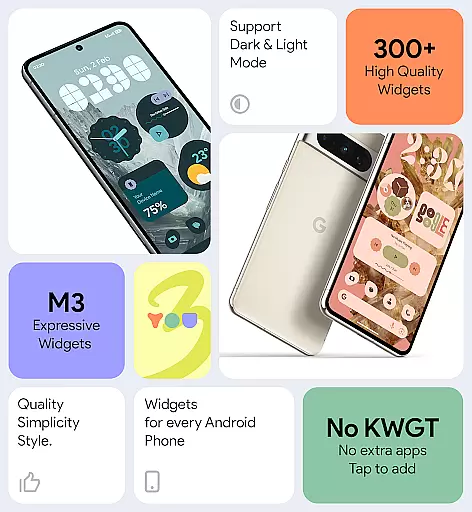
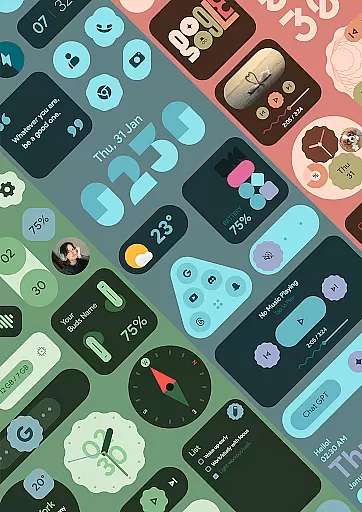
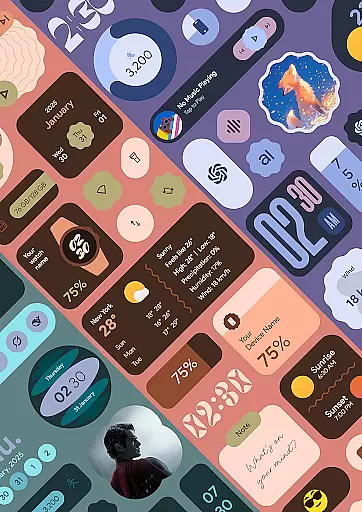
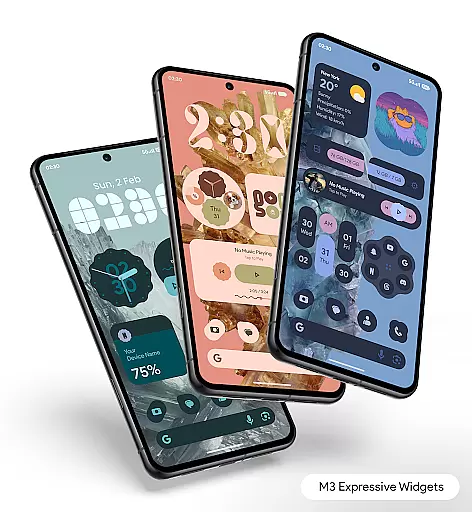
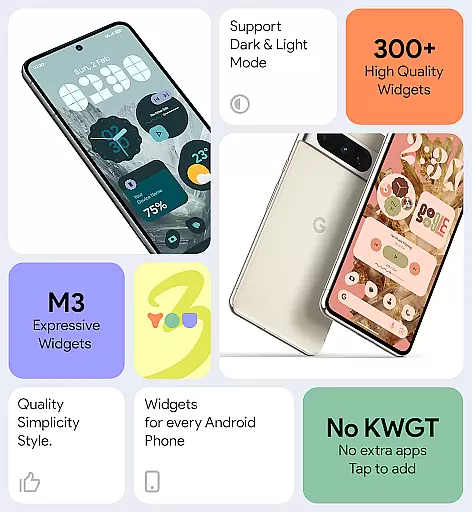
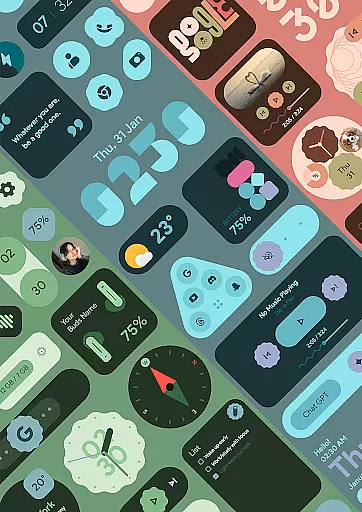
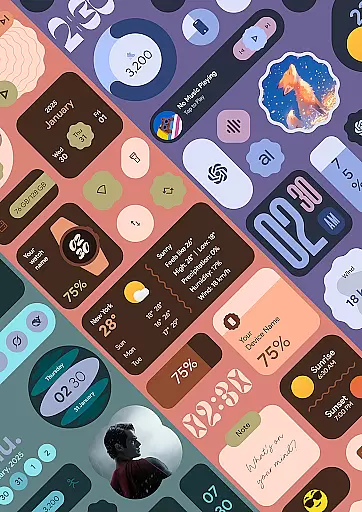
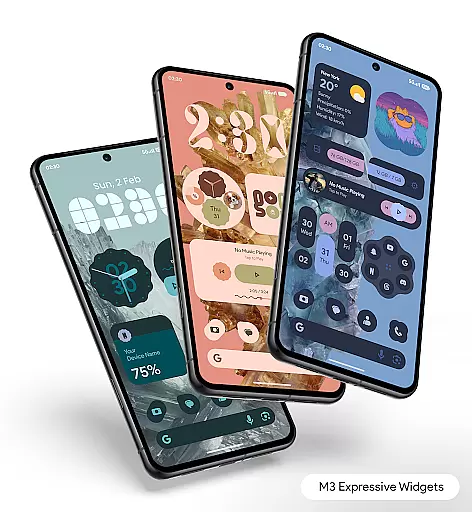
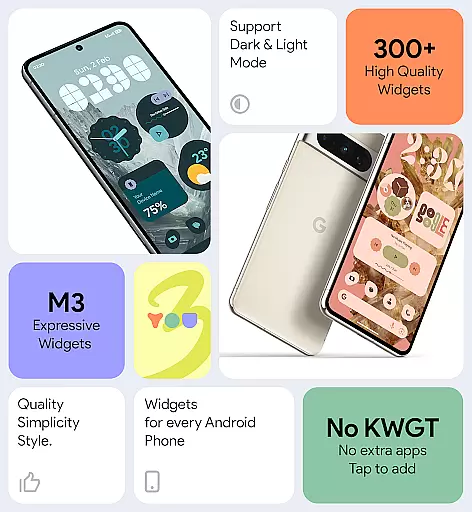

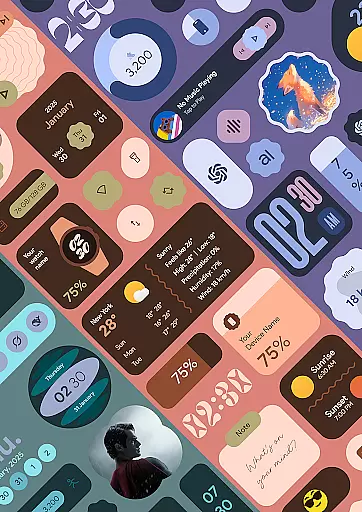
Material You Widgets is a versatile personalization app designed to enhance your Android home screen with beautifully crafted widgets. Featuring over 300 unique designs, the app supports a wide range of widget types including clocks, weather, games, and quick settings, all optimized for performance and battery efficiency.
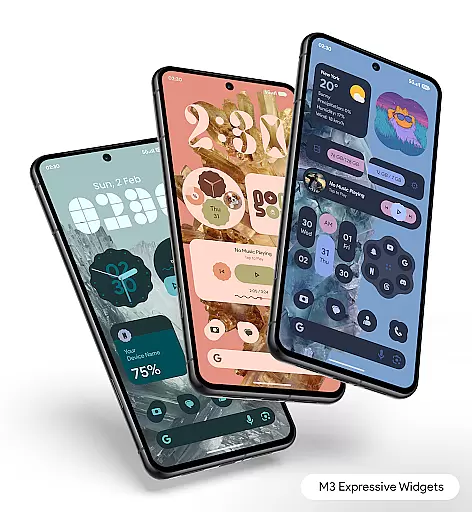
The app integrates seamlessly with Material You themes, allowing users to instantly match widgets with their device's color scheme. With dynamic shapes, customizable options, and regular updates introducing new features, it offers both aesthetic appeal and functional utility. Whether you're looking to create a minimalistic layout or a feature-rich interface, this app caters to various personalization needs.
One of the standout aspects of Material You Widgets is its comprehensive feature set that works without requiring additional apps like KWGT. The app provides over 300 stunning widgets that are not only visually appealing but also highly practical. These include dynamic widgets for clocks, weather, photos, and even earbud battery levels, ensuring real-time accuracy through features like exact alarms.
Users can enjoy complete theme synchronization with Material You, alongside customizable shapes for apps and photos. The app also includes 300+ wallpapers that perfectly complement the widgets. With intuitive customization options, smooth performance, and regular updates, Material You Widgets ensures your home screen remains fresh, stylish, and uniquely yours.
Material You Widgets offers an extensive range of customization options that allow users to personalize their home screens like never before. With over 300 beautifully designed widgets, the app supports various types including clocks, weather, games, and more, ensuring there's something for everyone.
The app stands out by providing dynamic shapes for apps, quick settings, and photos, which means users aren't limited to static designs. This flexibility enables a more engaging and visually appealing home screen that can be tailored to match individual tastes and needs.
Users benefit from the theme-matching feature, which instantly aligns widgets with their deviceu2019s theme, creating a cohesive look. Additionally, the availability of 300+ wallpapers ensures that personalization extends beyond just widgets, allowing for a fully customized experience.
This level of customization not only enhances aesthetic appeal but also improves usability by letting users prioritize frequently used functions and information, making daily interactions smoother and more efficient.
Theme compatibility is a crucial aspect of Material You Widgets, ensuring that all widgets seamlessly integrate with the user's chosen device theme. This feature leverages the Material You design philosophy, which emphasizes harmony between software and hardware aesthetics.
By matching widgets with the system theme, the app delivers a consistent visual experience across the device. Whether itu2019s light or dark mode, colors and styles adapt automatically, preserving the integrity of the overall design language.
This automatic adaptation simplifies the user experience, as there is no need for manual adjustments when switching themes. It ensures that every widget looks natural and intended, enhancing both functionality and appearance without any extra effort from the user.
Ultimately, this compatibility leads to a more immersive and satisfying user experience, where form and function coexist beautifully, encouraging users to make the most of their personalized home screens.
Wide widget variety
Theme synchronization
Battery efficient
Regular updates
Easy customization
Premium version cost
Feature learning curve
Limited iOS support
Occasional bugs
Design inconsistency

A light in the dark, a unique style and an andless cutomization!
 4.30
4.30
A retro cartoon style watch face and a punch right in the face of the copyright
4.60
Wear Os Watch Face - Seasonal - Animated Snow Effect - 9 Animals
4.20
3D, live, and moving wallpapers & themes in 4K and HD for your device.
4.50
The definitive Icon pack maker and editor
4.30
Ultimate Gallery Lock App - Hide Pictures, Videos and Lock Apps Instantly!
4.60
Zip lock screen with magic wallpaper to decorate your phone with fun zipper lock
4.60
Your go to Weather App & Home Screen. Get your weather at a swipe of a finger!
3.80
Fast SMS & group chat - use GIFs and emojis from your home screen launcher.
4.50
Enjoy a variety of amazing live wallpapers and colorful EDGE lighting borders!
4.80
Shimeji adds cute animated characters to your screen, lively and fun.
4.70
Stunningly Different look with Line Icons and Neon Colors
4.60
Glass style colourful icons with a One UI look and feel
4.60
Customizable screen pets that play, climb, and keep you company.
4.50 4.50
4.50
Color phone with cool effects for call screen, flash alert & ringtones music
4.50
AI-powered Copilot. Personalized keyboard with gifs, stickers & themes
4.40
App Icon Changer & Shortcut Creator. Customize your icons without any watermarks
4.30
HappyLighting is a Bluetooth lamp control software.
3.40


User Reviews