
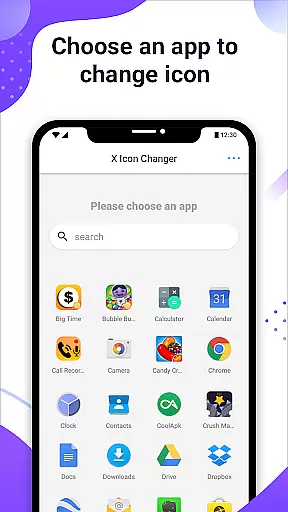
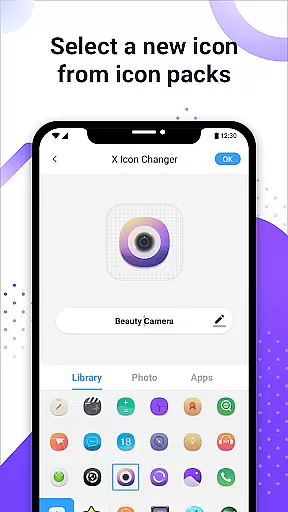
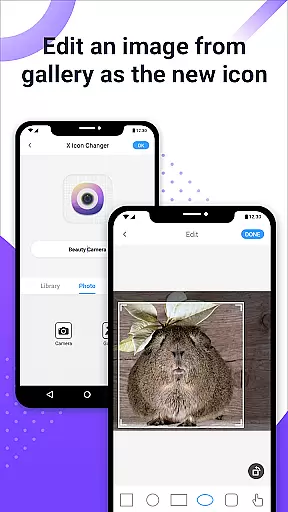
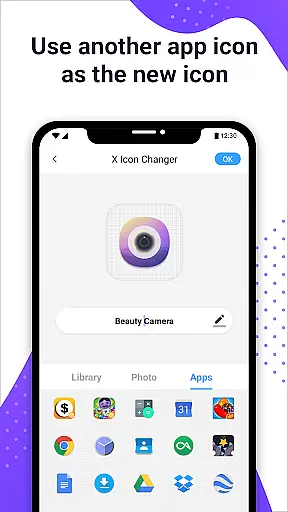
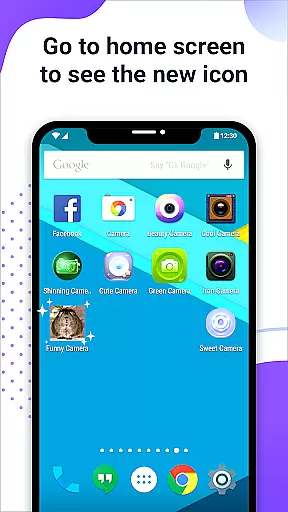
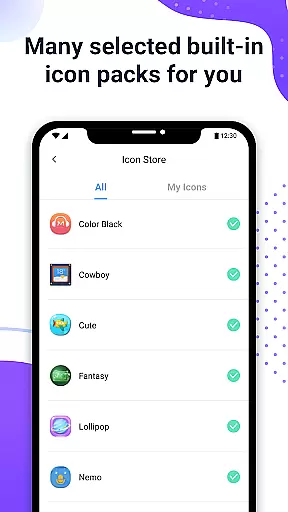
X Icon Changer is a free personalization app that allows users to customize and change icons for any app on their Android device. The app offers a wide selection of icon options, including built-in icon packs, personalized third-party packs, gallery images, and even other app icons.
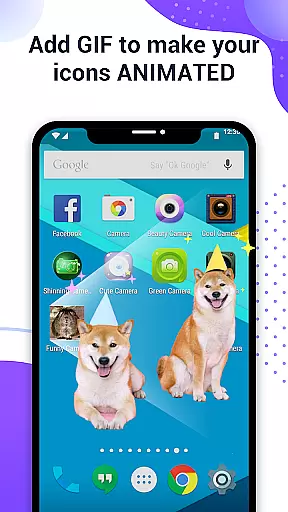
One of the standout features is the ability to add GIF animations to app icons, creating dynamic and eye-catching shortcuts. Additionally, the app provides a widget solution to bypass Android's default watermarking on shortcut icons for devices running Android 8.0 and above. This makes it an ideal tool for users who want complete creative control over their home screen appearance.
The app serves as a comprehensive icon management solution, enabling users to not only change icons but also rename apps and organize their home screens according to their preferences. With its intuitive interface and diverse customization options, X Icon Changer helps users personalize their Android experience while maintaining full functionality of their apps through shortcut creation.
X Icon Changer stands out with its comprehensive set of personalization features designed to give users maximum flexibility in customizing their Android home screens. The app includes multiple icon sources such as built-in icon packs, third-party icon packs, gallery photos, and existing app icons from the device.
A unique feature is the ability to add GIF animations to app icons, allowing users to create dynamic and interactive shortcuts. For devices running Android 8.0 and above, the app offers a specialized widget solution that enables watermark-free icon customization. This feature addresses the common limitation imposed by the operating system's default behavior of adding watermarks to shortcut icons.
The app also provides essential tools for managing app names and organizing home screen layouts. Users can easily edit app names or leave them blank, giving them complete control over how their apps are displayed. With its combination of aesthetic customization options and practical functionality, X Icon Changer delivers both visual appeal and usability enhancements for Android users.
Customization is at the heart of X Icon Changer, offering users a versatile platform to personalize their Android experience. This app allows you to change and customize icons and names for any apps on your device, providing an extensive array of choices that cater to individual tastes and preferences.
The app supports selecting new icons from various sources including built-in icon packs, personalized third-party icon packs, your gallery, or even other app icons. This flexibility ensures that every user can find something that resonates with their style, making their device truly unique.
Moreover, X Icon Changer goes beyond just changing icons by allowing users to add GIFs to their app shortcuts. This feature lets you play interesting GIF animations whenever you launch an app, adding another layer of personal expression and fun to your home screen.
With these comprehensive customization options, X Icon Changer empowers users to tailor their smartphones exactly how they want, enhancing both aesthetics and functionality in a way that reflects their personality.
Theme compatibility is a crucial aspect of X Icon Changer, ensuring that the customized icons blend seamlessly with your device's overall look and feel. The app offers numerous selected personalized icon packs that are built-in and free to use, guaranteeing a harmonious visual experience across your home screen.
For devices running on Android 8.0 and above, where the system may automatically add a watermark to shortcut icons, X Icon Changer provides a solution using widget technology. By dragging the X Icon Changer widget to your desktop, you can change app icons without any watermarks, maintaining a clean and professional appearance.
This approach not only enhances theme compatibility but also preserves the integrity of your chosen aesthetic. Users can enjoy a cohesive design language throughout their interface, which is essential for creating an immersive and visually pleasing environment.
By addressing potential issues like watermarks and ensuring broad compatibility with different themes, X Icon Changer delivers a polished and consistent user experience, making it easier than ever to decorate your Android phone while keeping everything in sync.
Completely free to use
Wide variety of icon choices
Supports GIF animations
Offers watermark-free solution
User-friendly interface
Requires manual setup
Limited iOS compatibility
Some features complex
Third-party dependency
Widget setup needed

Dark icon pack based on One 8
 4.80
4.80
Want to make your phone more special than ever?
4.60
Unique Fonts, typefaces and stylish text. Fonts for Instagram, Whatsapp & others
4.20 3.50
3.50
200+ Material Inspired Widgets
4.50
Magic fluids wallpaper 4D: Relax with stunning fluid simulation wallpaper app
4.20
Amazing letter fonts in your messages and social statuses
4.70
Create stunning widgets with Widget 2026: Aesthetic Widgets for Android!
4.60
Transform your phone with stylish zipper lock themes and 4D live wallpaper
4.10
Sparkle your screen with Glitter Wallpapers For Girls and Cute Backgrounds!
4.80
Stunningly Different look with Line Icons and Neon Colors
4.60
Make your phone look simple & luxury, like iDevice
4.60
Unique Android Launcher
4.60
Choose your keyboard with RGB colors effect, themes, fonts, emojis.
4.60
300+ Beautifully crafted widgets inspired by OneUI.
4.60
Yandex Browser — stylish and secure, with voice search and data compression
4.40
Your home screen, just the way you like it.
4.30 4.10
4.10
Crystal-clear, square icon provides a sleek and sophisticated visual upgrade
4.00


User Reviews