
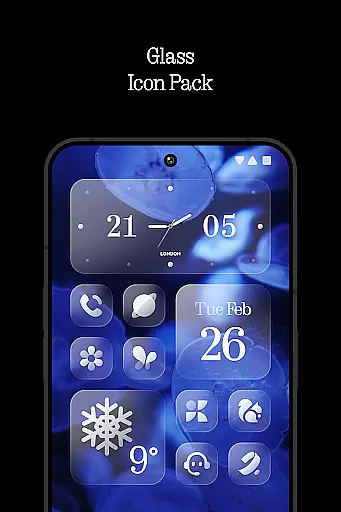
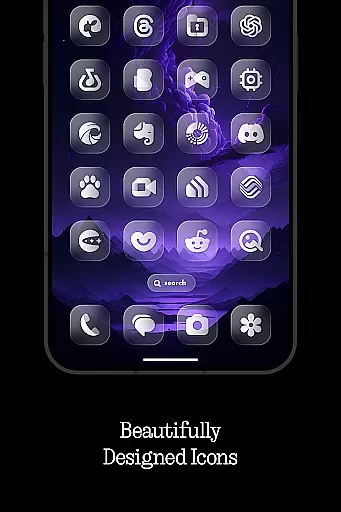
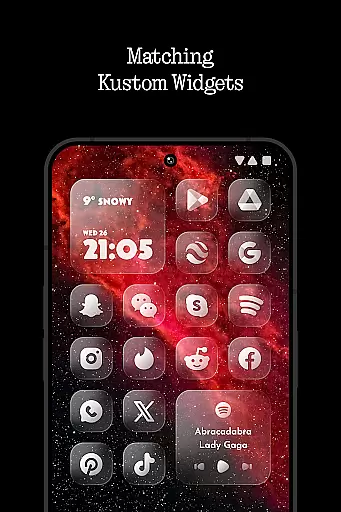
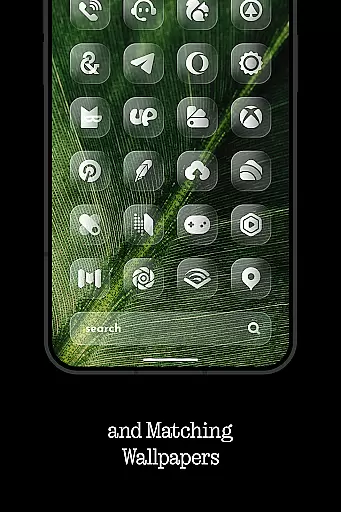
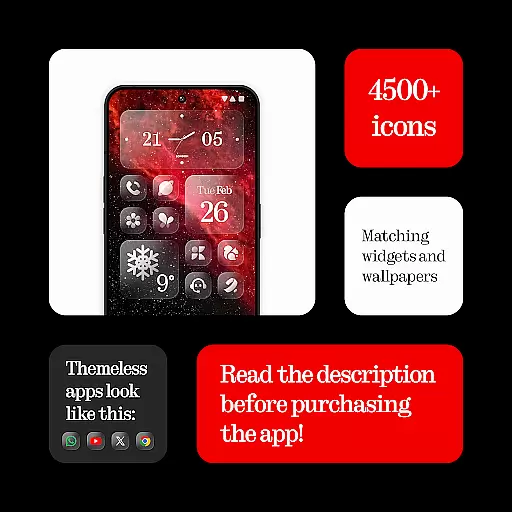
Glass Icons is a premium icon pack that offers over 5400 crystal-clear square icons, designed to provide a sleek and sophisticated visual upgrade for your device. The pack seamlessly integrates with supported launchers, enhancing your home screen's aesthetics while maintaining optimal usability.
Key features include five Kustom widgets for additional customization, a cloud-based wallpaper gallery for dynamic backgrounds, and an intuitive icon request tool. Regular updates ensure compatibility with new devices and launchers. Whether you're using Nova Launcher, Lawnchair, or other popular options, Glass Icons delivers a cohesive and polished look that transforms your Android experience.
This icon pack stands out with its massive collection of 5400+ meticulously crafted icons, each designed with precise attention to detail. The inclusion of five Kustom widgets (KWGT/KWGT PRO required) allows users to create unique home screen layouts that perfectly match their personal style.
The pack also features a cloud-based wallpaper system, providing users access to high-quality background images that complement the icons. An easy-to-use icon request tool enables users to suggest missing icons, while regular updates ensure maximum compatibility across various launchers including Nova, Lawnchair, and Niagara. For troubleshooting and support, the comprehensive FAQ section addresses common questions and setup guidance.
Glass Icons offers an extensive range of customization options that cater to personal preferences and device aesthetics. With over 5400 icons, users can transform their device's interface into a sleek, sophisticated visual experience.
The inclusion of 5 Kustom widgets further enhances the ability to personalize, allowing for unique home screen setups. These widgets are designed to seamlessly integrate with the overall theme, providing both functionality and style.
Cloud-based wallpapers offer additional customization possibilities, ensuring that users can achieve a cohesive look across their entire device. The regular updates and icon request tool ensure that the customization options remain fresh and relevant.
Ensuring broad theme compatibility, Glass Icons supports integration with numerous launchers such as Nova Launcher, Lawnchair Launcher, and Niagara Launcher among others. This compatibility allows users to apply the icon pack without worrying about inconsistencies in appearance.
While some launchers like Pixel Launcher require additional tools such as Shortcut Maker or Theme Park for full functionality, Glass Icons maintains its visual integrity across different platforms. This ensures a uniform look and feel regardless of the launcher used.
For optimal results, certain launchers may need specific settings enabled, such as shadows in Nova Launcher. By adhering to these guidelines, users can enjoy a consistently polished and professional appearance on their devices.
Extensive icon library
Frequent updates
Wide launcher support
High-quality design
Customization options
Paid KWGT required
No stock launcher support
Android only
Some features limited
Third-party dependencies

Ultra realistic gold analog watch face with lots of customization options.
 4.50
4.50
Only for Wear OS devices!
4.90
Bring adorable pets to life on your screen. Playful, interactive and full of fun
4.60
Interactive Miniature Painting Catalogue
3.30
The definitive Icon pack maker and editor
4.30
Organize and manage your photos and videos effortlessly with Photo Gallery
4.20
Handcrafted pixel art icons, widgets & wallpapers
4.60
400+ Beautifully crafted widgets inspired by NOTHING.
4.70
Emoji Maker app - Design custom emojis and effortlessly blend them with Mixer
3.80
Winter's Journey: digital watch face for Galaxy Watch & Wear OS
4.80
Vertically oriented rectangular icons
4.70
Glass style colourful icons with a One UI look and feel
4.60
Make your phone look simple & luxury, like iDevice
4.60
Over 28,000 high quality icons to bring color & homogeneity to your phone.
4.60 4.50
4.50
Transform your device in a game console
4.40
Wear Os Watch Face - Seasonal - Animated Snow Effect - 9 Animals
4.20
Customizable flower power digital watch face for Wear OS watches.
4.00 3.50
3.50


User Reviews