
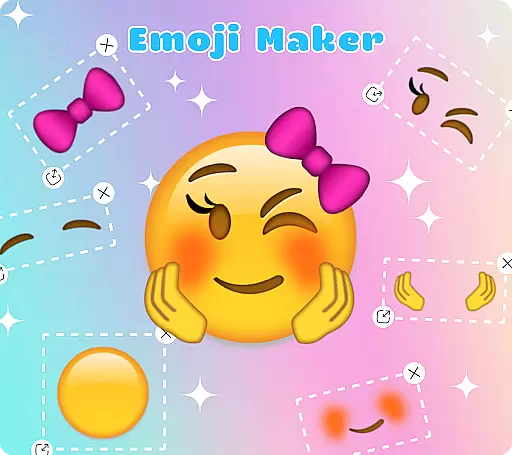
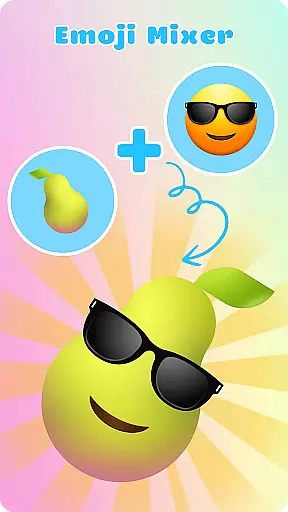
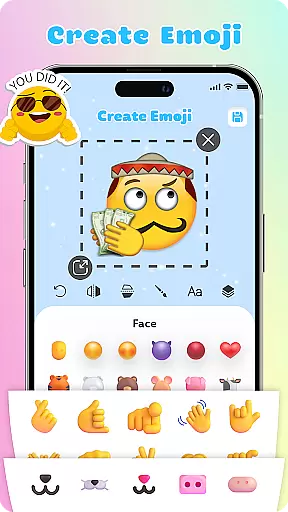
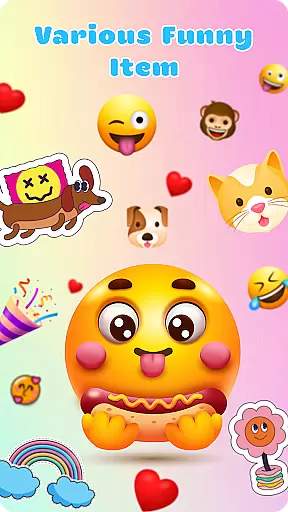
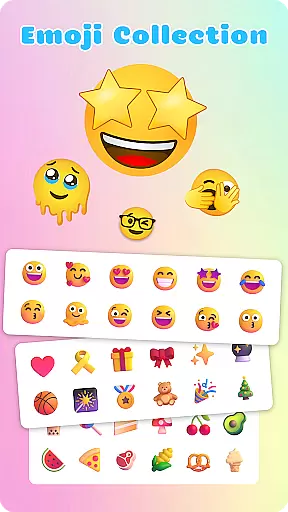
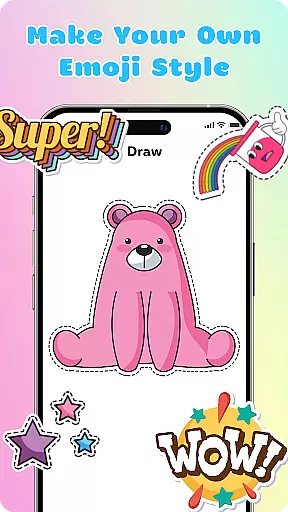
Emoji Maker: DIY Emoji Merge is a creative personalization app that allows users to design and customize their own emojis. With two main functions - Emoji Maker and Emoji Mixer, it offers endless possibilities for emoji creation. Users can choose from various facial expressions, gestures, and accessories to craft unique emojis that suit their personality and style.
The app provides professional-grade editing tools including resizing, flipping, text overlays, and freehand drawing. Its intuitive interface makes designing and managing emojis easy even for beginners. Whether you want to create funny faces or serious expressions, this app helps you convey emotions more vividly in your conversations.
Ideal for enhancing chat experiences across different platforms, Emoji Maker is perfect for those who want to add a personal touch to their digital communications. The app's regular feature updates ensure continuous inspiration for creative expression through customized emojis.
Emoji Maker stands out with its comprehensive set of customization features. The app's Emoji Maker function lets users create emojis from scratch, customizing every detail from facial features to accessories. With the Emoji Mixer, users can combine different emoji elements to create complex and expressive designs.
Professional editing tools include layer management, allowing users to stack and reorder elements for more sophisticated designs. The app supports text overlays and freehand drawing, enabling users to add personalized messages or artistic touches to their creations. Users can also duplicate and modify existing emojis to quickly generate new variations.
Additional features include customizable emoji packs where users can organize their creations into personal collections. The app's regular updates bring new design elements and functionalities, keeping the emoji creation experience fresh and inspiring. This makes Emoji Maker not just a customization tool but a complete platform for creative expression.
Emoji Maker offers an extensive range of customization options that allow users to create unique emojis tailored to their personal style and mood. The app provides a vast array of facial expressions, gestures, and accessories that can be mixed and matched to design emojis that are truly one-of-a-kind.
With features such as resizing, flipping, and duplicating images, users have the creative freedom to modify their emojis down to the smallest detail. This level of customization ensures that each emoji can convey the exact emotion or message intended by its creator.
The inclusion of text and freehand drawing tools adds another layer of personalization, enabling users to incorporate words or drawings that highlight the characteristics of their emojis. These tools not only enhance the visual appeal but also add context and depth to the emojis' meanings.
Ultimately, the diverse customization options within Emoji Maker empower users to express themselves more accurately and creatively in their digital communications, making every conversation more engaging and personalized.
Theme compatibility in Emoji Maker ensures that all custom-created emojis blend seamlessly with various messaging platforms and devices. Regardless of whether you're communicating on social media, email, or any other app, your personalized emojis will maintain their quality and appearance across different interfaces.
This compatibility is crucial for a consistent user experience, allowing emojis to retain their intended look and feel without distortion. Emoji Maker achieves this by optimizing each emoji for different resolutions and backgrounds, ensuring they look great everywhere.
Moreover, the app's intuitive interface simplifies the process of creating theme-compatible emojis, even for beginners. Users can easily navigate through the design options and produce professional-looking emojis that integrate smoothly into any digital conversation.
By prioritizing theme compatibility, Emoji Maker enhances the overall usability of custom emojis, making them a versatile tool for expressing emotions and ideas in today's fast-paced digital world.
User-friendly interface
Extensive customization options
Regular feature updates
Professional editing tools
Creative freedom
Limited sharing options
No cloud backup
Premium features locked
Occasional bugs
Ads present

Ultra realistic gold analog watch face with lots of customization options.
 4.50
4.50
Realistic animated snow on your wrist, with 10 images landscapes to choose from
4.00
Fingerprint Lock Screen & Live Animations with 4K Wallpapers as Live Wallpaper
4.40
Make your phone look simple & luxury, like iDevice
4.60
Bring adorable pets to life on your screen. Playful, interactive and full of fun
4.60
The definitive Icon pack maker and editor
4.30
Ultimate Gallery Lock App - Hide Pictures, Videos and Lock Apps Instantly!
4.60
Unleash Your Creativity and Connect with Loved Ones with Lockscreen Drawing!
4.20
Create stunning widgets with Widget 2026: Aesthetic Widgets for Android!
4.60
Nothing Icon pack with more than 3750+ highly crafted icons.
4.70
Embrace the Night. Unleash the power of darkness with Raven Dark Icon Pack
4.60 4.50
4.50 4.50
4.50
Yandex Browser — stylish and secure, with voice search and data compression
4.40
Transfer your live wallpapers from Windows to Android using Wallpaper Engine!
4.00
Adaptive Dot Style IconPack with Light & Dark Theme.
3.70
Customize glowing edges, wallpapers, and caller screen with EdgeAura.
3.50
Interactive Miniature Painting Catalogue
3.30
Adorable pets roam and play right on your phone screen!
3.30


User Reviews