
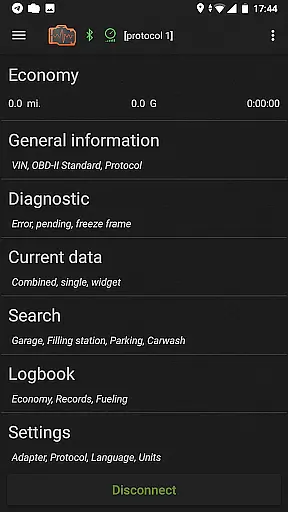
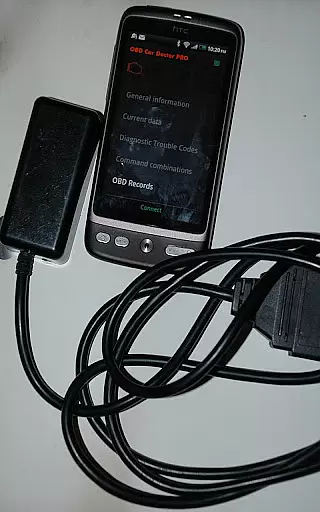
inCarDoc Pro is a comprehensive vehicle diagnostics tool designed for car owners and automotive professionals. This application serves as a virtual mechanic, enabling users to read real-time and stored diagnostic parameters from the Engine Control Unit (ECU) of OBD-II compliant vehicles. The app requires an ELM327 or compatible OBD scanner to function optimally, supporting various connection types including Bluetooth, WiFi, and BLE devices.
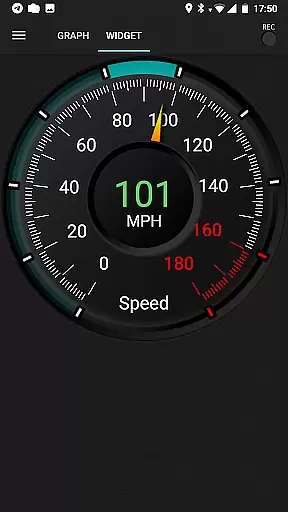
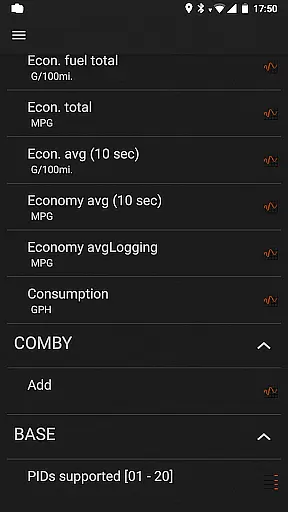
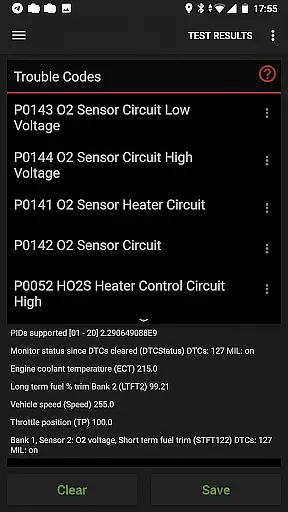
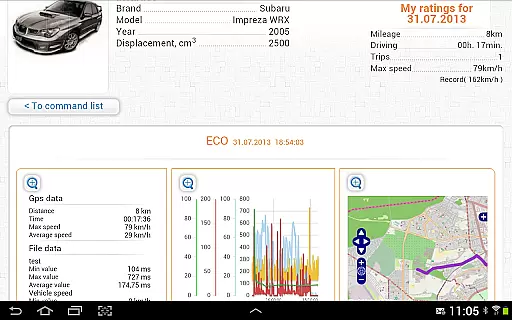
The software provides advanced features such as fault code reading, Check Engine light status, freeze frame data capture, and the ability to clear diagnostic trouble codes. Users can monitor real-time engine parameters like speed, RPM, coolant temperature, and more through customizable widgets. Additionally, the built-in economizer helps track fuel consumption and economy statistics, making it an essential tool for maintaining optimal vehicle performance.
With its professional-grade capabilities, inCarDoc Pro is particularly useful for those seeking detailed insights into their vehicle's health and performance. The app's ability to store and share diagnostic data proves invaluable when consulting with professional repair services, ensuring accurate and efficient maintenance.
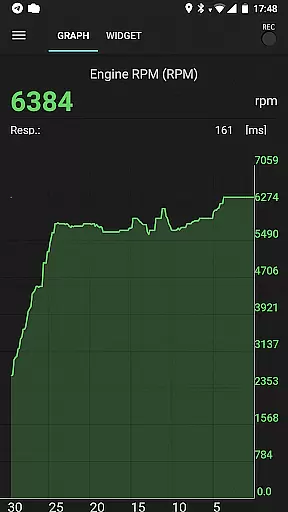
inCarDoc Pro stands out with its robust feature set tailored for automotive diagnostics. The application offers real-time parameter recording, allowing users to monitor multiple engine metrics simultaneously. These include essential readings such as vehicle speed, engine rotation, coolant temperature, and various pressure sensors. The recorded data can be viewed as parameter traces, providing valuable historical insights into the vehicle's performance trends over time.
One of the key advantages of this application is its comprehensive logbook functionality. Users can maintain detailed records of fueling, service history, and maintenance activities. The GPS integration not only provides additional parameters like speed and altitude but also enables precise location tracking for service stations and fuel stops. Advanced users will appreciate the console mode that permits direct OBD2 and ELM327 command sending for specialized diagnostics.
The pro version eliminates advertisements while introducing extended widgets for fuel economy and acceleration monitoring. The innovative overlay feature allows users to display economy data on top of any application screen, ensuring constant access to crucial information while driving. Furthermore, the ability to upload data to the inCarDoc server creates a centralized repository for all vehicle-related information, accessible from anywhere with internet connectivity.
Accessing detailed vehicle information is crucial for both professional mechanics and car owners who want to maintain their vehicles in optimal condition. inCarDoc Pro provides comprehensive data about your vehicle's engine and emission systems, adhering to the OBD-II standard. The app reads real-time parameters from the car's sensors, including speed, RPM, coolant temperature, pressure, and oxygen sensor readings.
The application goes beyond basic diagnostics by offering advanced features such as recording parameters in the background, viewing traces of recorded data, and supporting GPS traces. This allows users to monitor their vehicle's performance over time and under various driving conditions, ensuring that any anomalies are detected early.
For those seeking an even deeper understanding of their vehicle, inCarDoc Pro offers a console mode for advanced users. This feature enables direct sending of OBD2 and ELM327 commands, allowing for custom configurations tailored to non-standard parameters and protocols. Such functionality ensures that whether you're diagnosing a problem or simply keeping track of your car's health, inCarDoc Pro delivers the detailed insights necessary for informed decision-making.
Price transparency in automotive maintenance can often be a challenge, with unexpected costs arising during repairs or routine servicing. inCarDoc Pro addresses this issue by providing clear insights into potential problems through its diagnostic capabilities. By reading and displaying multiple parameters from the vehicle's onboard diagnostics, users can understand issues before visiting a mechanic, thus avoiding surprise charges.
The Pro version of the app comes with no ads and includes features like extended widgets for fuel economy and acceleration, which help drivers better understand their ongoing costs. Additionally, the ability to logbook notes on fueling, service records, and car maintenance creates a transparent record of expenses over time. This financial tracking ensures users have a clear picture of their vehicle-related expenditures.
Moreover, inCarDoc Pro supports uploading data to a server, enabling users to store and share diagnostics data when seeking professional repair assistance. This not only aids in getting accurate quotes for repairs but also helps in comparing services across different providers. With these tools at hand, users gain greater control over their automotive finances, making every cost predictable and manageable.
User-friendly interface
Comprehensive diagnostics
Real-time monitoring
Customizable widgets
Data sharing capability
Requires ELM327 adapter
Premium price point
Complex for beginners
Limited without scanner
Device compatibility issues

Theme for Car Launcher
 4.0
4.0
OBD1 ECMs application. Data log or tune directly from your phone or tablet!
4.60
Buy and sell your boat
4.70
Digital Car Key/Launcher, Screen Mirror, Android Dashboard, Remote Wireless Link
4.40
Boost profits and hit your goals faster with GigU's amazing tools for gigworkers
4.00
BlueDriver® is a Premium Diagnostic OBD2 Scan Tool. www.BlueDriver.com
3.90
Instant diesel savings. No credit checks or fees. Nationwide growing network.
4.40
Find Fast EV Chargers | Charge Your Vehicle at 1,100+ Fast Car Charging Stations
4.60
Shop, finance, or sell today.
4.80
Marathon ARCO Rewards members earn rewards & apply the rewards for fuel savings!
4.80
Trip computer+car diagnostic tool with widest variety of features and dashboard!
4.70
Listings of Tesla's with FSD - Included package
4.60
Secure mobile payments & fuel savings at Phillips 66®, Conoco® and 76® stations
4.40
Your car is talking. Start listening.
4.30
Get your personalized financing options and shop for used cars today!
4.20
OBD diagnostics, Live Data, DPF regeneration for BMW
4.00
PayByPhone: A quick and easy way to pay for parking.
3.80
The Smarter Way Forward
3.30
Monitor specific TOYOTA parameters by adding this plugin to Torque Pro.
2.00


User Reviews