
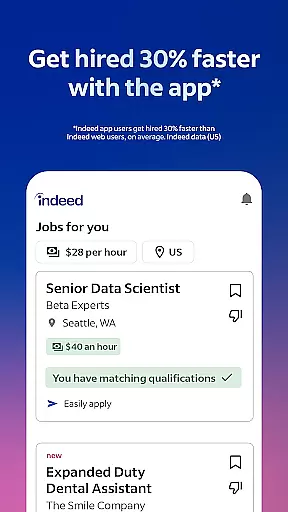


Indeed Job Search is a leading job search application that connects job seekers with employment opportunities across various industries. With over 12 jobs added every second, the app provides real-time access to millions of job listings, including those posted on other job search platforms. The app's smart search filters allow users to quickly narrow down their ideal roles based on preferences and work experience.
One of the standout features of Indeed Job Search is its comprehensive database, which not only includes job postings but also offers company ratings, reviews, and salary information. Users can upload their resumes or utilize Indeed’s resume builder to create professional profiles that attract potential employers. Additionally, the app supports flexible work options such as remote jobs, freelance gigs, and part-time positions, making it suitable for diverse career needs.
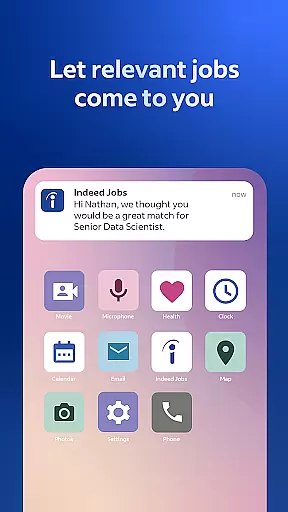
Whether you're casually browsing for new opportunities or urgently applying for positions, Indeed Job Search streamlines the process by enabling easy applications directly from your mobile device. Its notification system keeps users informed about employer responses, ensuring they never miss an important update during their job search journey.
Indeed Job Search stands out due to its robust feature set tailored for modern job seekers. The app's smart search functionality allows users to filter jobs by location, industry, salary, and even specific work arrangements like remote or freelance positions. This ensures that users find roles that align perfectly with their career goals and lifestyle preferences.
A key advantage of Indeed Job Search is its integration of additional resources such as company reviews and salary insights. With over 700 million company ratings and 1.1 billion searchable salaries, users gain valuable context about potential employers before submitting applications. Furthermore, the app simplifies the application process by allowing users to save their resumes and apply to multiple jobs without re-entering repetitive information.
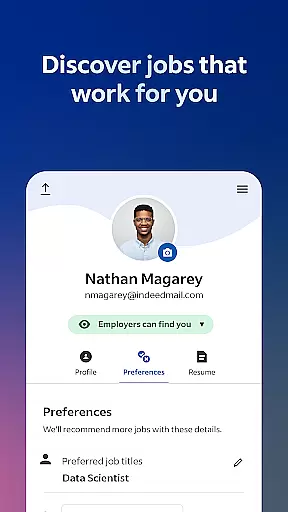
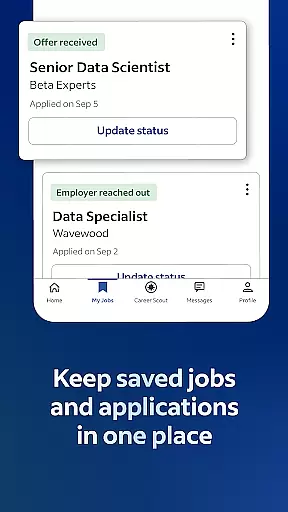
The app also emphasizes user convenience through advanced tracking tools. Job seekers can monitor their application statuses, receive notifications when employers respond, and explore personalized job recommendations based on their profiles. These features collectively enhance the efficiency and effectiveness of any job search strategy.
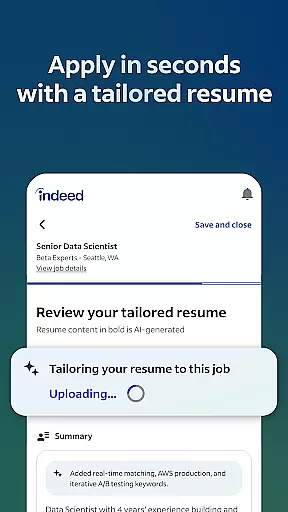
Indeed Job Search offers collaborative work features that streamline the job application process for both job seekers and employers. The app allows users to upload their resumes or utilize Indeed's resume builder, presenting their best qualifications to potential employers efficiently.
For job seekers, the app provides smart functionalities such as saving resumes to avoid repetitive input during multiple job applications. This feature not only saves time but also reduces errors, ensuring a smooth application process. Additionally, users can track their job applications directly within the app, receiving real-time notifications when employers respond.
Employers benefit from Indeed's comprehensive platform by accessing a vast pool of candidates whose profiles are tailored to match specific job requirements. The integration of company ratings and reviews further enhances transparency, helping job seekers make informed decisions while allowing companies to showcase their workplace culture.
This collaborative ecosystem fosters efficient communication between job seekers and employers, ultimately leading to better matches and successful hires. By centralizing these interactions, Indeed ensures a seamless experience for all parties involved in the hiring process.
Task management is a critical aspect of Indeed Job Search, empowering users to organize and monitor their job search activities effectively. The app offers advanced tools that help job seekers manage their applications, track progress, and stay updated on employer responses.
Users can easily keep tabs on their submitted applications through an intuitive interface that categorizes each job post. Notifications play a vital role here; they alert users when thereu2019s activity on their applications, ensuring no important updates are missed. This keeps job seekers engaged and responsive throughout the hiring process.
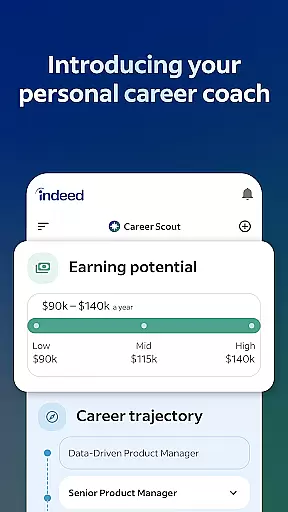
Moreover, Indeed provides insights into salaries and company reviews, which assist users in prioritizing their applications based on pay scales and workplace environments. These data-driven decisions enhance the overall task management experience, making it more strategic and personalized.
By integrating these robust task management features, Indeed Job Search not only simplifies the job hunting process but also equips users with the necessary tools to secure their next career opportunity confidently.
User-friendly interface
Comprehensive job listings
Smart search filters
Resume builder tool
Real-time notifications
Limited offline functionality
Occasional irrelevant matches
Ads within free version
Premium subscription cost
Privacy concerns noted

Find jobs and make money fast with JobStack.
 4.60
4.60
Your employer must have UKG Ready software configured for Mobile.
4.60
Find jobs near you and temp work in minutes, from your phone.
4.50
Find part-time earning opportunities near you that pay within days.
3.20
Access All PDF Files
3.40
Smarter career moves start here. AI job alerts, insights & the right tools.
4.20
Permission Guard is a security app that helps you manage app permissions.
4.80
ADP Mobile Solutions is an employee self service app
4.50
No more passwords, easier sign-in, and greater protection for your accounts.
4.60
Start earning fast. Apply Today.
4.80
Find the right fit, faster.
4.70
All your team communication in one place
4.70
Drive and earn extra money
4.50
From Gone to Back Again — In Just a Few Taps
4.50
The revolutionary flexible staffing platform
4.40
One marketplace. Hundreds of services. Unlimited possibilities. All on Fiverr.
4.40
All-in-one Mobile solutions for employees & managers to succeed at work
4.30
Scan Business Cards & Conference Badges - Capture Leads at Events & Tradeshows
4.20
Shop, deliver, and earn with the Spark Driver™ App
4.10


User Reviews