
PDF Reader is a versatile business application designed to streamline document management for professionals on the go. This app allows users to view, manage, and share PDF files with ease, making it an essential tool for anyone dealing with digital documents in a professional setting.
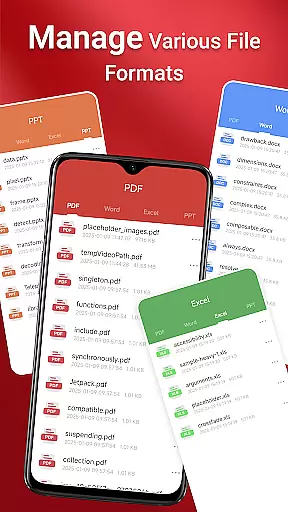
The app features a sleek and intuitive interface that simplifies navigation and enhances productivity. Whether you're accessing files stored locally or managing various document types such as Doc, PDF, PPT, and Excel, this app ensures quick access and seamless sharing capabilities. Its one-click reading and quick page navigation make reviewing documents efficient, while integrated support for multiple formats ensures compatibility across different file types.
For businesses operating in dynamic environments, having reliable access to documents is crucial. PDF Reader meets this need by providing robust functionality even on Android 11 and later, where it requires specific permissions to ensure uninterrupted access to files stored in various locations, including SD cards and non-standard directories.
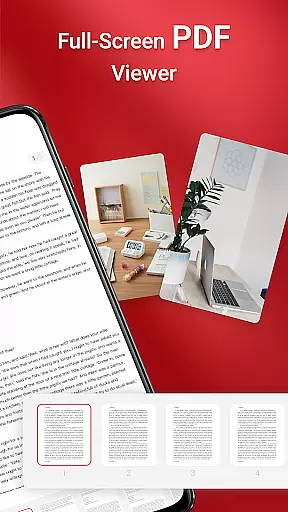
PDF Reader stands out with its comprehensive feature set tailored for business professionals. The app offers one-click PDF reading, enabling users to open and review documents instantly without cumbersome loading times. Additionally, it provides access to all PDF files stored on the device, ensuring that important documents are always within reach.
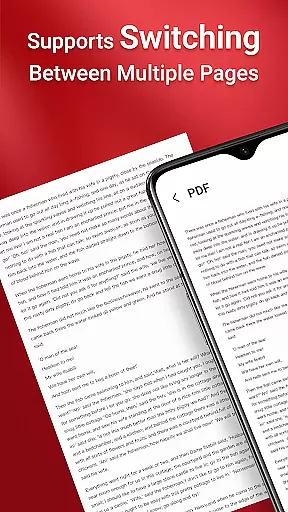
One of the standout features is its integrated support for various document types, including Doc, PDF, PPT, and Excel. This versatility allows users to handle multiple file formats without needing separate applications for each type. Quick page navigation further enhances the reading experience by allowing users to jump between pages effortlessly, which is particularly useful for navigating lengthy reports or presentations.
Security and accessibility are also prioritized, with the app requiring MANAGE_EXTERNAL_STORAGE permission on Android 11 and later. This permission supports essential file-related operations, such as performing actions across folders without user interaction and managing documents in the background reliably. These features collectively ensure that users can maintain productivity without compromising on security or convenience.
Collaborative work features are essential for modern business applications, enabling teams to work together efficiently regardless of location. PDF Reader excels in this area by offering integrated support for various document types, including Doc, PDF, PPT, and Excel files. This versatility allows users to access and share different file formats seamlessly within a single platform.
The app's one-click PDF reading and quick page navigation features make it easy for team members to review documents without unnecessary delays. These capabilities ensure that all collaborators can quickly locate and view the necessary information, facilitating faster decision-making processes.
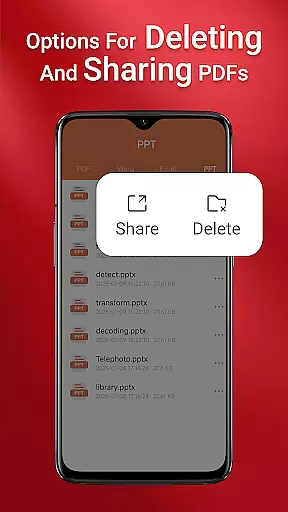
Moreover, the ability to manage and share PDFs effortlessly enhances team productivity. Users can distribute documents to colleagues or clients directly from the app, ensuring everyone has the latest version. This feature is particularly valuable for projects requiring frequent updates and real-time collaboration.
By providing these robust collaborative tools, PDF Reader empowers businesses to streamline their document management processes and improve overall efficiency. The app's comprehensive functionality makes it an indispensable tool for any organization looking to enhance its collaborative capabilities.
Effective task management is crucial for maintaining productivity and meeting deadlines in business environments. PDF Reader addresses this need by offering features that simplify document handling and organization. The app's ability to access all PDF files on a user's device ensures that important documents are always within reach, ready for review or action.
With its sleek and intuitive interface, PDF Reader makes it simple to navigate through numerous files and locate specific documents quickly. This ease of use extends to its quick page navigation feature, which allows users to jump between sections of a document without hassle. Such functionality is particularly beneficial when managing multiple tasks that require referencing various materials.
The app also supports performing operations across folders without user interaction, thanks to the MANAGE_EXTERNAL_STORAGE permission on Android 11 and later. This capability enables users to organize their files more effectively, creating a structured environment for task management. Additionally, the permission facilitates reliable background processing, ensuring that document-related tasks continue smoothly even when the app isn't actively in use.
By incorporating these task management features, PDF Reader helps professionals stay organized and focused on their responsibilities. Its comprehensive set of tools ensures that users can handle their document-related tasks efficiently, contributing to improved overall productivity.
User-friendly interface
Multi-format support
Quick page navigation
Seamless sharing options
Reliable file access
Requires special permissions
Limited offline functionality
No cloud integration
Occasional slow load times
Basic editing tools

Zoom built for Chrome OS
 3.90
3.90
Ask Accio anything about business. Alibaba-backed, built by experts, not just AI
4.60
The revolutionary flexible staffing platform
4.40
Windows App allows you to connect to remote PCs and virtual apps.
3.70
Paychex Flex - Save Time and Stay Connected
4.60
All document reader, pdf viewer app, read docs & excel files
3.80
All your team communication in one place
4.70
Build a store in minutes with our full suite of AI tools. Start for free!
4.20
Ship, Track, Find a Location or Get a Quote with UPS. Anytime. Anywhere.
4.60
Create curriculum vitae, a professional cover letter creator and resume designer
4.80
Find jobs and make money fast with JobStack.
4.60
Finance, Investing, Stocks, Trading and Stock news
4.60
Find jobs near you and temp work in minutes, from your phone.
4.50
Collaborate seamlessly with Google Chat, part of Google Workspace
4.50
Measure distances, surfaces and draw plans in seconds with CamToPlan!
4.40
Find work, shifts and gigs near you. Jobs lasting a few hours to a few months.
4.30
The All-in-One File Manager for Phone, TV, Watch, Cars, XR / VR, Chromebook
4.10
Get your benefits on-the-go.
3.80
We are a dynamic team of creatives people of design, marketing, web & apps
3.00


User Reviews