



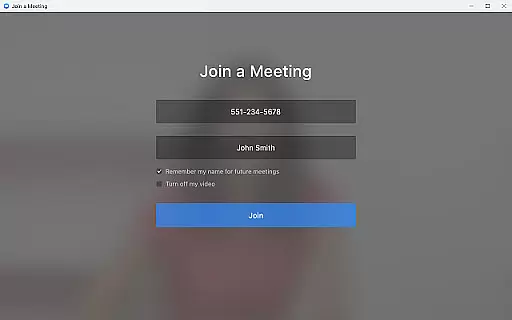

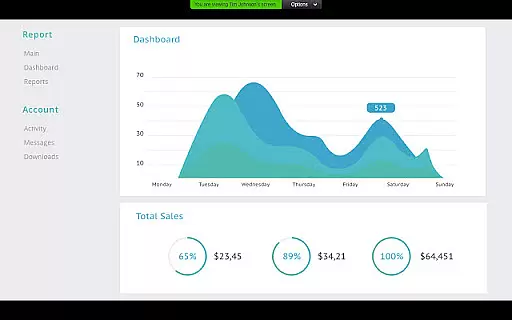
Zoom for Chromebook is a comprehensive business communication tool that combines team chat, video meetings, phone capabilities, and collaborative whiteboards into a single web application. Designed specifically for Chrome OS, this app allows professionals to work seamlessly from anywhere with an internet connection. The platform offers advanced features such as AI-powered meeting summaries, virtual backgrounds, and SMS messaging, making it ideal for remote teams and hybrid work environments.
The application's key strength lies in its ability to integrate multiple communication channels into one unified interface. Users can schedule or join video meetings with a single tap, participate in team chats through public or private channels, and even place phone calls directly from the app. With support for virtual whiteboarding sessions and automatic background updates, Zoom for Chromebook ensures users always have access to the latest collaboration tools without needing to manually update their software.
Zoom for Chromebook stands out with its robust set of business-oriented features designed to enhance productivity and collaboration. The app's core functionality includes seamless integration of video conferencing, team messaging, and phone services, all accessible through Chrome OS devices. One notable feature is the AI Companion, which automatically generates detailed meeting summaries, helping users stay organized and focused on key discussion points.
The application also provides professional-grade communication tools such as virtual phone capabilities, SMS messaging, and customizable virtual backgrounds. Administrators benefit from centralized management options including remote installation and security configuration. Additionally, the app supports real-time collaboration through virtual whiteboards, enabling teams to brainstorm and share ideas effectively. These features are continually updated automatically, ensuring users always have access to the latest enhancements and security improvements.
Collaborative work features are essential for modern business applications, enabling teams to work together efficiently regardless of location. Zoom for Chromebook excels in this area by integrating team chat, video meetings, and virtual whiteboards into a single platform.
The application allows users to schedule or join video meetings with a single tap, streamlining the collaboration process. Its AI Companion feature provides automated meeting summaries, ensuring that all team members stay informed even if they cannot attend every session.
Additionally, the app supports communication through public or private channels, making it easy to chat with colleagues and external contacts. This comprehensive approach to collaboration ensures that teams can maintain productivity and foster strong working relationships.
With centralized configuration options for administrators, Zoom for Chromebook also offers robust security features, allowing businesses to manage installations remotely and keep their data protected.
Effective task management is crucial for maintaining productivity and ensuring that projects progress smoothly. Zoom for Chromebook addresses this need by providing tools that help users organize and prioritize their work efficiently.
One key feature is the ability to schedule meetings and set up reminders, which helps users manage their time effectively. The app's integration with phone and SMS functionalities allows users to place calls and send text messages directly from the platform, keeping all communication centralized.
Moreover, the virtual whiteboard feature enables teams to brainstorm and plan projects collaboratively. This interactive tool fosters creativity and innovation, allowing team members to contribute ideas in real-time.
By combining these task management capabilities with automatic updates and remote installation options for administrators, Zoom for Chromebook ensures that users always have access to the latest features while maintaining a secure and efficient work environment.
User-friendly interface
Seamless integration
Automatic updates
Robust security
Multi-functional platform
Paid features required
Limited free version
Chrome OS dependent
Internet connection needed
Regional restrictions

Formerly Facebook Ads Manager. Manage and create ads on the go.
 4.20
4.20
Ask Accio anything about business. Alibaba-backed, built by experts, not just AI
4.60
BuildCalc - the easiest AND the most advanced construction calculator app.
4.80
TurboScan turns your phone into a full-featured PDF document scanner.
4.80
Get your benefits on-the-go.
3.80
All document reader, pdf viewer app, read docs & excel files
3.80
All your team communication in one place
4.70
view, manage, and share every PDF file you have
3.60
Access to Paylocity, empowering employees with information they need 24/7.
4.70
Employee Management Made Easy
4.80
Use Generative Summary to understand your rental or insurance docs in seconds.
4.70
We help people get jobs
4.70
AI-powered document scanner with auto enhance for perfect PDFs.
4.60
The revolutionary flexible staffing platform
4.40
One marketplace. Hundreds of services. Unlimited possibilities. All on Fiverr.
4.40
Deliver and earn money
4.30
Shop, deliver, and earn with the Spark Driver™ App
4.10
enjoy effortless PDF reading anytime, anywhere
3.90
viewing and sharing of PDFs
3.60


User Reviews