
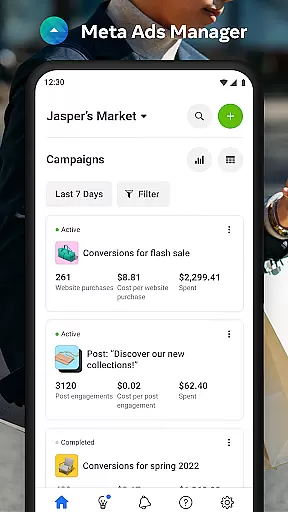

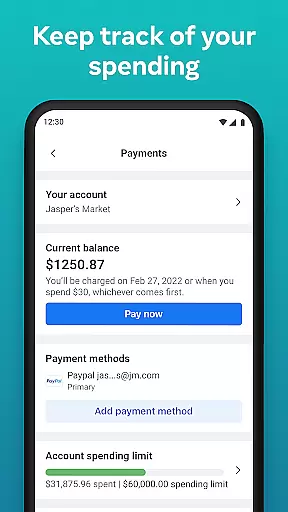
Meta Ads Manager is a comprehensive business tool designed to help advertisers manage their ad campaigns across Meta's family of apps and services. With this app, users can create, edit, and monitor ads on platforms like Facebook, Instagram, Messenger, and WhatsApp from their mobile devices.
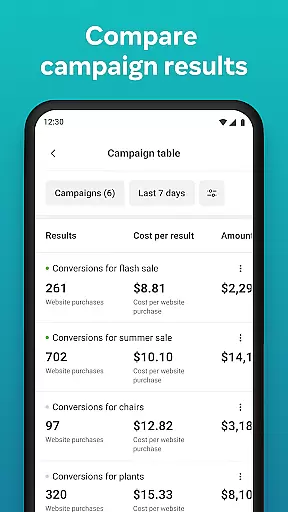
The app provides detailed real-time insights into campaign performance, enabling users to make data-driven decisions. It also allows for quick adjustments such as turning campaigns on or off, and offers side-by-side comparisons of campaigns and ad sets. This makes it an essential tool for marketers who need to stay connected with their advertising efforts while on the go.
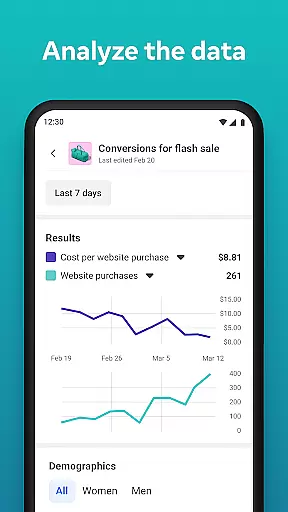
One of the standout features of Meta Ads Manager is its ability to deliver real-time analytics for all your ad campaigns. Users can view comprehensive metrics and insights that help them understand how their ads are performing across different platforms.
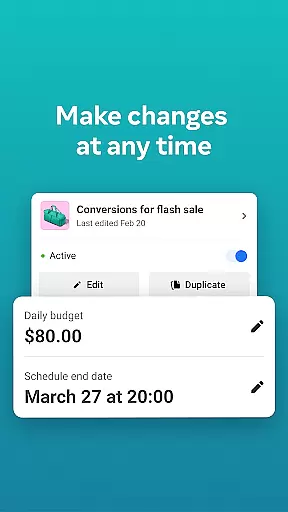
In addition to monitoring, the app offers robust management capabilities. You can easily turn campaigns on or off, receive instant alerts about important changes, and compare the effectiveness of different campaigns using the side-by-side view feature. The app also supports seamless switching between different Pages and ad accounts, making it versatile for businesses managing multiple brands or clients.
These features collectively ensure that advertisers can optimize their campaigns efficiently and respond quickly to any changes in performance metrics.
Collaborative work features are essential for modern business applications, enabling teams to work together efficiently regardless of location. Meta Ads Manager excels in this area by providing a centralized platform where marketing teams can manage campaigns across multiple Meta technologies.
The app allows users to create and edit ad campaigns for platforms like Facebook, Instagram, Messenger, and WhatsApp from a single interface. This unified approach ensures that all team members have access to the same information and can make real-time updates without communication delays.
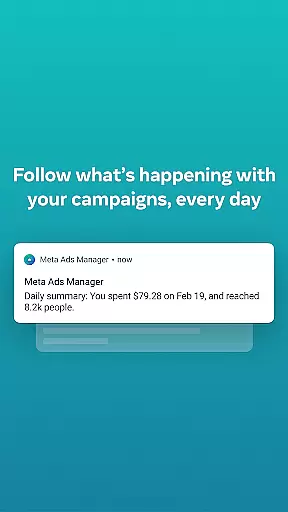
Additionally, the app offers quick alerts and notifications, ensuring that all team members are immediately aware of any changes or issues with their ads. This feature helps maintain campaign effectiveness and allows for rapid response to any performance fluctuations.
By supporting side-by-side campaign comparisons and easy switching between different pages and ad accounts, Meta Ads Manager provides an intuitive collaborative environment that enhances productivity and decision-making for marketing teams.
Effective task management is crucial for overseeing multiple advertising campaigns, and Meta Ads Manager delivers robust tools to handle this complexity. The app provides detailed real-time insights into all your campaigns, allowing you to monitor performance metrics and make data-driven decisions.
With the ability to turn campaigns on and off directly from your mobile device, you maintain complete control over your advertising strategy. This feature is particularly valuable when you need to quickly respond to market changes or optimize budget allocation across different campaigns.
The app's interface is designed to help you organize and prioritize tasks efficiently. You can easily compare campaigns and ad sets using the side-by-side view, making it simpler to identify top-performing strategies and areas for improvement.
Furthermore, the seamless integration across Meta technologies ensures that all your advertising tasks are synchronized and up-to-date, regardless of which platform you're working on. This comprehensive task management system empowers marketers to stay organized and focused on achieving their business objectives.
User-friendly interface
Real-time analytics
Cross-platform support
Quick campaign adjustments
Comprehensive insights
Limited advanced features
Occasional sync issues
Requires constant internet
Basic design layout
No offline access

Quickly open and manage PDF files on your device.
 3.80
3.80
Scan Business Cards & Conference Badges - Capture Leads at Events & Tradeshows
4.20
Your employer must have UKG Ready software configured for Mobile.
4.60
A secure, all-in-one team collaboration app
4.30
Grow your business and connect with more people with Meta Business Suite.
4.60
Access to Paylocity, empowering employees with information they need 24/7.
4.70
ADP Mobile Solutions is an employee self service app
4.50
On the go? Take FedEx with you.
4.00
Work happy with AI Companion
4.10
Job search app that finds jobs for you! Takes the work out of looking for a job!
4.90
Employee Management Made Easy
4.80
Start earning fast. Apply Today.
4.80 4.70
4.70
Make invoices, bills, receipts & estimates on the go with Invoice Generator.
4.70
Find jobs and make money fast with JobStack.
4.60
Make money as a delivery driver with DoorDash and work when you want as a Dasher
4.30
Build a store in minutes with our full suite of AI tools. Start for free!
4.20
VSD Viewer - Visio Drawings Viewer for Android Preview VSD, VDX, VSDX drawings
4.10
All document reader, pdf viewer app, read docs & excel files
3.80


User Reviews