
Connecteam is a comprehensive employee management app designed to streamline operations for businesses with non-desk employees. It combines work scheduling, time tracking, internal communication, task management, and training into one affordable solution.
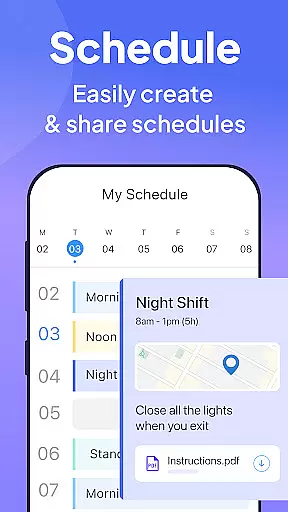
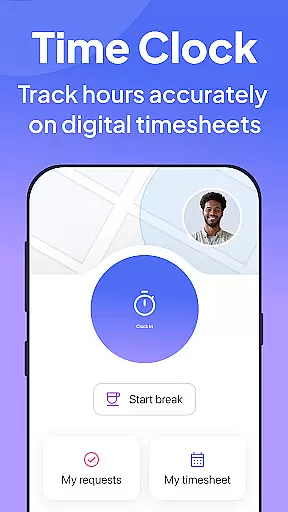
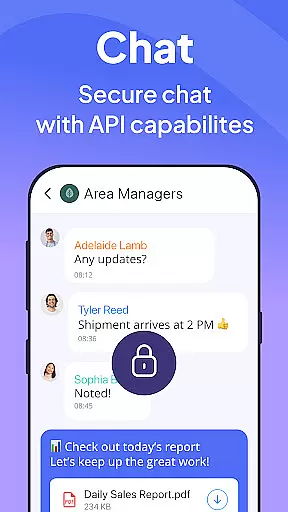
The app's scheduling tool allows effortless shift planning with GPS updates and detailed job information. Its time clock feature offers precise hour tracking with geofencing and automated timesheet generation. The built-in communication platform facilitates engagement through live chats, surveys, and content sharing.
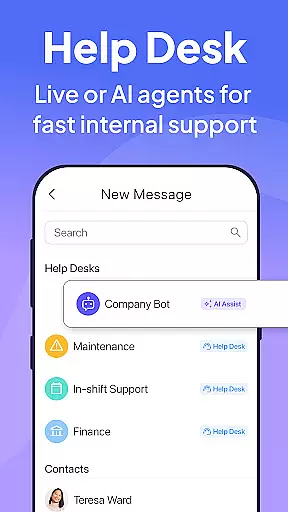
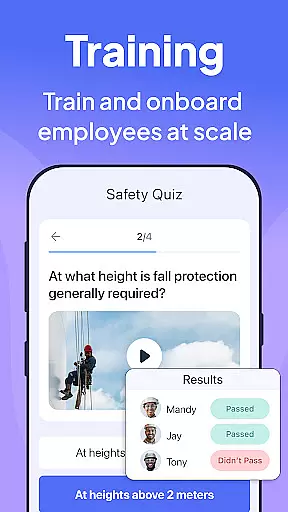
Additionally, Connecteam provides digital tools for paperless task management, employee onboarding, and an internal ticketing system. These features collectively help businesses improve efficiency, enhance compliance, and strengthen company culture.
Connecteam stands out with its diverse feature set tailored for workforce management. The scheduling module enables creating individual or team shifts with GPS tracking and file attachments, while the auto-scheduling tool simplifies recurring shift patterns.
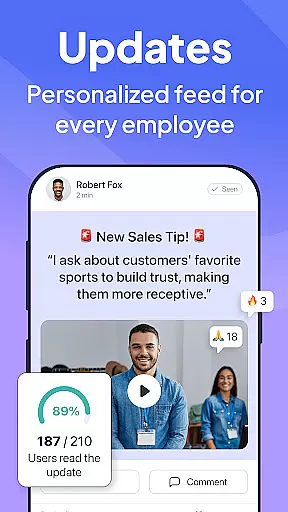
The time clock functionality includes geofencing, automated break calculations, and integrations with payroll systems. For internal communications, the app offers multiple channels like 1:1 chats, group discussions, and company-wide posts with engagement features.
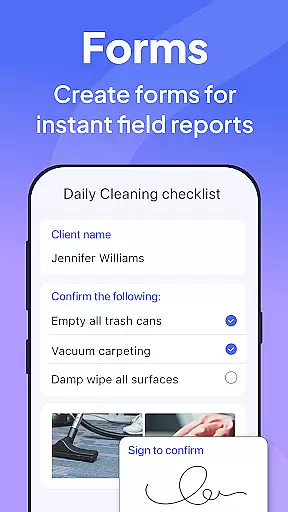
Task management capabilities allow digitizing procedures through customizable checklists and forms. The training section provides easy access to materials and quizzes. Moreover, the digital ID card system and help desk feature add extra layers of operational convenience and security.
In today's fast-paced business environment, effective collaboration is key to success. Connecteam's Team Management App offers a comprehensive suite of tools designed to enhance team cooperation and streamline workflows. The platform supports real-time communication through its live chat feature, enabling both one-on-one and group conversations. This ensures that team members can quickly exchange information, brainstorm ideas, and resolve issues without delay.
Beyond just messaging, Connecteam provides a shared workspace where employees can access important documents, submit reports, and collaborate on projects. With the ability to create posts and updates complete with comments and reactions, the app fosters an engaging environment that encourages feedback and interaction. Additionally, the inclusion of a chat API allows for the integration of external data sources directly into the conversation flow, making it easier than ever to keep all relevant information at your fingertips.
For businesses looking to improve their internal processes, Connecteam's task management system is a game-changer. It enables managers to assign tasks, set deadlines, and track progress, all within the app. Daily checklists with auto-reminders ensure that no task is overlooked, while online forms and checklists with read & sign options help maintain compliance and accountability. By digitizing these procedures, companies can significantly reduce paperwork and increase efficiency.
The benefits of using Connecteam extend beyond just improving collaboration; it also strengthens company culture by keeping everyone connected and informed. Regular employee feedback surveys provide valuable insights into workforce sentiment, allowing leadership to make data-driven decisions that boost morale and productivity. Overall, Connecteam's collaborative work features offer a robust solution for managing non-desk employees, ensuring that teams remain cohesive and productive regardless of location.
Efficient task management is crucial for maintaining productivity and ensuring that projects are completed on time. Connecteamu2019s Team Management App excels in this area by providing a versatile platform that simplifies the process of assigning, tracking, and completing tasks. Managers can easily create detailed task lists, categorize them based on priority or department, and assign them to specific team members. This level of organization helps prevent tasks from falling through the cracks and ensures that everyone knows exactly what is expected of them.
One of the standout features of Connecteam's task management system is its automation capabilities. Daily checklists with auto-reminders prompt employees to complete routine tasks, reducing the need for constant supervision. Moreover, the app supports advanced checklists that include read & sign options, which are particularly useful for enforcing compliance and safety protocols. Employees can also upload images and report geolocations, adding an extra layer of detail and accountability to each task.
Connecteam goes beyond basic task assignment by offering tools that facilitate complex project management. For instance, the app allows users to attach files, shift details, and other relevant information directly to tasks, ensuring that all necessary resources are readily available. This feature is especially beneficial for remote teams who rely heavily on digital communication. Furthermore, the platform's integration with leading payroll software streamlines administrative tasks, freeing up more time for strategic planning and execution.
Ultimately, Connecteam's task management capabilities empower businesses to operate more efficiently and effectively. By automating repetitive tasks and providing a centralized hub for all project-related activities, the app reduces overhead costs and enhances overall productivity. Whether you're overseeing a small team or managing a large-scale operation, Connecteam's intuitive interface and powerful features make it an invaluable asset for any organization looking to optimize its workflow.
User-friendly interface
Affordable pricing
Comprehensive feature set
Excellent customer support
Highly customizable
Limited advanced analytics
Occasional syncing issues
Basic free version
Learning curve for admins
Mobile-only design

viewing and sharing of PDFs
 3.60
3.60
Find jobs and make money fast with JobStack.
4.60
viewing and sharing PDFs and other files—anytime, anywhere!
4.1
Recover what matters — quickly and easily.
4.70
A secure, all-in-one team collaboration app
4.30
Find part-time earning opportunities near you that pay within days.
3.20
Access to Paylocity, empowering employees with information they need 24/7.
4.70
Smarter career moves start here. AI job alerts, insights & the right tools.
4.20
No more passwords, easier sign-in, and greater protection for your accounts.
4.60
Job search app that finds jobs for you! Takes the work out of looking for a job!
4.90
Drive and earn extra money
4.50
Master crypto trading with real-time simulations and exciting challenges!
4.50
Earn crypto with secure cloud mining. Monitor, track & withdraw easily
4.40
All-in-one Mobile solutions for employees & managers to succeed at work
4.30
Formerly Facebook Ads Manager. Manage and create ads on the go.
4.20
VSD Viewer - Visio Drawings Viewer for Android Preview VSD, VDX, VSDX drawings
4.10
Find flexible, hourly jobs hiring near you in restaurant, retail & hospitality!
4.00
Simple, Fast & Lightweight
3.90
Completed Course Lectures on how to use IBM Maximo in Maintenance issues
4.1


User Reviews