
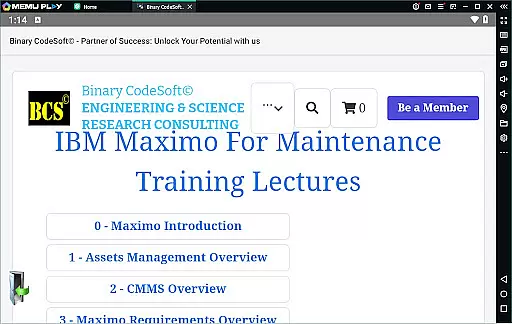
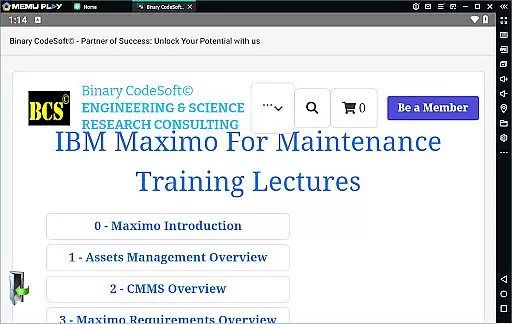

BCS©-Maximo Maintenance course is a comprehensive business application designed to educate users on maintenance operations and strategies using IBM Maximo. The app covers essential topics such as maintenance planning, scheduling, costs, and the significance of effective work management. It also provides an in-depth introduction to Maximo, including asset management, CMMS, and the latest features.
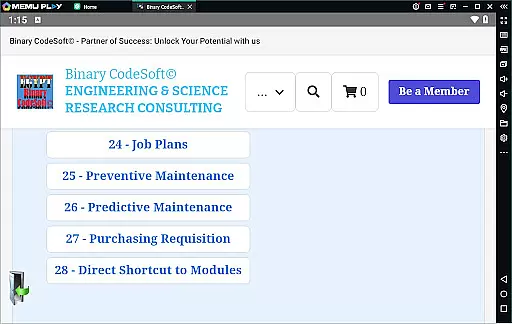
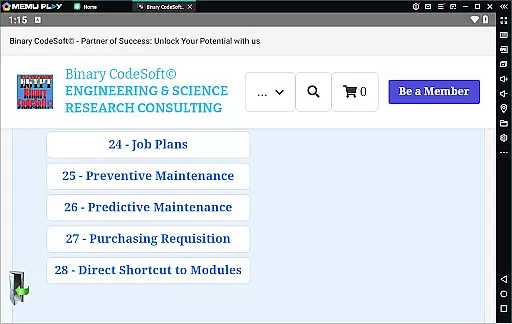
With modules on work orders, job plans, preventive and predictive maintenance, the app equips users with the knowledge to implement IBM Maximo successfully. Additional features include shutdown planning, dynamic job plans, and data export capabilities to MS Excel and MS Projects. BCS©-Maximo Maintenance course is ideal for businesses looking to enhance their maintenance processes and leverage Maximo's robust functionalities.
The BCS©-Maximo Maintenance course offers a rich set of features tailored for maintenance professionals. Users can explore various maintenance strategies and understand the cost implications of poor maintenance. The course outlines the advantages of IBM Maximo, guiding users through its implementation and use in real-world scenarios.
Key features include detailed sections on assets and locations management, work orders, and job plans. The app also teaches users how to manage preventive and predictive maintenance, create shutdown plans, and utilize child work orders. With practical tips on purchasing, module shortcuts, and executing tasks across multiple records, users can streamline their maintenance planning and stay ahead in their operations.
In the realm of business applications, collaborative work features are essential for streamlining operations and enhancing team productivity. The BCSu00a9-Maximo Maintenance course offers comprehensive insights into how IBM Maximo facilitates collaboration among maintenance teams. This includes shared access to critical data such as assets, locations, and work orders, which ensures that all team members are on the same page.
Furthermore, the application provides tools for effective communication and coordination within teams. For instance, users can create and manage work orders collectively, ensuring that maintenance tasks are carried out efficiently. The ability to implement preventive and predictive maintenance strategies through Maximo also supports a proactive approach to asset management, reducing downtime and extending the lifespan of critical equipment.
The real power of these collaborative features lies in their ability to integrate seamlessly with existing workflows. By allowing teams to modify job plans dynamically and manage child work orders effectively, the application ensures that complex maintenance projects are completed on time and within budget. Additionally, exporting data to commonly used formats like MS Excel and MS Project files enhances interoperability with other business systems.
Effective task management is crucial for businesses aiming to optimize their maintenance operations. The BCSu00a9-Maximo Maintenance course excels in this area by providing robust tools for planning, scheduling, and tracking maintenance tasks. Users can leverage features such as job plans, preventive maintenance schedules, and shutdown plans to ensure that all activities are meticulously organized and executed.
One standout feature is the ability to generate detailed 7-day and monthly plans, which help maintenance teams anticipate and prepare for upcoming tasks. These planning tools are complemented by functionalities that allow users to follow up on important items using reports, thus maintaining a clear overview of ongoing and pending activities. This level of detail and control is invaluable for keeping maintenance operations running smoothly.
Moreover, the application's task management capabilities extend to executing tasks across multiple records, ensuring that bulk operations can be handled with ease. With direct shortcuts to modules and the option to keep queries always on top, users can quickly access the information they need. This comprehensive approach not only boosts productivity but also empowers teams to stay one step ahead in their planning processes.
User-friendly interface
Comprehensive content
Practical examples
Latest Maximo features
Effective learning tool
Requires basic knowledge
Limited interactive elements
Text-heavy content
No certification upon completion
Additional resources needed

Finance, Investing, Stocks, Trading and Stock news
 4.60
4.60
A secure, all-in-one team collaboration app
4.30
We are a dynamic team of creatives people of design, marketing, web & apps
3.00
Access All PDF Files
3.40
Smarter career moves start here. AI job alerts, insights & the right tools.
4.20
The app that lets you deliver with Amazon.
4.50
ADP Mobile Solutions is an employee self service app
4.50
No more passwords, easier sign-in, and greater protection for your accounts.
4.60
Make money as a delivery driver with DoorDash and work when you want as a Dasher
4.30
FaxCover - Create fax cover pages. Works with any app or fax machine.
4.90
Earn free swag, G-Cards & food • Enter sweepstakes • Find stores • So much more.
4.70
Ask Accio anything about business. Alibaba-backed, built by experts, not just AI
4.60
Mobile POS for any business: sales, invoices, retail, restaurants & appointments
4.60
Find jobs near you and temp work in minutes, from your phone.
4.50
FX Plus adds media, networking, and cloud capabilities to FX File Explorer.
4.10
VSD Viewer - Visio Drawings Viewer for Android Preview VSD, VDX, VSDX drawings
4.10
The All-in-One File Manager for Phone, TV, Watch, Cars, XR / VR, Chromebook
4.10
On the go? Take FedEx with you.
4.00
All document reader, pdf viewer app, read docs & excel files
3.80


User Reviews