
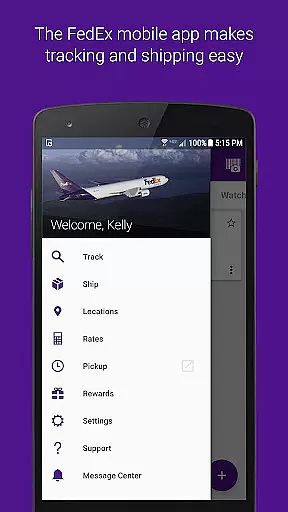
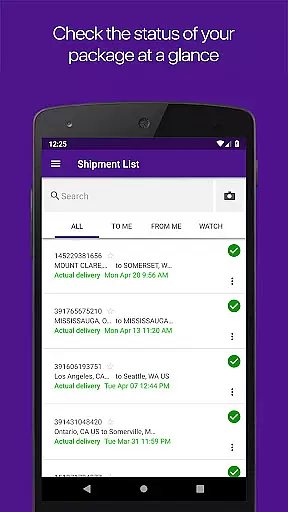
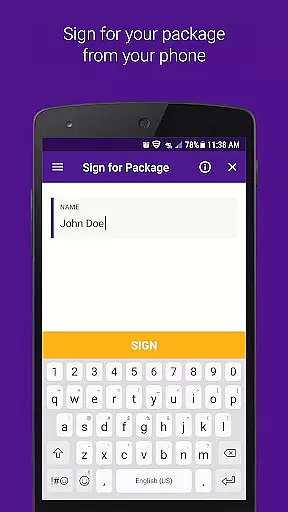
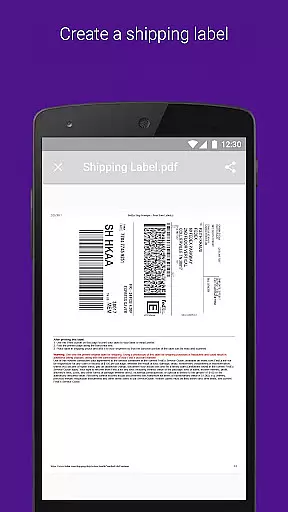
FedEx Mobile is a comprehensive business application designed to streamline shipping and package management for users across the globe. With this app, you can effortlessly create domestic and international shipping labels, track the status of your shipments in real time, and manage your packages from anywhere. The app also provides quick rate estimates, helps you locate nearby FedEx pickup or drop-off locations, and allows you to scan barcodes for easy tracking.
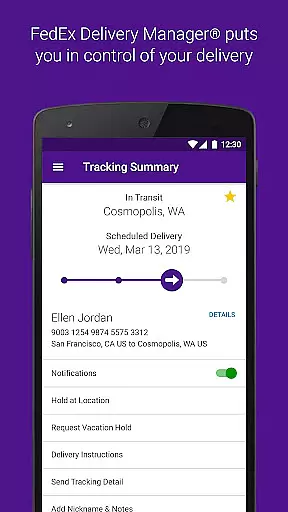
One standout feature is the ability to enroll in FedEx Delivery Manager®, which enables you to customize delivery preferences such as holding packages at a preferred location or rerouting them for convenience. Whether you're handling personal shipments or managing business logistics, FedEx Mobile offers tools that enhance efficiency and ensure timely deliveries.
This app is particularly useful for businesses that require frequent shipping and need to maintain precise control over their supply chain operations. By integrating advanced features like push notifications, barcode scanning, and secure login options such as facial recognition, FedEx Mobile ensures that users stay informed and can manage their shipments with ease.
FedEx Mobile stands out due to its wide array of robust features tailored for both individual and business use. One of the core functionalities is the ability to track all incoming and outgoing packages in real time, ensuring complete visibility into your shipment's journey. Additionally, users can create mobile shipment labels directly from their devices and request pickups, streamlining the entire shipping process.
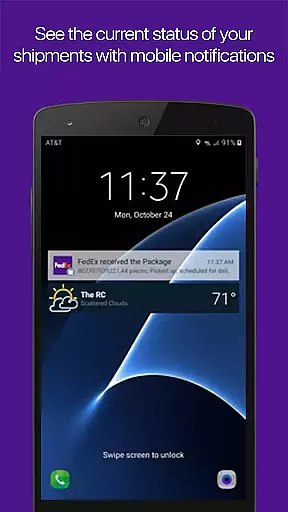
The app also supports advanced features such as push notifications, which keep users updated on their shipment status, and sound notifications for when packages are delivered. Barcode scanning simplifies tracking, while the built-in location finder helps you identify nearby FedEx service points. For users within the U.S., enrolling in FedEx Delivery Manager® adds another layer of customization, allowing you to set delivery instructions, hold packages, or even reroute them to a more convenient FedEx location.
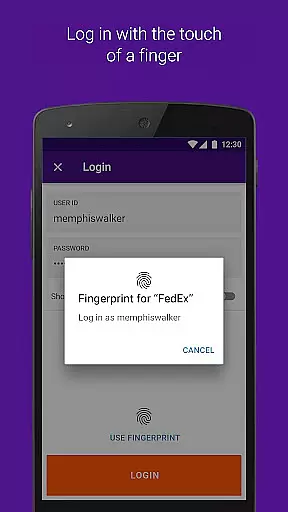
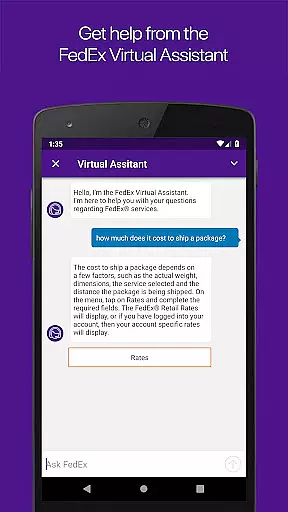
Security is prioritized with options like fingerprint and facial recognition login, ensuring that your shipment data remains protected. Moreover, the app provides access to your shipper address book, allows you to search past shipments by various criteria, and includes a chat assistant to answer any questions about the app or FedEx services. These features collectively make FedEx Mobile an indispensable tool for efficient package management.
In the realm of business logistics, collaboration is key. The FedEx Mobile app enhances collaborative work features by enabling teams to efficiently manage shipments and access shared shipment information from anywhere. This ensures that all team members are on the same page, whether they are in the office or on the go.
With functionalities such as creating mobile shipment labels and requesting pickups, the app streamlines operations for businesses. Team members can easily track the status of incoming or outgoing packages, which fosters a transparent environment where everyone has access to real-time updates.
The app also supports push notifications, ensuring that users receive timely updates on their shipments. This feature allows teams to respond quickly to any changes or issues that may arise during transit, thus maintaining an agile and responsive workflow.
Furthermore, the ability to search the list of shipments by tracking number, references, vendors, and more adds another layer of convenience. It simplifies the process of managing multiple shipments and keeps collaborative efforts organized and efficient, ultimately leading to enhanced productivity and customer satisfaction.
Effective task management is crucial for business efficiency, and the FedEx Mobile app excels in this area by providing tools that help users organize and oversee their shipping tasks with ease. From creating shipment labels to scheduling pickups, the app consolidates all necessary functions into one accessible platform.
One standout feature is the ability to enable push notifications, which delivers real-time updates directly to the user's device. This ensures that important milestones in the shipping process are communicated promptly, allowing for swift action when needed. Users can also opt for sound notifications on delivered shipments, adding an auditory cue for task completion.
Additionally, the app offers comprehensive task management through its shipper address book and the option to log in with biometric authentication. These features save time and enhance security, making sure that repetitive tasks are expedited while sensitive information remains protected.
For those looking to further customize their delivery experience, enrolling in FedEx Delivery Manager allows for setting preferences on how and where to receive packages. This level of personalization in task management not only meets individual needs but also contributes to a more streamlined and satisfactory shipping process overall.
User-friendly interface
Real-time tracking
Customizable delivery
Secure login options
Comprehensive support
Limited regional features
Requires constant updates
Occasional bugs
Push notification issues
Complex setup

AI-powered document scanner with auto enhance for perfect PDFs.
 4.60
4.60
Manage Your Shop
4.70
Take the stress out of storage with the all-in-one app to manage your space.
3.70
Employee Management Made Easy
4.80
Get instant construction estimates: accurate home repair & material calculator.
4.70
USPS Mobile®Access USPS.com’s most popular tools on-the-go.
4.70
Access to Paylocity, empowering employees with information they need 24/7.
4.70
Access All PDF Files
3.40
Make money as a delivery driver with DoorDash and work when you want as a Dasher
4.30
GoTo Mobile is a simple & secure calling, messaging & meetings solution
4.80
Find the right fit, faster.
4.70
No more passwords, easier sign-in, and greater protection for your accounts.
4.60
Master crypto trading with real-time simulations and exciting challenges!
4.50
From Gone to Back Again — In Just a Few Taps
4.50
The revolutionary flexible staffing platform
4.40
Deliver and earn money
4.30
Simple, Fast & Lightweight
3.90
Find part-time earning opportunities near you that pay within days.
3.20
Completed Course Lectures on how to use IBM Maximo in Maintenance issues
4.2


User Reviews