
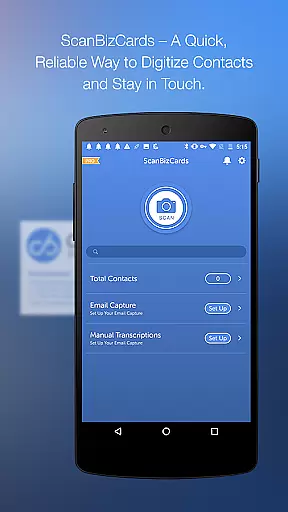
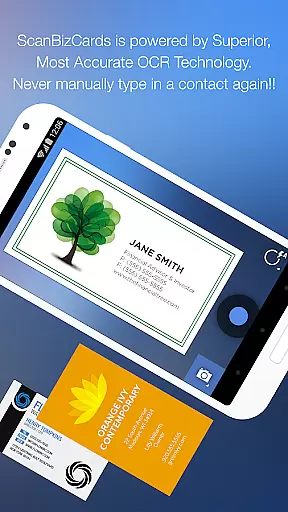
ScanBizCards Premium is a comprehensive business card management solution designed for professionals who need to efficiently organize and utilize their contact network. The app allows users to scan business cards directly using their phone's camera, with an option for 100%-accurate human transcription. It supports batch scanning, enabling multiple cards to be processed simultaneously, which is particularly useful at networking events or conferences.
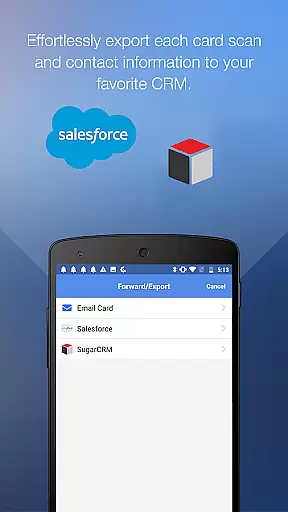
In addition to its core scanning capabilities, ScanBizCards offers seamless integration with major CRM platforms like Salesforce and SugarCRM. This allows sales professionals to export scanned contacts directly into their customer relationship management systems. The latest version includes enhanced OCR technology for faster and more accurate scans, email signature capture, and support for 22 languages, making it a versatile tool for international use.
This application is especially valuable for frequent conference attendees and salespeople who need to quickly convert physical business cards into digital leads. By streamlining the contact management process and offering direct CRM synchronization, ScanBizCards helps users maintain an up-to-date and organized contact database, ultimately saving time and improving professional relationships.
ScanBizCards Premium distinguishes itself through several advanced features that cater to the needs of modern professionals. One of its standout capabilities is the dual scanning option, where users can either rely on automated scanning or opt for human-verified transcriptions for maximum accuracy. The newly upgraded OCR engine provides significantly faster processing speeds, reportedly five times quicker than previous versions, while maintaining high precision across 22 supported languages.
The app's integration with email clients enables automatic contact discovery and updates from email signatures, while its batch scanning functionality allows users to process multiple cards in rapid succession. These features are complemented by practical tools such as double-sided card scanning, 3D gallery view mode for visual organization, and customizable folder structures for systematic card management.
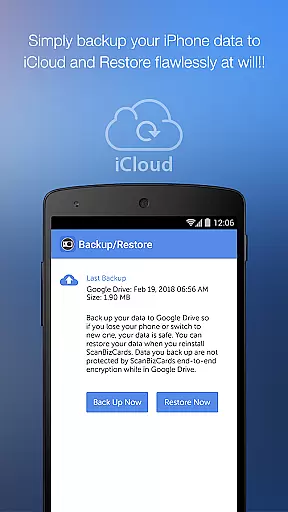
Additional notable features include the ability to create personal notes for each contact, send Quick Intro emails with contact information, and backup/restore data through Google Drive. The app also supports various export options beyond CRM integration, including standard contact formats and sharing via email. These comprehensive features make ScanBizCards Premium a complete solution for managing professional contacts efficiently and effectively.
In today's interconnected business environment, collaborative work features are essential for maximizing productivity and ensuring seamless communication. ScanBizCards Premium excels in this area by integrating advanced email signature capture capabilities for both Gmail and Outlook. This functionality allows users to connect their email accounts directly to the app, automatically discovering new contacts and updating existing ones from email signatures.
The app takes collaboration a step further by enabling unlimited card exports to Salesforce CRM. This feature ensures that sales teams can maintain an up-to-date CRM system without the previous restriction of only seven cards per month. By streamlining the process of capturing and exporting contact information, ScanBizCards facilitates better team coordination and data sharing.
For professionals attending conferences and trade shows, the app offers batch scanning capabilities. Users can scan multiple business cards quickly and export these contacts to their preferred CRM platforms like Salesforce and SugarCRM. This efficient handling of contacts enhances collaborative efforts, particularly for sales personnel who rely on accurate and timely data entry.
Moreover, the ability to create personal notes for each card and organize them with custom folder names adds another layer of collaborative utility. These features ensure that teams can systematically manage and retrieve important contact information, fostering a more organized and cooperative work environment.
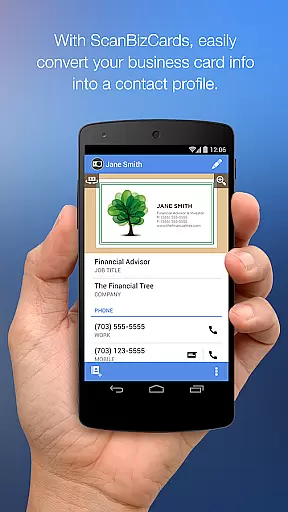
Effective task management is crucial for professionals who need to keep track of numerous contacts and business interactions. ScanBizCards Premium addresses this need by providing a comprehensive solution for managing business cards and contacts. The app allows users to go from business cards to contacts in just four easy steps: snapping or importing a photo of a business card, scanning the card, reviewing and editing the results alongside the card image, and adding the contact to the address book or merging it with an existing contact.
One standout feature is the ability to capture contacts from email signatures by enabling email signature capture. This functionality not only simplifies the task of updating oneu2019s address book but also ensures that no important contact is overlooked. Additionally, users can utilize the clipboard to copy text from email signatures, then scan the text and create a contact, thereby streamlining the entire contact management process.
ScanBizCards also supports organizing scanned cards with custom folder names and creating personal notes for each card. These features enhance task management by allowing users to categorize and annotate their contacts, making retrieval and reference more straightforward. The 3D gallery view mode further aids in visualizing and managing the collection of business cards efficiently.
Finally, the app's capability to scan double-sided business cards and support 22 different languages underscores its versatility in task management. Whether used for individual productivity or as part of a broader team strategy, ScanBizCards Premium equips users with the tools necessary to manage their professional network effectively.
User-friendly interface
Accurate scanning results
Wide language support
Excellent CRM integration
Fast batch processing
Premium subscription required
Occasional OCR errors
Limited free exports
Internet connection needed
Storage space intensive

ANDROID'S TOP MOBILE OFFICE - Word, Excel, PowerPoint and PDF at your fingertips
 4.50
4.50
Measure distances, surfaces and draw plans in seconds with CamToPlan!
4.40
Get your benefits on-the-go.
3.80
Employee Management Made Easy
4.80
Drive and earn extra money
4.50
All your team communication in one place
4.70
Find part-time earning opportunities near you that pay within days.
3.20
Work happy with AI Companion
4.10
We help people get jobs
4.70
Permission Guard is a security app that helps you manage app permissions.
4.80
BuildCalc - the easiest AND the most advanced construction calculator app.
4.80
Earn free swag, G-Cards & food • Enter sweepstakes • Find stores • So much more.
4.70
Ask Accio anything about business. Alibaba-backed, built by experts, not just AI
4.60
Your employer must have UKG Ready software configured for Mobile.
4.60
Ship, Track, Find a Location or Get a Quote with UPS. Anytime. Anywhere.
4.60
Chat, meet, and collaborate to achieve more together, all in one place on Teams
4.60
The app that lets you deliver with Amazon.
4.50
One marketplace. Hundreds of services. Unlimited possibilities. All on Fiverr.
4.40
Simple, Fast & Lightweight
3.90


User Reviews