
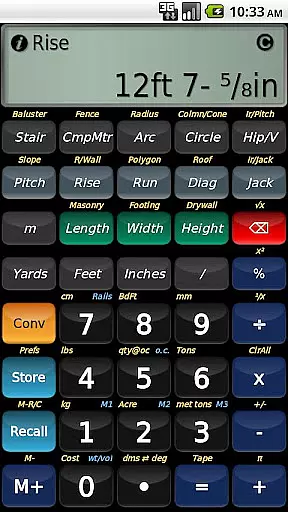
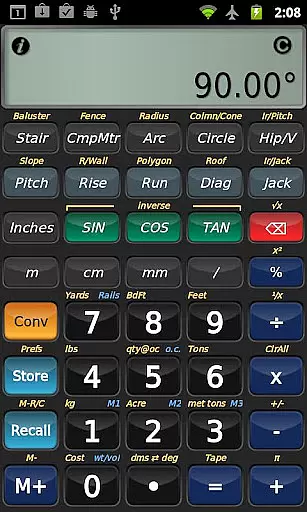
BuildCalc is a comprehensive construction calculator app designed to simplify complex calculations for professionals in the building industry. With advanced features like the Baluster and Stair functions, it provides detailed layouts and dimensioned drawings that can be shared via PDF. The app also includes interactive tools that automatically update results when input values change, ensuring accuracy and saving time.
In addition to its specialized functions, BuildCalc offers users the ability to customize their experience by adding custom sizes for materials such as bricks, blocks, or tiles. This flexibility extends to area inputs where dimensions can be stored in Length x Width format. By reducing complexity and streamlining processes, BuildCalc aims to deliver more answers with less hassle, making it an invaluable tool on any construction site.
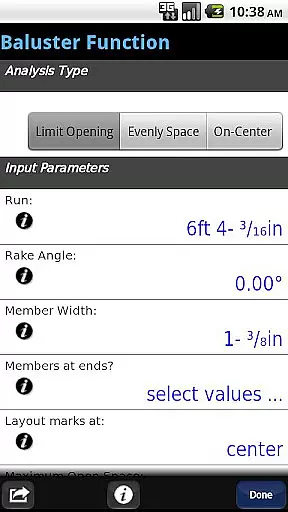
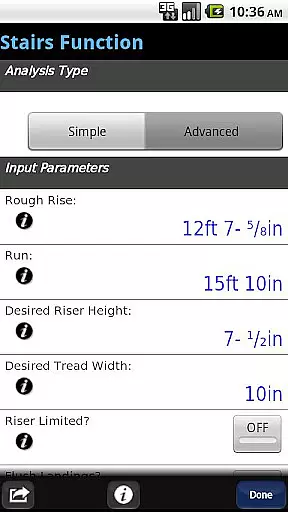
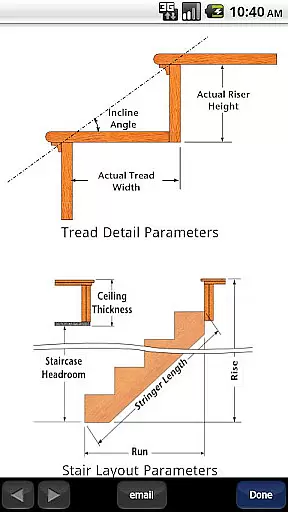
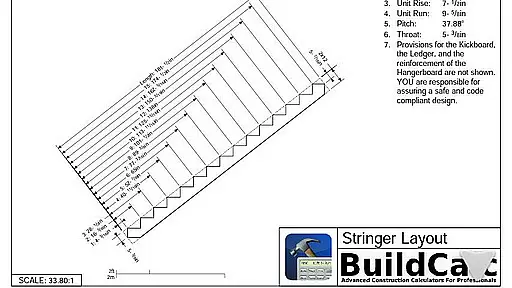
BuildCalc stands out with its array of sophisticated features tailored for construction professionals. The app's Advanced Baluster Function allows for precise railing and staircase baluster layouts with customizable options for every job. Meanwhile, the Advanced Stair function not only provides professional stair layouts but also generates dimensioned drawings of the Stringer and Finished Staircase which can be emailed as a PDF directly from the app.
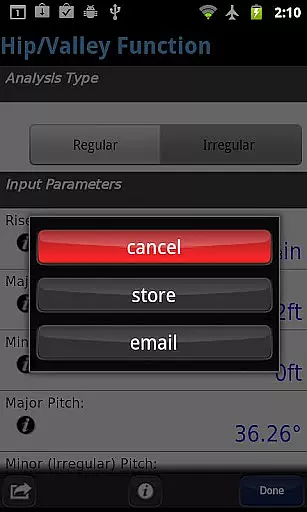
Another highlight is the Interactive Functions feature, enabling real-time updates when changing input values or switching between different types of roof analysis. Users benefit from Full Daylight Visibility Mode and streamlined key presses that eliminate unnecessary steps in calculations. These innovations ensure that whether you're cutting hip roof rafters or calculating sheathing angles, BuildCalc delivers accurate results efficiently.
Collaborative work features are essential for any business tool aiming to enhance team productivity. BuildCalc excels in this area by offering interactive functions that allow multiple users to engage efficiently.
The app provides advanced functionalities like the Stair and Baluster functions, which are fully interactive. This means that changes to input values automatically update results, facilitating real-time collaboration among team members. Users can modify parameters such as Run or switch between Regular and Irregular Hip Roof analysis effortlessly.
Moreover, BuildCalc supports sharing and communication by enabling users to email a PDF of dimensioned drawings directly from the app. This feature ensures that all team members have access to the latest plans and updates, promoting seamless project coordination.
By reducing the need for complex button sequences and providing clear input checklists, BuildCalc minimizes errors and enhances collaborative efforts. Teams can focus on their projects without being hindered by the tool itself, making BuildCalc an invaluable asset for any construction team.
Effective task management is crucial for ensuring that projects are completed on time and within scope. BuildCalc addresses this need by streamlining the calculation process, allowing users to manage tasks more efficiently.
The app offers advanced functionalities such as the Fence Function and Full Daylight Visibility Mode, which simplify task execution. By calculating the number of posts, rails, pickets, and panels needed for a fence row, BuildCalc reduces the complexity involved in planning and executing tasks.
Additionally, BuildCalc's ability to save results from advanced functions ensures that users can recall complete results conveniently. This feature is particularly beneficial for task management, as it eliminates the need to write down calculations and reduces the risk of errors.
With less emphasis on remembering specific keystrokes and more focus on delivering accurate results, BuildCalc empowers users to manage their tasks effectively. The app's intuitive design and comprehensive help features ensure that users can concentrate on their work without being distracted by the tool's mechanics.
User-friendly interface
Customizable material sizes
Interactive calculation updates
Comprehensive construction functions
PDF sharing capability
May have a learning curve
Requires email support
No offline functionality
Premium pricing model
Limited to Android platform

AI-powered document scanner with auto enhance for perfect PDFs.
 4.60
4.60
The revolutionary flexible staffing platform
4.40
Get your benefits on-the-go.
3.80
Take the stress out of storage with the all-in-one app to manage your space.
3.70
Simple, Fast & Lightweight
3.90
Finance, Investing, Stocks, Trading and Stock news
4.60
Make invoices, bills, receipts & estimates on the go with Invoice Generator.
4.70
Collaborate seamlessly with Google Chat, part of Google Workspace
4.50
All-in-one Mobile solutions for employees & managers to succeed at work
4.30
Permission Guard is a security app that helps you manage app permissions.
4.80
Find jobs and make money fast with JobStack.
4.60
Manage work life on the go
4.50
Measure distances, surfaces and draw plans in seconds with CamToPlan!
4.40
Find work, shifts and gigs near you. Jobs lasting a few hours to a few months.
4.30
Say hello to the mobile work experience built to help you thrive at work.
4.30
VSD Viewer - Visio Drawings Viewer for Android Preview VSD, VDX, VSDX drawings
4.10
Find flexible, hourly jobs hiring near you in restaurant, retail & hospitality!
4.00
Windows App allows you to connect to remote PCs and virtual apps.
3.70
Delivery Track App - Tracking with Fedex, USPS, UPS, DHL. Monitor your Orders.
3.20


User Reviews