
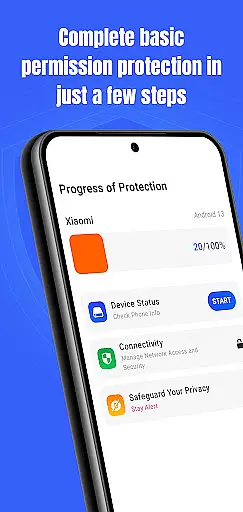
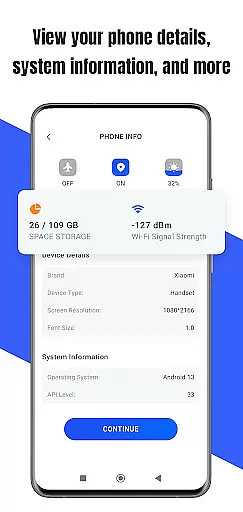
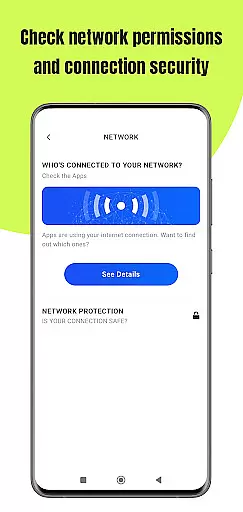
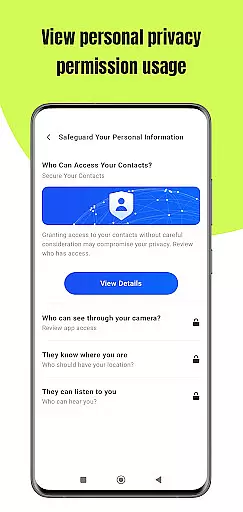
Permission Guard is a specialized security application within the Business category, designed to help users manage app permissions effectively. The core functionality revolves around monitoring and controlling the access rights of installed applications. This ensures that apps only access necessary data, protecting both personal and business information.
The app provides real-time alerts when an application requests excessive or unnecessary permissions, allowing users to make informed decisions about their privacy settings. It also offers detailed permission reports, making it easier for businesses to comply with data protection regulations. Whether you're an individual user or a company managing multiple devices, Permission Guard helps maintain optimal security standards.
A key use case is in corporate environments where IT administrators need to ensure that employee devices meet strict privacy protocols. By providing granular control over app permissions, Permission Guard enables businesses to protect sensitive data while maintaining operational efficiency.
Permission Guard stands out with its comprehensive set of features tailored for effective permission management. The app conducts regular scans of all installed applications, identifying any that have been granted excessive permissions. This proactive approach helps prevent potential security breaches before they occur.
One notable feature is the customizable permission profiles, which allow users to create specific access rules for different apps or device groups. This is particularly useful in business settings where varying levels of access may be required. Additionally, the app includes a permission history tracker, giving users complete visibility into how their privacy settings have changed over time.
The implementation of these features demonstrates Permission Guard's commitment to innovation in the security space. By combining robust monitoring capabilities with user-friendly interfaces, the app empowers businesses to take control of their digital security without requiring extensive technical knowledge.
Collaborative work features are essential for businesses that rely on teamwork and shared responsibilities. Permission Guard enhances this aspect by ensuring that all collaborative apps on your device operate within their intended scope.
The app meticulously monitors permissions granted to collaborative tools, preventing unauthorized access to sensitive data. This ensures that team members can work together seamlessly without compromising the security of shared information.
By maintaining strict permission controls, Permission Guard allows businesses to foster a secure collaborative environment. Teams can focus on productivity while being assured that their privacy is safeguarded.
With Permission Guard, companies gain an added layer of protection against potential data breaches. This feature is particularly valuable in today's digital workplace where collaboration often involves multiple devices and platforms.
Effective task management is crucial for business productivity, and Permission Guard plays a vital role in optimizing this process. The app ensures that task management tools function properly without overstepping their permission boundaries.
By monitoring the permissions of task-related applications, Permission Guard prevents unnecessary access to personal or confidential information. This focused approach helps maintain the integrity of task management systems while protecting user privacy.
Businesses benefit from enhanced security measures when managing projects and deadlines. Permission Guard's oversight creates a safer environment for organizing and prioritizing tasks across teams.
Moreover, with controlled app permissions, organizations can streamline their task management processes. Users gain peace of mind knowing that their scheduling and planning tools operate securely within defined limits.
Advanced permission tracking
Real-time security alerts
Customizable access profiles
Detailed compliance reports
User-friendly interface
Limited free version
Occasional false positives
No automatic blocking
Basic customer support
Higher system requirements

Formerly Facebook Ads Manager. Manage and create ads on the go.
 4.20
4.20
Quickly open and manage PDF files on your device.
3.80
FX Plus adds media, networking, and cloud capabilities to FX File Explorer.
4.10
The Penny Puss app with DG penny finder
4.10
Create curriculum vitae, a professional cover letter creator and resume designer
4.80
Earn crypto with secure cloud mining. Monitor, track & withdraw easily
4.40
We are a dynamic team of creatives people of design, marketing, web & apps
3.00
Smarter career moves start here. AI job alerts, insights & the right tools.
4.20
Earn money with the driver & delivery partner app for Uber, UberEats & Postmates
4.60
Access to Paylocity, empowering employees with information they need 24/7.
4.70 4.70
4.70
Mobile POS for any business: sales, invoices, retail, restaurants & appointments
4.60
Ship, Track, Find a Location or Get a Quote with UPS. Anytime. Anywhere.
4.60
Chat, meet, and collaborate to achieve more together, all in one place on Teams
4.60
Make money as a delivery driver with DoorDash and work when you want as a Dasher
4.30
Scan Business Cards & Conference Badges - Capture Leads at Events & Tradeshows
4.20
Simple, Fast & Lightweight
3.90
Find part-time earning opportunities near you that pay within days.
3.20
viewing and sharing PDFs and other files—anytime, anywhere!
4.5


User Reviews