
Turbo PDF is a lightweight and practical PDF reader designed for Android devices. It offers an intuitive interface with essential tools that make reading and organizing PDF documents simple and efficient. With features like instant file opening, smooth scrolling, zooming, and bookmarking, it ensures a seamless experience for managing PDFs on the go.
The app is particularly useful for professionals and students who need quick access to important documents. Its easy document management system allows users to share, delete, or bookmark files effortlessly, keeping their PDF library well-organized at all times.
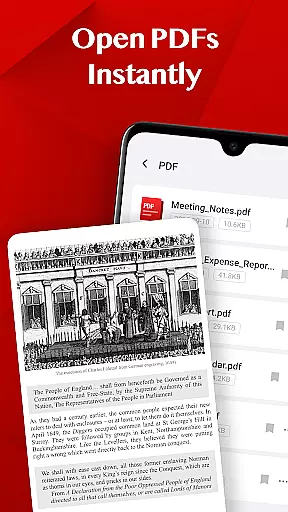
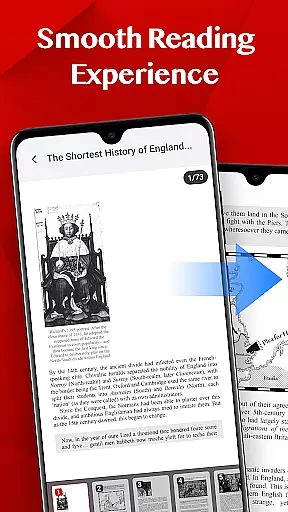
Turbo PDF stands out with its ability to open PDFs instantly without any waiting time. The smooth reading experience is enhanced by fluid scrolling, responsive zooming, and easy page navigation, making it comfortable for extended use.
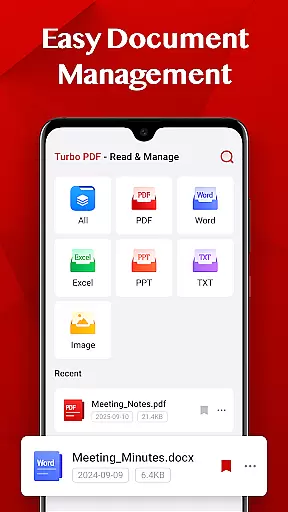
Document management is made easy with Turbo PDF's intuitive tools. Users can share files with colleagues, delete unnecessary documents, and bookmark important ones for quick access later. These features ensure that users can maintain an organized and efficient workflow while handling multiple PDFs.
The app also supports Android 11 and above, requiring the MANAGE_EXTERNAL_STORAGE permission to access and manage PDF files on the device. This permission ensures that users can seamlessly interact with their documents without any interruptions.
Collaborative work features are essential for modern business applications, enabling teams to work together efficiently regardless of location. Turbo PDF offers practical tools that support collaborative efforts, particularly in managing and sharing PDF documents.
The app allows users to easily share PDF files with colleagues, ensuring seamless document exchange. This feature is crucial for teams that need to review, edit, or discuss PDF content in real-time. By simplifying the sharing process, Turbo PDF enhances team productivity and ensures everyone has access to the necessary documents.
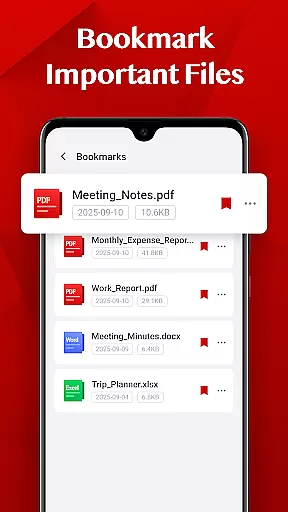
In addition to sharing, Turbo PDF provides bookmarking functionality, allowing users to mark important files. This ensures that team members can quickly return to key documents, streamlining workflows and improving overall efficiency. The ability to organize and retrieve critical information is vital for successful collaboration.
Overall, Turbo PDF's collaborative features make it a valuable tool for businesses looking to improve their document management processes. Its intuitive interface and essential tools ensure that teams can focus on their work without being hindered by complex software.
Effective task management is crucial for maintaining productivity and ensuring that projects are completed on time. Turbo PDF offers features that help users manage their PDF-related tasks more efficiently, contributing to better overall task organization.
The app provides smooth reading experiences with fluid scrolling and responsive page navigation, allowing users to quickly access and review PDF documents. This speed and efficiency are vital when managing multiple tasks that involve extensive document review or research.
Turbo PDF also includes easy document management features, enabling users to delete or share files as needed. This helps maintain an organized workspace, reducing clutter and making it easier to locate specific documents when required. An organized document library is fundamental to successful task management.
Furthermore, the bookmarking feature allows users to mark important files for quick retrieval later. This ensures that critical documents are always at hand, helping users prioritize their tasks effectively. With these capabilities, Turbo PDF supports efficient task management in any business environment.
User-friendly interface
Instant PDF loading
Smooth navigation
Efficient document management
Bookmarking feature
Limited advanced features
No cloud integration
Basic design
Restricted to PDFs
Permission required

The Penny Puss app with DG penny finder
 4.10
4.10
Earn free swag, G-Cards & food • Enter sweepstakes • Find stores • So much more.
4.70
Simple, Fast & Lightweight
3.90
Deliver and earn money
4.30
Grow your business and connect with more people with Meta Business Suite.
4.60
USPS Mobile®Access USPS.com’s most popular tools on-the-go.
4.70
Access All PDF Files
3.40
Say hello to the mobile work experience built to help you thrive at work.
4.30
We help people get jobs
4.70
Create curriculum vitae, a professional cover letter creator and resume designer
4.80
Find the right fit, faster.
4.70
All your team communication in one place
4.70
AI-powered document scanner with auto enhance for perfect PDFs.
4.60
Mobile POS for any business: sales, invoices, retail, restaurants & appointments
4.60
Master crypto trading with real-time simulations and exciting challenges!
4.50
The app that lets you deliver with Amazon.
4.50
All Your Gig Work. One App.
4.30
A secure, all-in-one team collaboration app
4.30
Find part-time earning opportunities near you that pay within days.
3.20


User Reviews