
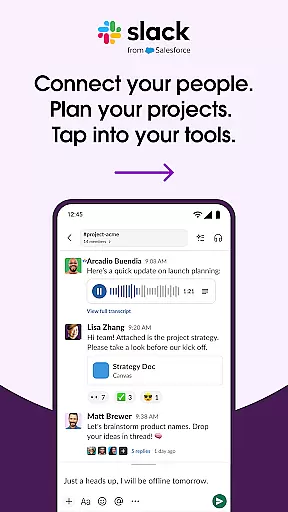
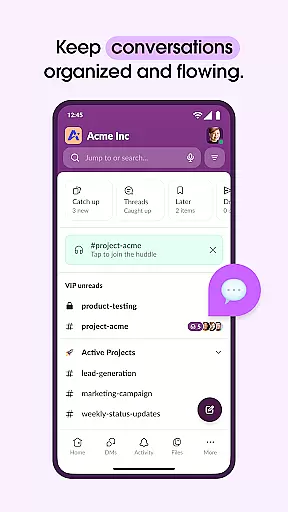
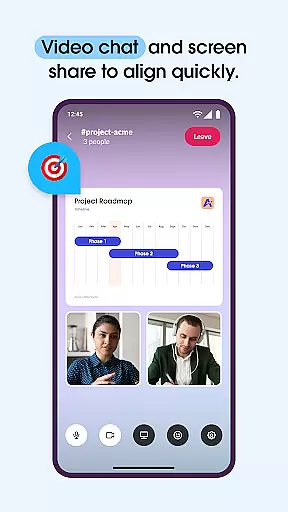
Slack is a comprehensive business communication platform designed to streamline collaboration and enhance productivity. It serves as a centralized hub where teams can conduct meetings, share files, collaborate on documents, and integrate with essential third-party applications. With dedicated channels for every project, Slack ensures that discussions remain organized and accessible. The platform also supports video conferencing and screen sharing, enabling real-time interaction among team members regardless of their location.
Beyond basic communication, Slack offers advanced features such as AI-powered search and Slack AI for meeting notes, which help teams stay focused and efficient. Its compatibility with over 2,600 apps, including Google Drive and Salesforce, makes it an indispensable tool for businesses looking to consolidate their workflows into one cohesive environment. Whether you're managing internal projects or working alongside external partners, Slack provides the tools necessary to keep everyone aligned and informed.
Slack stands out with its robust set of features tailored to improve workplace efficiency. One of its core strengths is the ability to create dedicated channels for different projects, ensuring that all relevant discussions and documents are easily accessible. This organizational structure helps teams maintain clarity and focus, even as projects grow in complexity. Additionally, Slack's integration capabilities are extensive, supporting over 2,600 third-party apps like Google Drive, Salesforce, and Dropbox, allowing users to manage their entire workflow without leaving the platform.
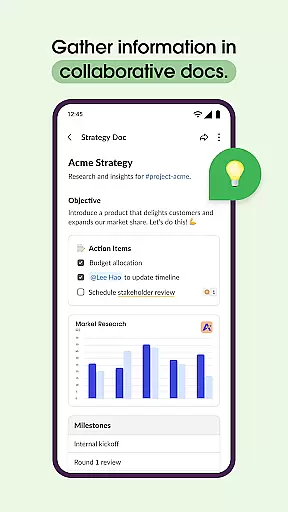
The platform also includes powerful collaboration tools such as shared document editing and project management functionalities. Teams can collaborate on marketing plans and product specifications directly within Slack, while built-in task tracking and milestone mapping ensure that projects stay on schedule. For enhanced communication, Slack offers video chat and screen sharing, as well as the option to send audio or video messages when text-based communication isn't sufficient. These features collectively empower teams to work more cohesively and efficiently, driving better outcomes for their organizations.
Collaboration is at the heart of Slack's design, enabling teams to work together seamlessly regardless of location. The platform offers dedicated channels for every project, ensuring that discussions, documents, and files are organized and accessible. Users can conduct meetings through video chat directly within Slack, share screens for live presentations, and even send audio or video messages when text isn't sufficient.
Slack also supports real-time document collaboration, allowing team members to co-edit marketing plans, product specifications, and more. This feature ensures that everyone is on the same page and can contribute instantly. Additionally, with pre-made and customizable templates, projects can be set up efficiently, promoting consistency and saving time. These capabilities make teamwork more cohesive and productive.
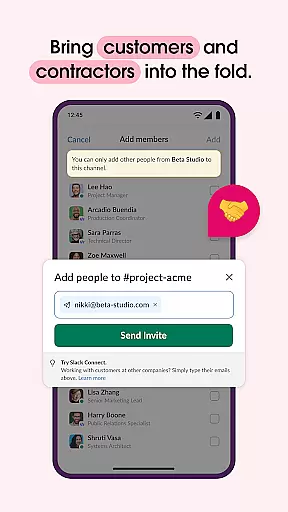
Moreover, Slack extends its collaborative power by integrating with external partners, customers, contractors, and vendors. This inclusivity fosters a comprehensive work environment where all stakeholders can participate actively. By centralizing communication and collaboration, Slack transforms chaotic interactions into streamlined workflows, enhancing overall business efficiency.
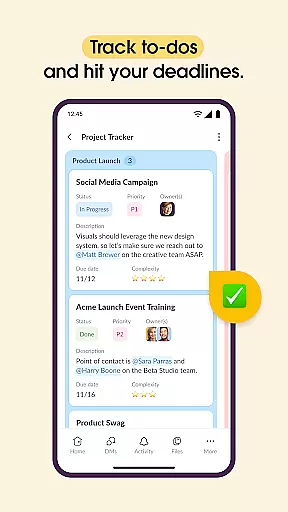
Effective task management is crucial for keeping projects on track, and Slack excels in this area by providing robust tools to manage responsibilities efficiently. With features like to-do lists, task assignments, and milestone mapping, teams can ensure that every project aspect is covered and progressing as planned. These tools help break down complex projects into manageable tasks, making it easier to monitor progress and meet deadlines.
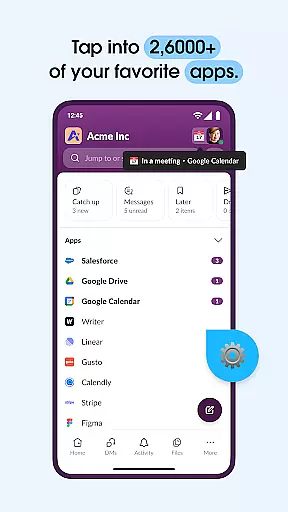
Slack's integration capabilities further enhance task management by connecting with over 2,600 apps such as Google Drive, Salesforce Data Cloud, and Asana. This connectivity allows users to approve requests, manage calendars, and update file permissions without leaving the platform. Such integrations streamline workflows and reduce the need to switch between different applications, thus maintaining focus and productivity.
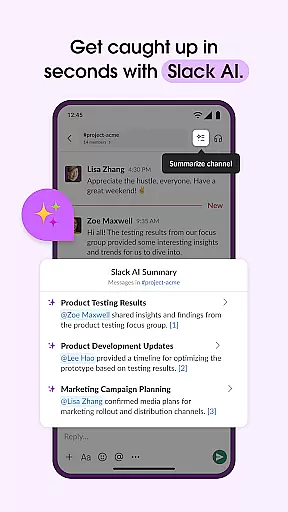
Additionally, Slack AI plays a significant role in task management by offering AI-powered search and meeting notes. Users can quickly find files, messages, and information, ensuring that nothing gets overlooked. The ability to take detailed meeting notes using Slack AI helps teams stay aligned and accountable. Overall, these task management features empower businesses to maintain control over their projects and achieve better outcomes.
User-friendly interface
Extensive app integrations
Robust collaboration tools
Efficient project management
AI-powered functionalities
Paid features required
Steep learning curve
Occasional connectivity issues
Limited free storage
High cost for small teams

 4.70
4.70
The Penny Puss app with DG penny finder
4.10
Finance, Investing, Stocks, Trading and Stock news
4.60
Recover what matters — quickly and easily.
4.70
A secure, all-in-one team collaboration app
4.30
view, manage, and share every PDF file you have
3.60
Access All PDF Files
3.40
Ship, Track, Find a Location or Get a Quote with UPS. Anytime. Anywhere.
4.60
No more passwords, easier sign-in, and greater protection for your accounts.
4.60
GoTo Mobile is a simple & secure calling, messaging & meetings solution
4.80
Employee Management Made Easy
4.80
Earn free swag, G-Cards & food • Enter sweepstakes • Find stores • So much more.
4.70
Make invoices, bills, receipts & estimates on the go with Invoice Generator.
4.70
Drive and earn extra money
4.50
Earn crypto with secure cloud mining. Monitor, track & withdraw easily
4.40
Find work, shifts and gigs near you. Jobs lasting a few hours to a few months.
4.30
Say hello to the mobile work experience built to help you thrive at work.
4.30
Shop, deliver, and earn with the Spark Driver™ App
4.10
Work happy with AI Companion
4.10


User Reviews