
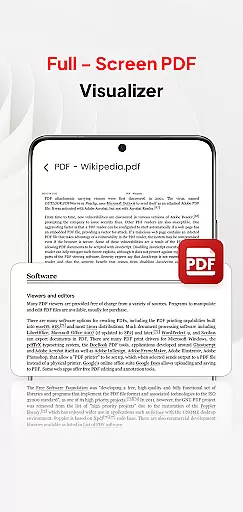
PDF Pro-View PDF is a comprehensive business application designed to streamline your PDF management tasks. This app offers instant access to PDF files with a single click, ensuring you can view documents without any waiting time. Its sleek and intuitive interface makes file navigation effortless, while the complete file accessibility feature organizes all your PDFs in one place, eliminating the need for directory searches.
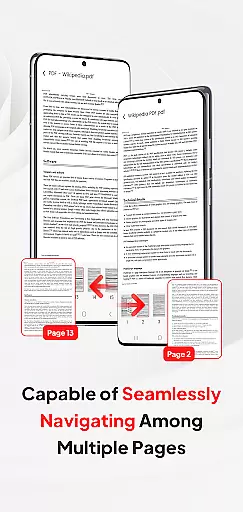
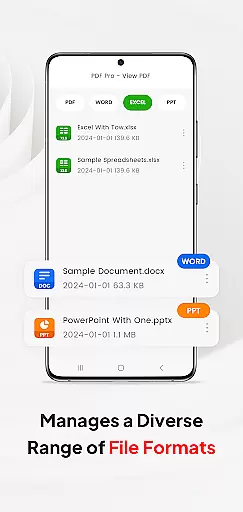
Beyond basic viewing, PDF Pro-View PDF supports multiple document formats including Doc, PPT, and Excel, allowing users to manage various file types within a single platform. The smooth page navigation enhances reading experiences by enabling rapid page flips. Additionally, the app facilitates seamless sharing of PDF files, making collaboration efficient. Whether you're at the office or on the go, this app ensures your documents are always accessible.
PDF Pro-View PDF stands out with its robust feature set tailored for business professionals. The Instant PDF Access allows users to open and read PDF files immediately, which is crucial for time-sensitive business operations. Complete File Accessibility consolidates all PDF documents into a well-organized library, simplifying file management significantly.
The app's Multiple Document Compatibility extends its utility beyond PDFs, supporting formats like Doc, PPT, and Excel. This versatility enables users to handle diverse document types without switching applications. Smooth Page Navigation provides an enhanced reading experience by allowing quick page transitions, which is particularly beneficial for reviewing lengthy reports or presentations.
Moreover, the app's sharing functionality ensures that collaborating with colleagues or clients is straightforward and efficient. For Android 11+ users, the app requires MANAGE_EXTERNAL_STORAGE permission to guarantee uninterrupted access to files stored across different locations, ensuring reliable offline and background management.
In today's interconnected work environments, collaborative work features are essential for seamless teamwork. PDF Pro-View PDF understands this need and offers functionalities that support real-time collaboration.
The app allows multiple users to access and manage PDF documents from various locations. This is particularly useful for teams working on joint projects requiring frequent document updates and sharing.
With its compatibility with multiple document formats, team members can easily share and edit not only PDFs but also Word, PowerPoint, and Excel files. This versatility ensures that all team members can contribute regardless of the file type they are working with.
Furthermore, the app's instant PDF access and smooth page navigation enhance the collaborative experience by reducing wait times and allowing quick document reviews. These features collectively ensure that teams can work efficiently and effectively, maintaining productivity across different geographies.
Effective task management is crucial for maintaining productivity, and PDF Pro-View PDF incorporates features that significantly aid in organizing and tracking tasks related to document handling.
The app provides complete file accessibility, ensuring that all your PDF files are neatly organized in one place. This eliminates the need to search through multiple directories, thus saving time and enhancing task efficiency.
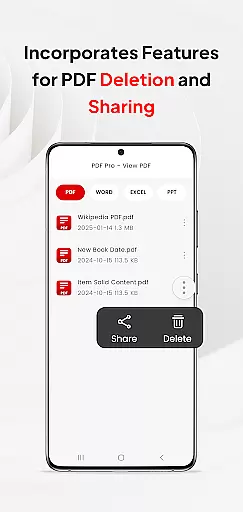
Additionally, the ability to delete and share various file formats within the app helps streamline task workflows. Users can quickly distribute necessary documents to stakeholders without switching between different applications, keeping all task-related activities centralized.
For users on Android 11+, the app requests MANAGE_EXTERNAL_STORAGE permission to ensure full file access, which is vital for reliable offline or background management. This feature supports uninterrupted task progress even without an active internet connection, making it a robust tool for task management in any work setting.
User-friendly interface
Instant PDF loading
Multi-format support
Efficient file organization
Seamless sharing options
Permission requirements
Limited free features
Occasional bugs
Ads in free version
Storage access needed

The revolutionary flexible staffing platform
 4.40
4.40
Earn free swag, G-Cards & food • Enter sweepstakes • Find stores • So much more.
4.70
Manage Your Shop
4.70
Take the stress out of storage with the all-in-one app to manage your space.
3.70
Simple, Fast & Lightweight
3.90
Paychex Flex - Save Time and Stay Connected
4.60
Drive and earn extra money
4.50
Collaborate seamlessly with Google Chat, part of Google Workspace
4.50
Shop, deliver, and earn with the Spark Driver™ App
4.10
Job search app that finds jobs for you! Takes the work out of looking for a job!
4.90
TurboScan turns your phone into a full-featured PDF document scanner.
4.80
Use Generative Summary to understand your rental or insurance docs in seconds.
4.70
Access to Paylocity, empowering employees with information they need 24/7.
4.70
The app that lets you deliver with Amazon.
4.50
Deliver and earn money
4.30
Make money as a delivery driver with DoorDash and work when you want as a Dasher
4.30
Get your benefits on-the-go.
3.80
Roadie connects people with stuff to send with drivers already going that way.
3.50
viewing and sharing PDFs and other files—anytime, anywhere!
4.2


User Reviews