
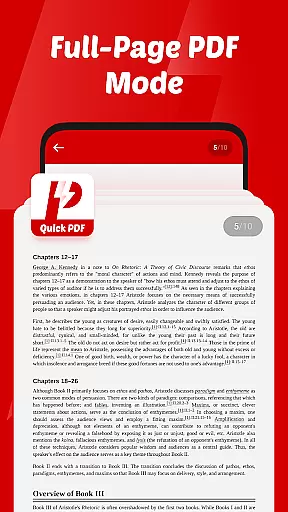
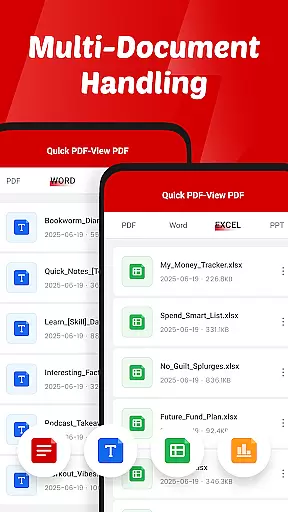
Quick PDF-View PDF is a versatile document management app designed for professionals and students alike. This powerful tool allows users to view, manage, and share PDFs and other essential file formats with ease. With support for multiple formats including PDF, DOC, PPT, and XLS, it ensures compatibility across various document types.
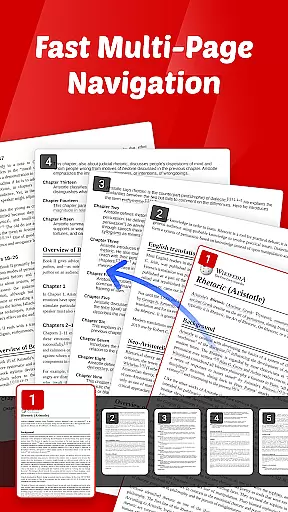
The app features an intuitive interface with smooth page navigation through swipe controls, making document viewing seamless and efficient. Its quick sharing functionality enables users to send files directly from the app, streamlining collaboration. Whether you're reviewing business reports or studying lecture notes, Quick PDF-View PDF provides a reliable solution for all your document needs.
Quick PDF-View PDF stands out with its comprehensive feature set tailored for document management. The app's core functionality lies in its ability to instantly open and display PDF files stored on your device, providing quick access to important documents. Its multi-format support extends beyond PDFs to include Word, PowerPoint, and Excel files, making it a complete document viewer.
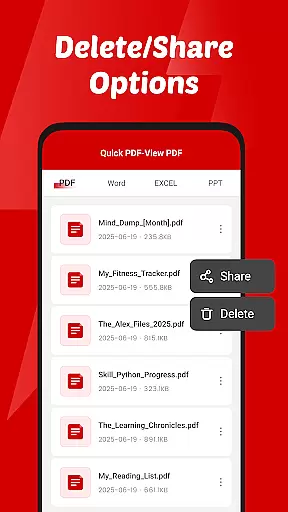
Usability is at the heart of this application's design. The intuitive swipe controls allow for effortless page navigation, while the clutter-free interface ensures maximum productivity. Additionally, the app's file management capabilities are robust, enabling users to read, organize, delete, and share documents seamlessly within the app environment.
Collaborative work features are essential for modern business applications, enabling teams to work together efficiently regardless of location. Quick PDF-View PDF supports this by allowing users to share documents directly from the app, streamlining communication and collaboration.
The app's support for multiple formats including PDF, DOC, PPT, and XLS ensures that all team members can access files in their preferred format. This versatility enhances productivity as users do not need to convert files before sharing them with colleagues.
Quick sharing functionality is another highlight, empowering users to send documents instantly. This feature reduces delays in collaborative projects, ensuring that all stakeholders receive necessary information promptly.
By focusing on simplicity and efficiency, Quick PDF-View PDF provides a clutter-free interface that allows teams to concentrate on their work without distractions. The intuitive swipe controls further enhance the collaborative experience by making document navigation seamless.
Effective task management is crucial for maintaining productivity in any business environment. Quick PDF-View PDF contributes to this by offering smooth page navigation with intuitive swipe controls, allowing users to manage their document-related tasks effortlessly.
The app's ability to open and view PDFs stored on your device instantly aids in quick task completion. Users can access their files without delay, which is particularly beneficial when working under tight deadlines.
File management access requested by the app enhances task management capabilities. Users can read, organize, and delete documents directly within the app, keeping their workspace tidy and efficient.
Additionally, the permission to share files seamlessly within the app supports task delegation and follow-ups. Team members can distribute responsibilities effectively by sharing relevant documents, ensuring everyone stays informed and aligned with project goals.
User-friendly interface
Multi-format support
Instant file opening
Seamless sharing
Intuitive navigation
Limited editing features
No cloud integration
Basic annotation tools
Occasional performance lag
Ads in free version

Find jobs and make money fast with JobStack.
 4.60
4.60
All Your Gig Work. One App.
4.30
Get instant construction estimates: accurate home repair & material calculator.
4.70
Simple, Fast & Lightweight
3.90
Use Generative Summary to understand your rental or insurance docs in seconds.
4.70
Build a store in minutes with our full suite of AI tools. Start for free!
4.20
Find part-time earning opportunities near you that pay within days.
3.20
All-in-one Mobile solutions for employees & managers to succeed at work
4.30
We help people get jobs
4.70
Create curriculum vitae, a professional cover letter creator and resume designer
4.80
Earn free swag, G-Cards & food • Enter sweepstakes • Find stores • So much more.
4.70
Recover what matters — quickly and easily.
4.70
All your team communication in one place
4.70
Collaborate seamlessly with Google Chat, part of Google Workspace
4.50
Say hello to the mobile work experience built to help you thrive at work.
4.30
The All-in-One File Manager for Phone, TV, Watch, Cars, XR / VR, Chromebook
4.10
Delivery Track App - Tracking with Fedex, USPS, UPS, DHL. Monitor your Orders.
3.20
Completed Course Lectures on how to use IBM Maximo in Maintenance issues
4.3
viewing and sharing PDFs and other files—anytime, anywhere!
4.0


User Reviews