
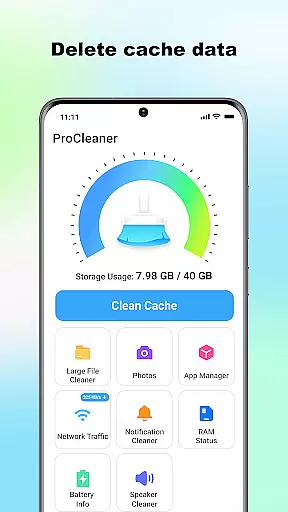
ProCleaner is a comprehensive device optimization tool designed to help users efficiently manage their smartphone storage. The app's core functionality revolves around scanning and cleaning various types of unnecessary files, including cache, residual, and junk files that accumulate over time.
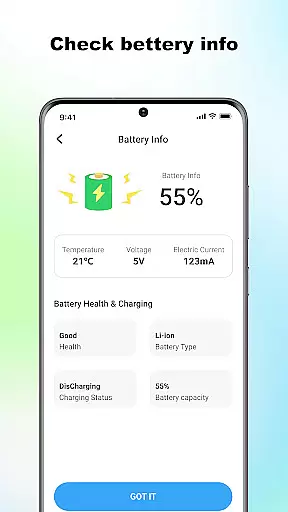
Beyond basic cleaning capabilities, ProCleaner offers advanced features for managing large files and uninstalling multiple applications simultaneously. Users can also monitor network speed and check battery status, providing a complete solution for device maintenance and performance optimization.
This application is particularly useful for individuals who frequently encounter storage issues or want to maintain optimal device performance. By offering both basic and advanced tools in one package, ProCleaner delivers significant value to users looking to keep their devices running smoothly.
ProCleaner distinguishes itself through its comprehensive suite of optimization features. The app's primary capability lies in its powerful scanning engine, which can detect and clean various types of unnecessary files across the device's storage system.
A key differentiating factor is the app's ability to handle multiple cleaning tasks simultaneously. Users can scan for cache files while also identifying large files for management and checking for residual files from uninstalled applications. The inclusion of application management tools allows users to uninstall multiple apps at once, streamlining the device maintenance process.
The app also provides real-time monitoring tools for network speed and battery status, giving users valuable insights into their device's performance metrics. These features are implemented with user-friendly interfaces that make complex device management tasks accessible to users of all technical levels.
ProCleaner excels in delivering accurate and effective core functions that enhance device performance. The app meticulously scans and cleans cache files, ensuring no unnecessary data occupies your storage space. It also removes residual and junk files left behind by uninstalled apps or system operations, freeing up valuable memory.
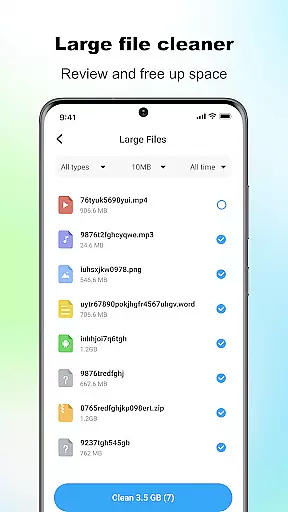
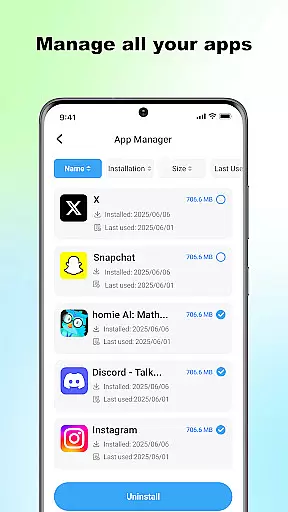
In addition to basic cleaning, ProCleaner provides advanced tools for managing large files. Users can easily identify and remove sizable data that may be cluttering their device. The ability to uninstall multiple applications simultaneously further streamlines the cleaning process, making it an efficient solution for maintaining optimal device health.
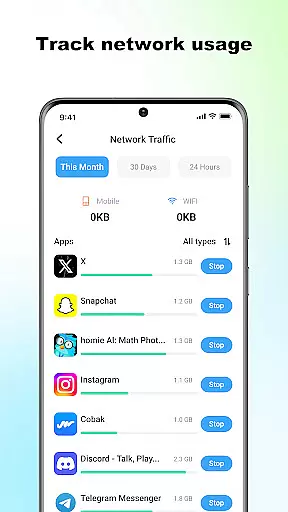
The app's network speed monitoring and battery status checking features add another layer of utility. These tools empower users with real-time insights into their device's performance metrics, enabling them to make informed decisions about resource usage. With all operations performed locally, ProCleaner ensures privacy while delivering powerful functionality.
ProCleaner offers a user-friendly interface designed for simplicity and intuitive navigation. Upon launching the app, users are greeted with a clean layout that organizes its robust features into easily accessible sections. This thoughtful design minimizes the learning curve, allowing both novice and experienced users to quickly harness the app's full potential.
Each core function is represented by clear icons and labels, ensuring users can effortlessly locate and utilize the tools they need. Whether scanning for cache files, removing junk, or managing large files, the straightforward presentation reduces complexity and enhances usability. The appu2019s streamlined approach eliminates unnecessary steps, making routine maintenance tasks quick and hassle-free.
Furthermore, ProCleaneru2019s request for permissions is handled transparently, reinforcing trust through clear communication about why each permission is needed. By combining essential functionalities with an intuitive interface, ProCleaner delivers a seamless experience that prioritizes user convenience without compromising on power or efficiency.
Comprehensive cleaning tools
User-friendly interface
Advanced file management
Real-time monitoring features
Local data processing
Requires storage access
Needs app usage permission
Limited to local operations
No cloud backup option
Basic design aesthetics

 4.50
4.50
A convenient photo, video, and file recovery tool.
4.00
Just one-tap to easy translate in any language after calls within seconds.
4.20
Unit and currency converter with easy and simple UI.
4.80
Remote for Roku, Fire TV, Samsung TV, LG TV, Android TV, Chromecast and VIZIO TV
4.20
Signal Strength, Mobile, Wifi, Speed Test, Bad Signals, Cellular, 5G, LTE, 4G
4.20
View detailed information about your Nissan Leaf the dealer never shows you.
4.10
Mirror your screen to Chromecast and Android TV - Super fast and simple
4.60
Protect your device with antivirus, storage cleanup, and system monitoring
4.70
Connect wirelessly to your computer to watch movies, browse the web, play games
5.00
Support Fossify apps with a warm thank you!
5.00
Small and simple app to Verify Root Access and BusyBox Install!
4.70
Connect instantly to a fast, encrypted VPN with one tap
4.60
Screen Mirroring for Roku Sticks, Roku TCL TV and Roku Hisense TV
4.50
Quickly check the frequency of the Earth
4.30
Effortlessly run ADB commands directly on your device without a PC.
4.20
Introducing Smart Printer, your ultimate destination for printing solutions!
4.00
Transfer Files, APK from Phone to Watch & Install.
4.2
Save any video in HD - paste the link, download fast and watch offline.
4.5


User Reviews