
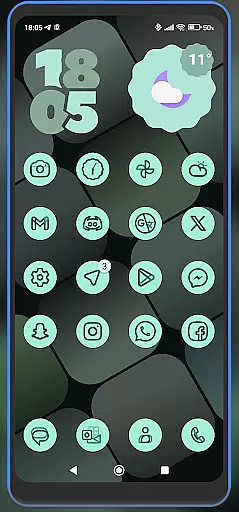
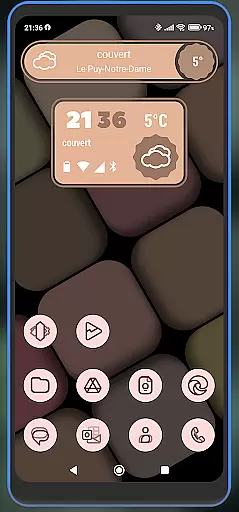
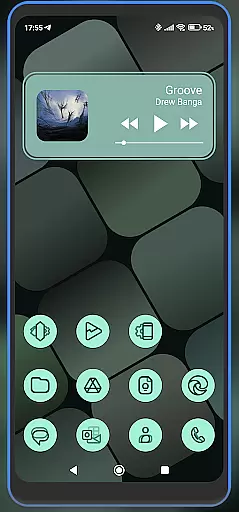
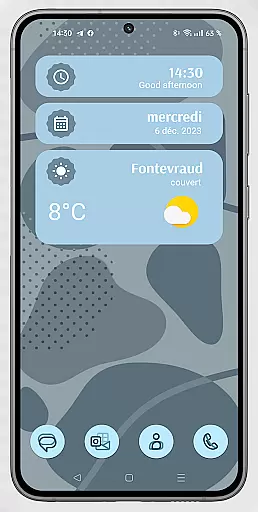
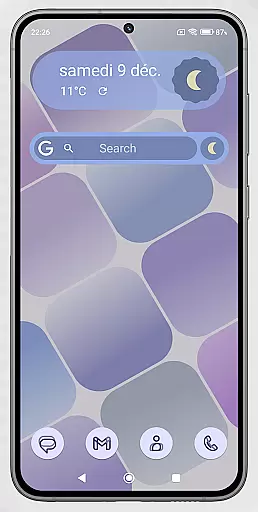
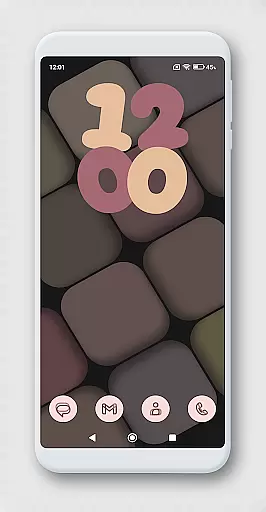
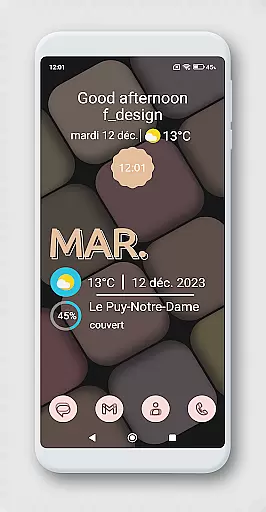
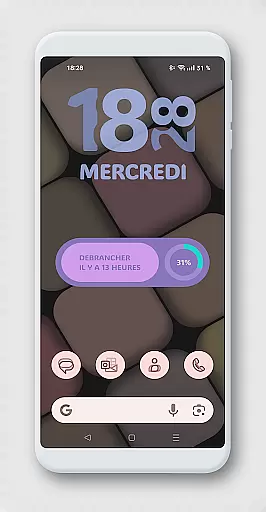
WidgetWall KWGT is a specialized design tool for creating visually appealing home screen widgets on Android devices. This application requires both KWGT and KWGT Pro, ensuring access to advanced customization features. It is particularly suited for users of popular launchers like Nova, Lawnchair, and Smart Launcher 5.
The app provides a streamlined process for configuring widgets. Users can choose from a variety of designs, scale them appropriately, and integrate seamlessly with their home screens. WidgetWall KWGT empowers users to personalize their device's appearance while offering precise control over widget dimensions and styles.
Ideal for tech-savvy individuals who value aesthetics, this tool transforms standard home screens into dynamic, personalized interfaces. By leveraging the capabilities of KWGT Pro, WidgetWall KWGT delivers professional-grade design flexibility, making it an essential utility for Android customization enthusiasts.
WidgetWall KWGT stands out with its integration of advanced widget customization tools. The app offers a diverse selection of widget designs tailored for various launchers including Nova, Lawnchair, and Smart Launcher 5. Each widget can be meticulously adjusted using the 'SCALE' feature within the main KWGT editor.
A key highlight is the step-by-step configuration process. After downloading KWGT and KWGT Pro, users can easily add widgets by long-pressing the home screen, selecting the desired widget from the KWGT list, and customizing its appearance. This ensures widgets are perfectly scaled and positioned according to individual preferences.
Credits go to Jahir Fiquitiva for developing Kuper Dashboard, which enhances widget creation capabilities. With WidgetWall KWGT, users gain access to powerful design options that elevate their home screen's visual appeal while maintaining functional simplicity.
WidgetWall KWGT offers a comprehensive suite of creative tools designed to enhance home screen customization. The app requires KWGT Pro, which provides access to advanced features for designing unique widgets.
With WidgetWall KWGT, users can choose from a variety of popular launchers such as Nova, Lawnchair, and Smart Launcher 5. This compatibility ensures that users have the flexibility to integrate widgets seamlessly into their preferred home screen environment.
The process of configuring widgets involves downloading KWGT and KWGT Pro, selecting the desired widget from the KWGT drop-down list, and adjusting its scaling to fit the home screen perfectly. This streamlined approach empowers users to personalize their devices with precision.
Credits go to Jahir Fiquitiva for creating the Kuper Dashboard, an essential component that facilitates the easy creation of more applications and enriches the coding experience within this domain.
One of the standout features of WidgetWall KWGT is its canvas and format flexibility, allowing users to adjust widget sizes with the 'SCALE' option in the main KWGT editor. This feature ensures that each widget fits correctly on the home screen, providing a tailored user experience.
Users can long-press on their home screen, choose the widget option, and select from a range of scalable widgets. This adaptability makes it easy to match the visual layout and functional requirements of any home screen setup.
In addition to scalability, WidgetWall KWGT supports various formats compatible with different launchers like Nova, Lawnchair, and Smart Launcher 5. This versatility enhances the overall utility of the app by catering to diverse user preferences and technical setups.
By offering precise control over widget dimensions and formats, WidgetWall KWGT ensures that users can achieve a harmonious and visually appealing home screen design, thus elevating the aesthetic and functional quality of their mobile devices.
User-friendly interface
Wide widget selection
Precise scaling options
Seamless launcher integration
Advanced customization tools
Requires KWGT Pro
Not standalone
Complex for beginners
Limited free features
Specific launcher support

Stylish letters, Stylish Keyboard, Symbols, Emojis, Cool nickname
 4.40
4.40
Create stylish invitation cards using templates for weddings, birthdays & RSVP.
4.20
Create neon drawing with magic doodle and fun doodle art effects!
4.50
Text to Image, Image to Video & AI Chat
4.20
Logo Generator powered by AI: Create stunning logos effortlessly!
4.70
Art of Combination Wear OS Watch faces
4.5
Create stunning video, photo & magic from text with FlixAI GPT video generator.
3.10
Draw, fidget, and spin glow art! Relax and express your creativity with a finger
4.60
Draw, make movies & animate cartoons easily with our 2D animation maker app
4.40
Share the joy of painting with ibis Paint! Drawing anime and manga art.
4.50
AI Tattoo Generator: Create Tattoo Designs & Get Ideas! Ink & Stencil Maker
4.50
AI generated images & photos, turn your words into drawing, painting & pictures.
4.30
Paint with oils and sketch with natural tools on a realistic virtual canvas.
3.80
Powerful home decoration & house design that allows you to design dream home.
3.80
AI Art Generator transforms your words into AI generated art & paintings.
3.70
Apply cartoon, caricature, and portrait effects to make your photos stand out!
3.60
Art of Combination Wear OS Watch faces (for Wear OS 5+ devices)
3.00
Art of Combination Wear OS Watch faces
4.5
A luxurious gold watch face for an elegant and refined look.
4.5


User Reviews