
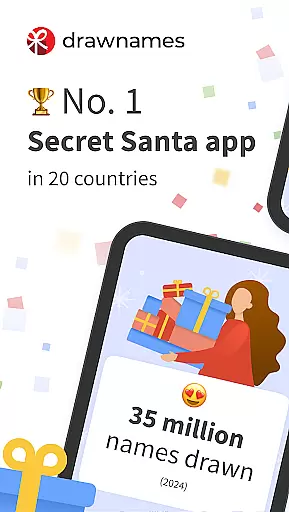
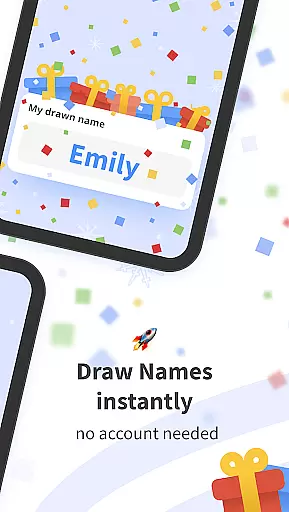


Drawnames is a versatile Secret Santa app designed to simplify gift exchanges and manage wish lists for various occasions. With its user-friendly interface, the app allows users to create groups, set exclusions, and draw names in just three easy steps. Whether it's Christmas, Hanukkah, Diwali, or any other event, Drawnames ensures that organizing gift exchanges is stress-free.
The app offers cross-device compatibility, enabling participants to join from any mobile phone, tablet, or computer with a web browser. It also provides features like personalized wish lists, gift inspiration, and suggestions, making it easier for users to discover the perfect gifts. Additionally, Drawnames supports multiple gift exchanges, allowing users to manage different events for friends, family, or work all in one place.
By eliminating the need for manual name drawing and paper tracking, Drawnames streamlines the entire process. Users can invite participants via email, Messenger, or WhatsApp, ensuring flexibility and convenience. This makes the app suitable not only for festive seasons but also for year-round occasions such as birthdays, weddings, and baby showers.
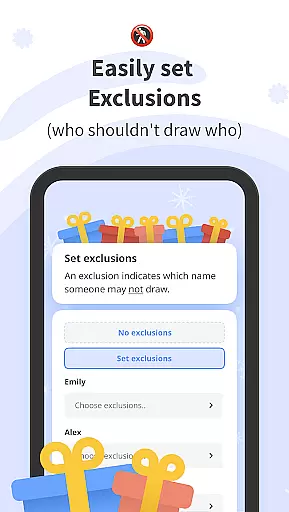
Drawnames stands out with its array of practical features tailored to enhance the gift exchange experience. One of its key features is the simple Secret Santa generator, which allows users to set up their gift exchange quickly by creating a group, setting exclusions, and drawing names. This feature is particularly useful for avoiding unwanted pairings among friends, family, and co-workers.
Another notable aspect is the ability to create and share personalized wish lists. Participants can browse thousands of gift ideas directly within the app, discovering trending and popular gifts suggested by millions of users. The app also supports sharing through favorite messaging apps, text, or email, providing flexibility in how users invite others to join their Secret Santa group.
Furthermore, Drawnames offers cross-device compatibility, ensuring that everyone can participate regardless of their device. The app does not require an account, allowing users to start organizing immediately without any hassle. With functionalities like managing multiple gift exchanges and setting budgets and dates, Drawnames proves to be an indispensable tool for anyone looking to organize efficient and enjoyable gift exchanges.
At the heart of drawnames lies its core functionality, which is designed to simplify and streamline the process of organizing Secret Santa gift exchanges. This app ensures that every step, from creating a group to drawing names, is executed with precision and ease. The name-drawing algorithm is crafted to respect exclusions and ensure fair pairings, making it an effective tool for any group size or occasion.
The effectiveness of drawnames is further enhanced by its user-friendly interface, which allows users to set up their gift exchanges in just three easy steps. By focusing on simplicity and efficiency, the app eliminates the traditional hassles associated with manual name draws and paper-based tracking. Users can create groups, define exclusions, and manage wish lists without any prior account setup, ensuring immediate access to all features.
For users, this means a seamless experience that saves time and reduces stress. Whether planning for Christmas, birthdays, or other special events, drawnames provides a reliable platform that takes care of the details. The ability to manage multiple exchanges and track them from any device adds to the practicality, allowing organizers to focus on the joy of gift-giving rather than the logistics.
The drawnames app excels in providing an intuitive and straightforward interface that caters to users of all technical backgrounds. Upon downloading the app, users are greeted with a clean layout that guides them effortlessly through the process of setting up a Secret Santa event. No advanced technical skills are required, as the design prioritizes ease of use and quick onboarding.
One of the standout features is the elimination of the need for account creation, allowing users to dive straight into organizing their gift exchanges. The app's design ensures that even those who are not tech-savvy can navigate through functionalities such as setting exclusions, inviting participants via various messaging platforms, and managing wish lists with minimal learning curve.
This simplicity extends to its cross-device compatibility, enabling users to access the app from any mobile phone, tablet, or computer with a web browser. Such accessibility ensures that everyone in the group can participate, regardless of their preferred device. By removing barriers to entry and focusing on an intuitive user experience, drawnames makes organizing gift exchanges a stress-free and enjoyable activity for all involved.
User-friendly interface
No account required
Cross-device compatibility
Personalized wish lists
Gift inspiration & suggestions
Limited advanced features
No offline functionality
Dependent on internet connection
Occasional ads
Basic design aesthetics

A recovery soft,it features photo recovery, video recovery, file recovery.
 3.40
3.40
FV File Manager Pro, Fast and powerful file manager for Android
4.60
Save any video in HD - paste the link, download fast and watch offline.
4.0
Canon PRINT is a companion app for your Canon printer.
4.60
App that Recover your pictures, videos or files after you delete them.
4.20
Unleash gamepad precision for ultimate mobile gaming dominance.
3.90
Connect wirelessly to your computer to watch movies, browse the web, play games
5.00
Screen Mirroring with sound for Samsung TV, LG TV, Sony TV, Smart TV and Browser
4.20
NFC Tools can read and write NFC tags.
4.70
Easily install aab(Android App Bundle) files on your Android device with our app
4.80
Unit and currency converter with easy and simple UI.
4.80
HD Camera captures every special moment.
4.60
Mirror your screen to Chromecast and Android TV - Super fast and simple
4.60
Universal TV remote control all TVs, Roku, LG, Samsung, Fire, Vizio, Sony, TCL.
4.40
Forza Tuning Calculator App for Forza Horizon 5, Motorsport and Earlier Titles
4.40
An easy-to-use calculator designed to save time calculating and bending conduit
4.30
Quickly check the frequency of the Earth
4.30
A convenient photo, video, and file recovery tool.
4.00
Clean the junk files on your device
3.40


User Reviews