
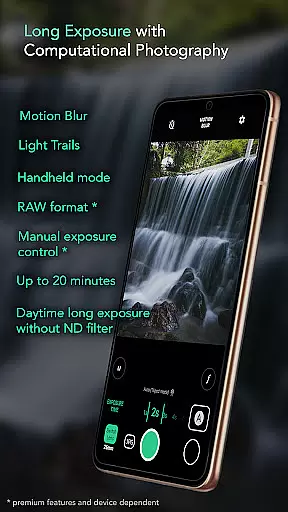
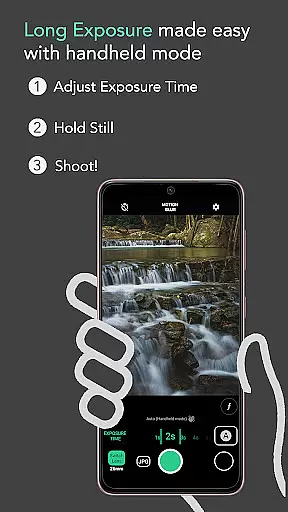
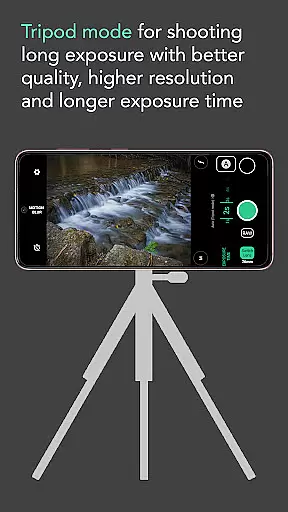
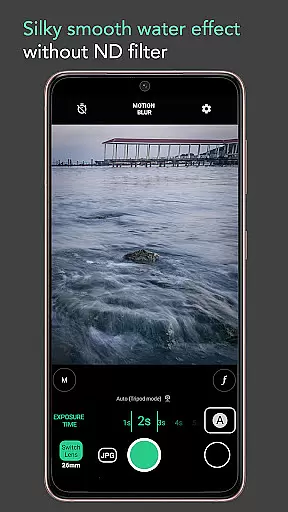
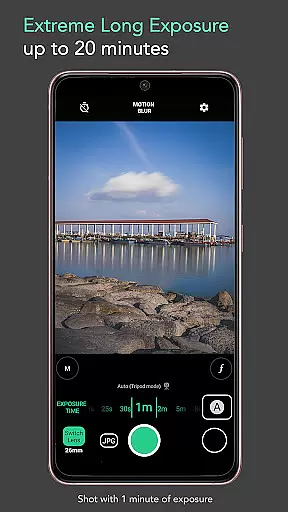
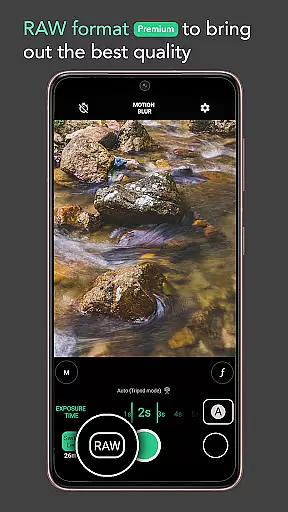
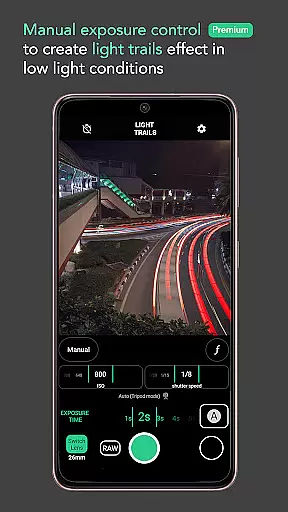
Motion ProCam is a specialized camera application designed to simplify the process of capturing long exposure photographs. This app allows users to effortlessly create stunning motion blur and light trails by intelligently aligning multiple images into one final photo. Whether shooting during the day or night, Motion ProCam eliminates concerns about overexposure without requiring an ND filter.
With advanced computational photography techniques, this app caters to both casual photographers and enthusiasts. It offers pro-level features such as RAW format support and manual exposure control, ensuring high-quality results for every shot. From silky waterfalls to smooth seascapes, Motion ProCam empowers users to explore creative possibilities in various scenarios.
Motion ProCam stands out with its innovative approach to long exposure photography. The app's auto-stabilization feature ensures sharp images even when shooting handheld, supporting exposure times of up to five seconds without additional equipment. For more extended exposures, users can capture scenes for up to 20 minutes, perfect for creating dramatic effects like light trails or moving clouds.
Photography enthusiasts will appreciate the premium features, including RAW format support and manual exposure control. These tools provide greater flexibility in post-processing and allow precise adjustments for optimal image quality. Additionally, the app offers selectable effects such as motion blur and light trails, enabling users to customize their creative output while exploring diverse photographic styles.
Real-time capture and preview functionality is essential for ensuring that users can accurately frame and adjust their shots before capturing the final image. Motion ProCam offers an intuitive interface that allows photographers to see the effects of long exposure in real time, providing a clear idea of the final output.
This app uses advanced computational photography techniques to simulate long exposure effects including motion blur and light trails. By processing multiple images per second, it gives users an immediate visual feedback on how different exposure settings will affect the final photo.
The benefit of this feature is immense as it empowers users to experiment with various settings without wasting time on trial and error. Whether shooting waterfalls, seascapes, or light trails, photographers can fine-tune their exposure times and effects while previewing changes instantly.
Ultimately, real-time capture and preview not only streamline the photography process but also enhance creativity by allowing users to visualize their artistic vision before taking the shot.
AI beauty and enhancement features are increasingly popular in modern photography apps, aiming to improve image quality while maintaining a natural look. Although Motion ProCam focuses primarily on long exposure photography, its AI-driven stabilization and alignment processes contribute significantly to producing naturally enhanced images.
The application employs sophisticated algorithms to auto-align and blend multiple frames into one seamless long exposure photo. This reduces noise and enhances details without introducing artificial elements or over-processing the image.
Users benefit from these enhancements as they result in cleaner, more professional-looking photos. The silky smooth effect on water, creamy lakes, and moving clouds appears more organic and true to life, which is crucial for enthusiasts who value authenticity in their work.
In summary, while not marketed specifically as an AI beauty tool, Motion ProCam's computational methods ensure that each photograph retains its natural essence even after extensive digital manipulation.
Easy-to-use interface
Auto stabilization
Daytime long exposure
Premium RAW support
Versatile shooting modes
Premium features locked
Limited free options
High battery usage
Complex for beginners
Occasional glitches

Effortlessly organize, view and share your photos & videos with Gallery app!
 4.40
4.40
Pet Camera
3.70
Perfect body tune & face app - photo retouch, makeup, slim body & beautify face.
4.80
Future baby face generator: AI kids generator, kid face! What my baby look like?
4.40
Smart, light, and fast photo and video gallery
4.30
Easily view, share, delete photos with Gallery.
4.70
Fit multiple photos on one post. Create carousels & scroll layouts for Instagram
4.50
Enhance, upscale, and transform your images — on your device, without limits
4.70
Solocator stamps photos you take with GPS location, Compass Direction, Date/Time
3.80
Cartoon and artistic effects for your photos and videos
4.70
See your baby AI baby face generator AI baby maker Face generator babymaker fun!
4.70
1M influencer's special filter
4.60
AI photo enhancer with Sora 2! Enhance, descratch, and colorize your old photos.
4.50
Search, tag and rate your way to an organized image gallery
4.40
Professional photography on your mobile phone
4.20
Transform Photos: Edit, Beautify and Craft Memories & Make Collages!
4.10
USB Storage Access for Photos, Videos, Music and Documents
3.80
Application for remote controlling DSLR
3.00
HD Photo gallery and photo manager to edit, hide private photos, videos & albums
4.2


User Reviews