
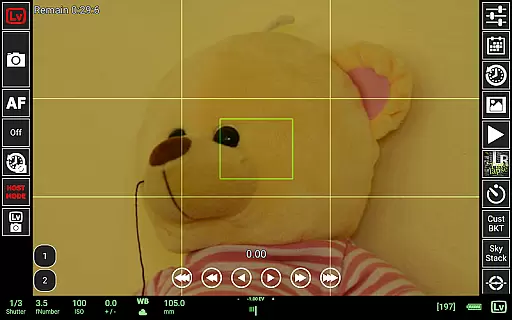
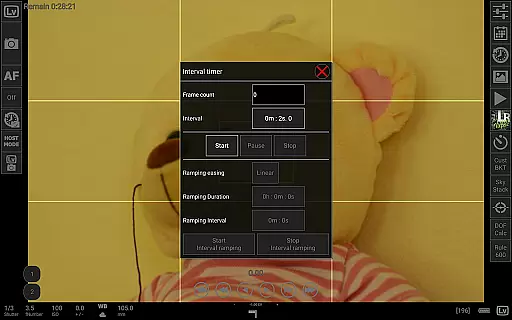
qDslrDashboard is a powerful photography application designed for DSLR camera enthusiasts who want to control their Nikon, Canon, or Sony mirrorless cameras directly from an Android device. The app supports multiple camera connections via USB OTG adapters or wireless routers, making it versatile for both studio and outdoor shoots. With features like remote capture, synchronized shooting, live view with histogram analysis, and manual focus adjustments, qDslrDashboard transforms your smartphone into a professional-grade camera controller.
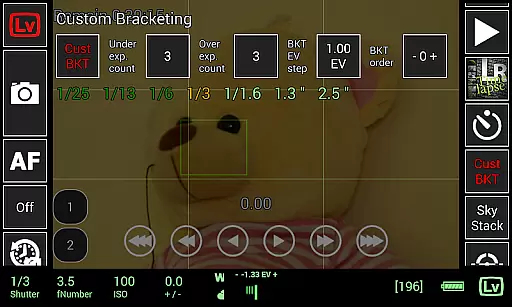
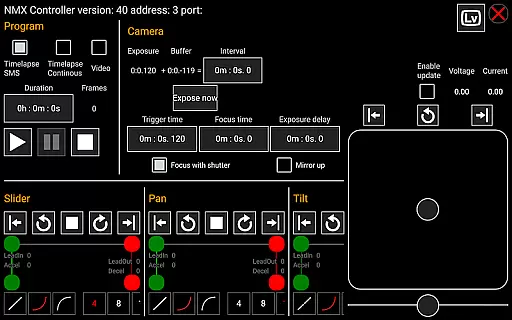
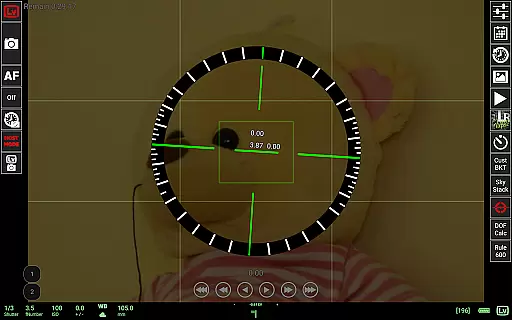
In addition to basic camera control, the app offers advanced functionalities such as time-lapse creation, custom bracketing, focus stacking, and even integration with motion controllers like Dynamic Perception NMX. Whether you're capturing astrophotography using the Rule600 calculator or managing complex workflows with customizable profiles, this app provides tools that enhance precision and creativity. Its compatibility with various devices ensures seamless operation across different setups, delivering exceptional value for photographers seeking innovative solutions.
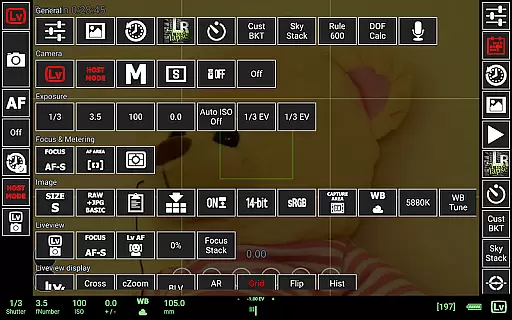
qDslrDashboard stands out in the photography category due to its extensive feature set tailored specifically for DSLR users. One of its key strengths is the ability to connect wirelessly through portable routers or directly via USB OTG adapters, enabling flexible configurations depending on user needs. The app allows real-time adjustments of camera properties, including ISO, shutter speed, aperture, and white balance, all accessible through an intuitive interface on your mobile device.
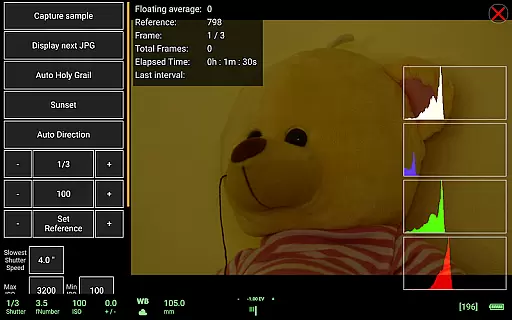
Beyond standard controls, qDslrDashboard includes specialized tools like synchronized multi-camera capture, live view histograms for accurate exposure assessment, and sound-initiated capture modes ideal for wildlife photography. Advanced modules such as time-lapse automation with focus movement and LRTimelapse integration cater to professionals aiming for cinematic results. Additionally, support for RAW image previews and transfer capabilities ensures high-quality post-processing without limitations. These comprehensive features make qDslrDashboard indispensable for modern photographers looking to maximize their creative potential.
Real-time capture and preview functionality is essential for photographers who need precise control over their shots. qDslrDashboard offers a comprehensive solution that allows users to connect their Nikon, Canon DSLR, or Sony mirrorless camera to an Android device using a USB OTG adapter. This connection enables the user to see exactly what the camera sees, right on their mobile screen, ensuring accurate framing and composition.
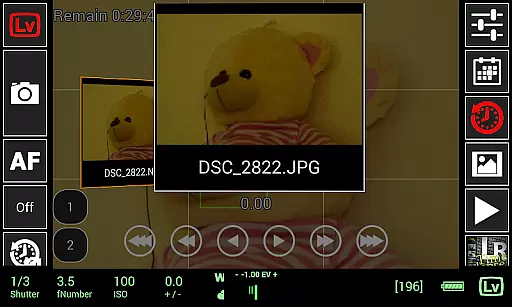
The app supports live view with histogram display, which is crucial for exposure assessment. Photographers can also adjust manual focus while in live view mode, providing unparalleled control over image sharpness. The ability to preview images directly on the Android device, including both JPG and RAW formats, ensures that users can make informed decisions about their shots without needing to switch between devices.
qDslrDashboard's real-time capabilities extend to movie recording as well, allowing users to start video capture remotely. This feature is particularly beneficial for scenarios where physical access to the camera is limited or inconvenient. Overall, the real-time capture and preview functions significantly enhance workflow efficiency and creative possibilities.
While primarily focused on professional photography features, qDslrDashboard incorporates several enhancement tools that maintain natural results. The application's AI-powered features work behind the scenes to optimize image quality without compromising authenticity. These enhancements are particularly useful when working with RAW files, where subtle adjustments can make a significant difference in final output quality.
The app's sophisticated algorithms help in achieving balanced exposure and color correction during live view sessions. Users can trust that the preview they see on their Android device accurately represents the final image quality. Additionally, the DoF calculator and Rule600 calculator provide intelligent assistance for achieving perfect depth of field and astrophotography shots, respectively.
Although not traditionally categorized as beauty features, these enhancement tools contribute to overall image naturalness and technical excellence. The sky stacking helper and custom profiles further demonstrate the app's commitment to delivering professional-grade results while maintaining the authenticity of each photograph. These features collectively ensure that every captured moment retains its original character while benefiting from advanced technological support.
User-friendly interface
Wide camera compatibility
Advanced time-lapse options
Live view with histogram
Wireless connectivity
Requires additional hardware
Complex setup process
Limited free version
No iOS support
High learning curve

Remote control of the phone camera from your Wear OS smartwatch
 3.70
3.70
Photo editor: face & body editor, beauty cam, filters and quality enhancer.
4.00
Cut and paste photo editor & eraser to customize photos easy and swap faces fun
4.50
How old age camera Gender Swap App Face Shape Hairstyle App Hair Styler App fun!
4.00
Pet Camera
3.70
AI photo enhancer with Sora 2! Enhance, descratch, and colorize your old photos.
4.50
Fit multiple photos on one post. Create carousels & scroll layouts for Instagram
4.50
Your personal guide to the sun and moon. Plan ahead, visualize and predict!
4.70
Discover How to Plan any Sun, Moon and Milky Way Photo You Imagine in Seconds
4.70
Collage your moments in one tap: 1000+ layouts, filters, stickers, and texts.
4.90
Perfect body tune & face app - photo retouch, makeup, slim body & beautify face.
4.80
Cartoon and artistic effects for your photos and videos
4.70
PhotoSync Bundle Add-On License. Enables all features and services in PhotoSync.
4.60
Create Business Headshots, Polaroid Filter, Retake Photos,Profile Pics,AI Photos
4.50
Use AI Video Generator to turn your words to ai generated videos.
4.50
Transform Photos: Edit, Beautify and Craft Memories & Make Collages!
4.10
Long exposure camera with computational photography
2.60
Remote control the phone camera shutter from your smartwatch and take a picture
1.60
HD Photo gallery and photo manager to edit, hide private photos, videos & albums
4.1


User Reviews