
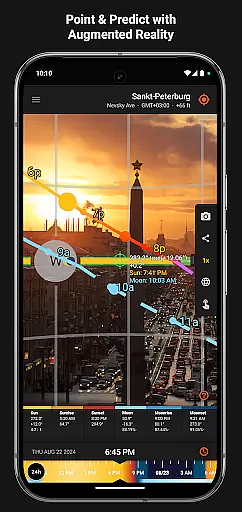
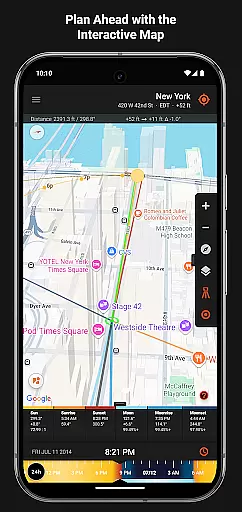
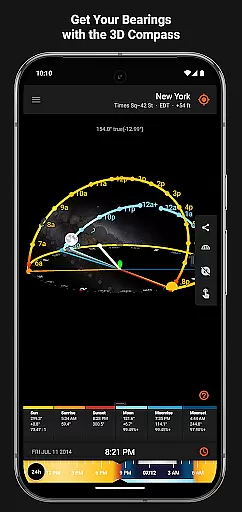
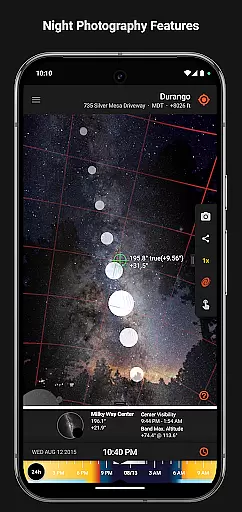
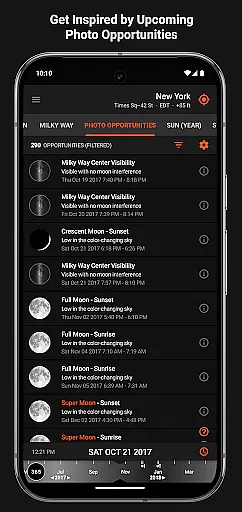

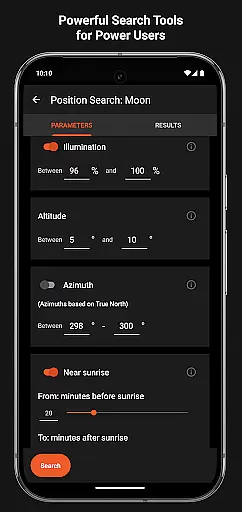
Sun Surveyor is an advanced photography planning tool that helps photographers, filmmakers, and solar industry professionals predict and plan for optimal lighting conditions. The app provides detailed information on sunrise, sunset, moon phases, and Milky Way visibility, empowering users to capture the perfect shot or assess natural light availability.
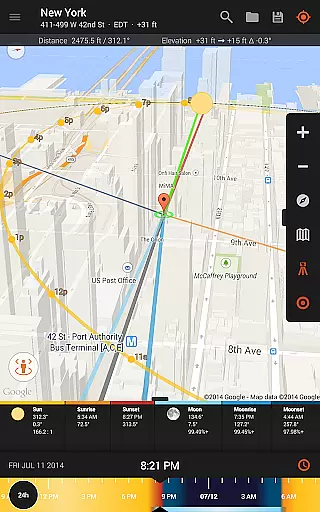
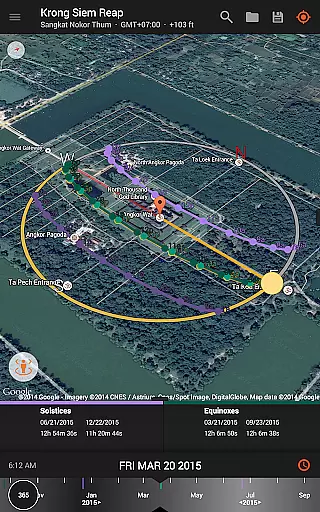
With features like the Live Camera View, 3D Compass, and Interactive Map, Sun Surveyor allows users to scout locations with augmented reality projections and pinpoint exact times for desired celestial events. Whether planning golden hour shots, scouting seasonal sunlight patterns, or preparing for night photography, this app ensures precision and creativity in every project.
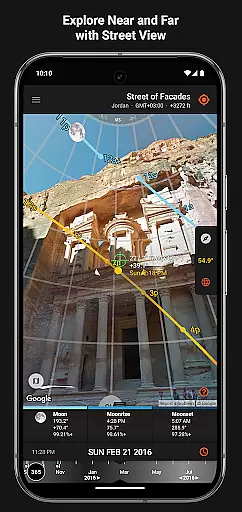
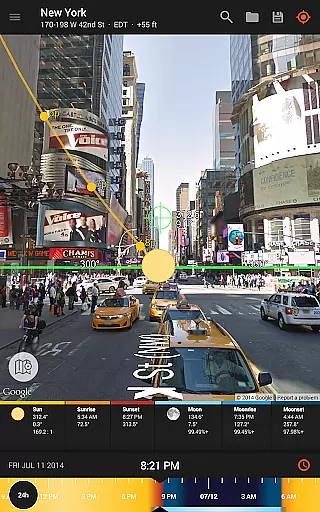
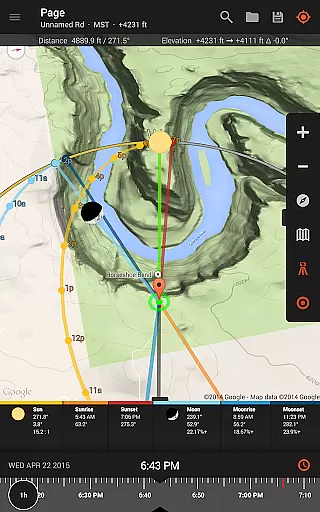
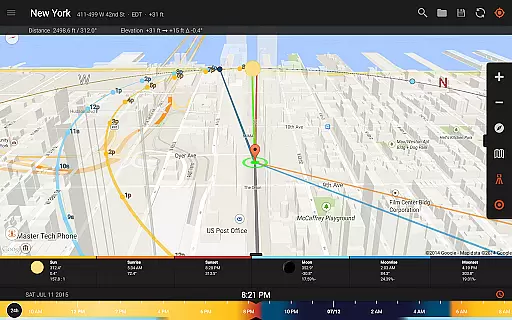
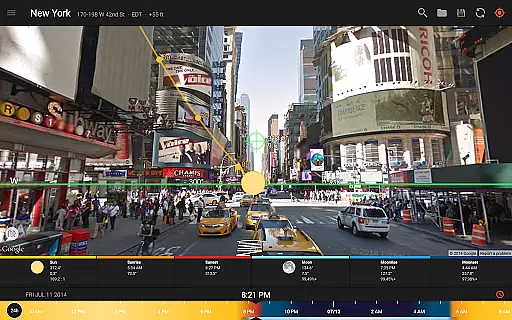
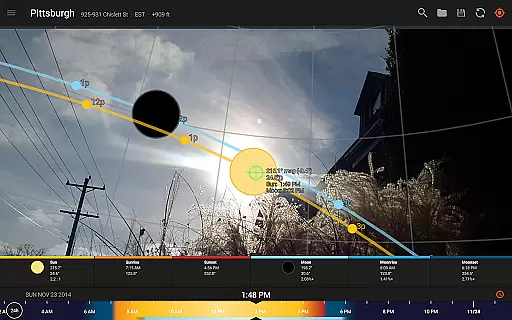
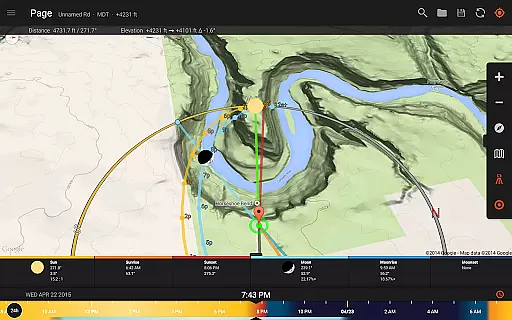
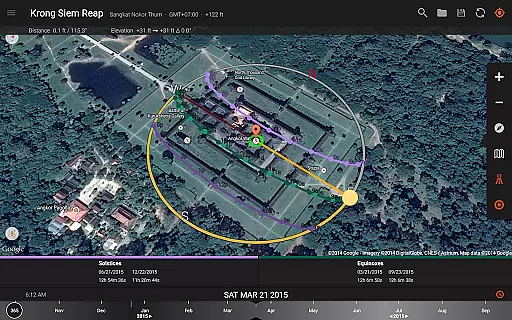
Sun Surveyor offers a comprehensive suite of tools tailored for photographers, filmmakers, and solar professionals. Its standout feature is the augmented reality Live Camera View, which overlays sun and moon paths onto real-world scenes, helping users visualize lighting conditions at specific times. The Interactive Map integrates Street View and elevation data, enabling precise location scouting without leaving home.
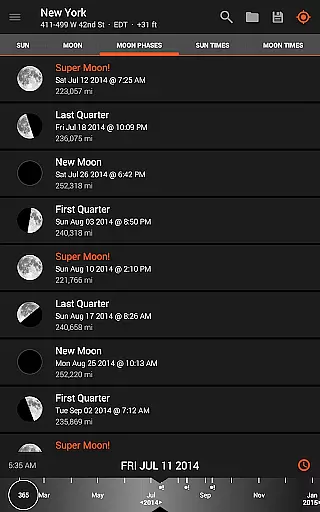
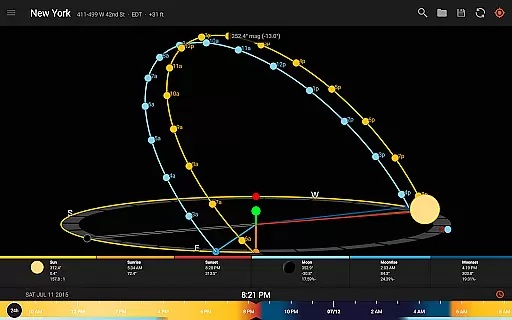
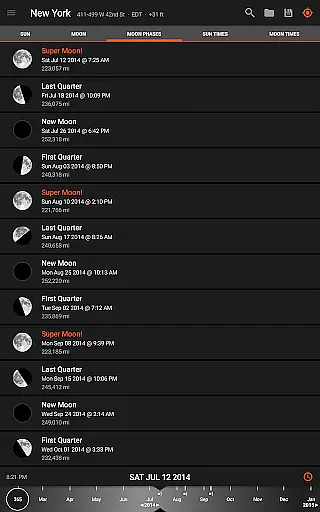
Additional functionalities include a detailed Ephemeris for tracking celestial movements, a Photo Opportunities planner for creative inspiration, and offline usage support for remote areas. The app also includes widgets, magnetic declination compensation, and tools for measuring shadow lengths and angles, making it indispensable for both artistic and technical projects.
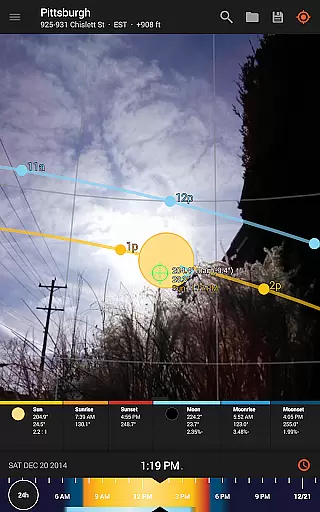
Real-time capture and preview functionality is essential for photographers and filmmakers who need to plan their shots with precision. Sun Surveyor excels in this area by offering a Live Camera View that provides augmented reality projections of the sun and moon paths.
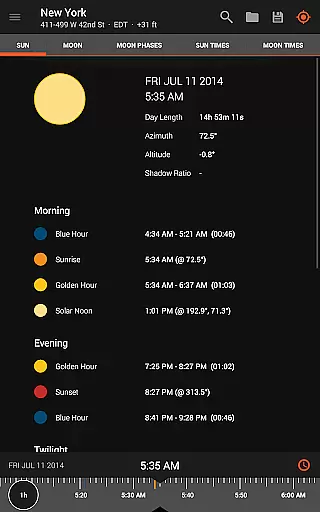
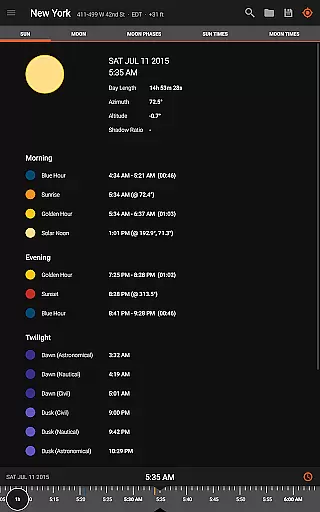
This feature allows users to pinpoint the exact time the sun or moon will be at a specific location in the sky, ensuring they never miss the perfect shot. The app's ability to predict golden hour, blue hour, and every sunrise and sunset adds another layer of planning accuracy.
For night photography enthusiasts, the app also includes Milky Way and star trail features, enabling users to prepare their shots meticulously. This real-time data empowers users to scout locations effectively and plan their shoots down to the minute, making it an indispensable tool for capturing stunning images.
While Sun Surveyor does not focus on AI beauty enhancements typical in portrait photography apps, it offers naturalness through its accurate representation of celestial bodies. The app provides detailed ephemeris and interactive maps, which enhance the user's understanding of natural light sources.
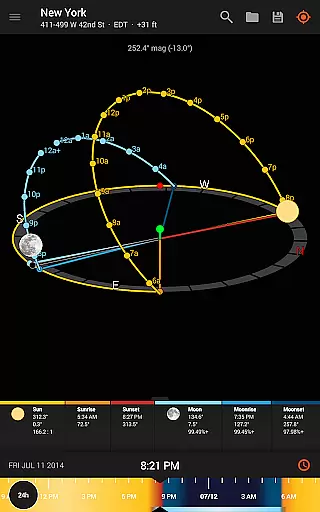
The 3D Compass and augmented reality projections offer a realistic view of how sunlight and moonlight will interact with the environment, allowing users to anticipate and utilize these conditions creatively. This ensures that any enhancements made to photos are grounded in natural phenomena, preserving authenticity.
Additionally, features like magnetic declination compensation and widgets for the home screen ensure that users have access to precise and timely information, enhancing their ability to capture naturally beautiful images without artificial alterations.
Accurate celestial tracking
Augmented reality views
Offline functionality
Interactive map tools
Ideal for professionals
Compass dependency
Complex for beginners
Premium price tag
Limited free features
Device compatibility issues

All-in-One Editor & AI Photo Enhancer, Beautify & Retouch, Collage, Cartoonify
 4.20
4.20
Safe & smart flight with Go Fly drone controller for 40+ drone camera, zone map
4.50
Photo Exif Editor allows to view, add and modify EXIF data of multiple photos
4.50
Gallery Slideshow is slideshow maker app for slideshow from your gallery photos.
3.90
Create amazing frames with up to five photos. Rounded corners, effects and more!
3.60
Turn photos into cartoons & avatars! - Photo Editor, Cartoon Face!
3.90
Enhance, upscale, and transform your images — on your device, without limits
4.70
Discover & download millions of art for The Frame TV or Hisense CanvasTV
4.60
Photo & Video Gallery app to manage albums and save WA Status easily.
4.70
A collection of tools and reference tables for DPs, ACs, DITs and Operators.
4.70
Cartoon and artistic effects for your photos and videos
4.70
Create collages easily! Nice pic collage maker & background eraser for Instagram
4.50
AI photo editor with hair editor, retouch tools, hair color changer & filters!
4.50
Movie camera, supports pro recording settings for filming. Try it and be amazed!
4.50
AI portrait generator and polaroid AI selfie, fun AI generated AI photo creator!
4.30
Create & Edit with AI: AI Remove, Enhance, Retouch, Filter
4.10
Professional quality photo edits with the new Snapseed.
4.00
Pet Camera
3.70
Long exposure camera with computational photography
2.60


User Reviews