
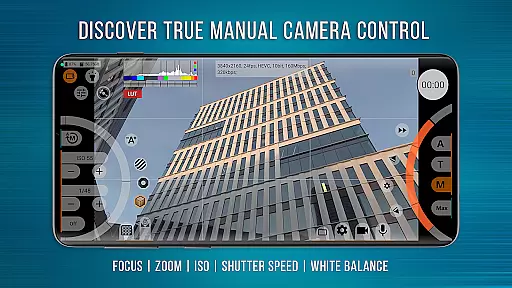
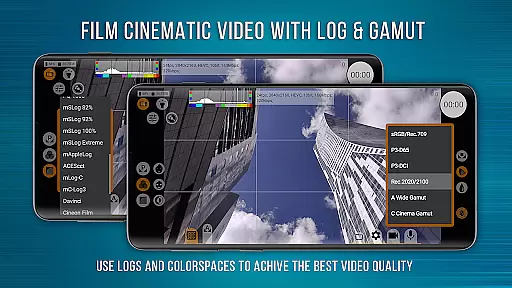
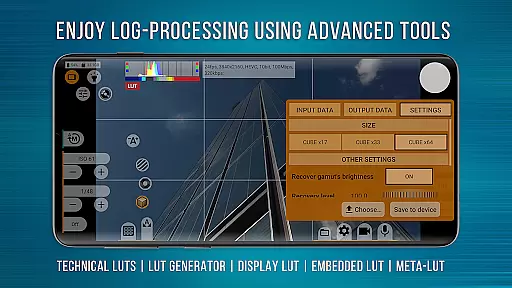
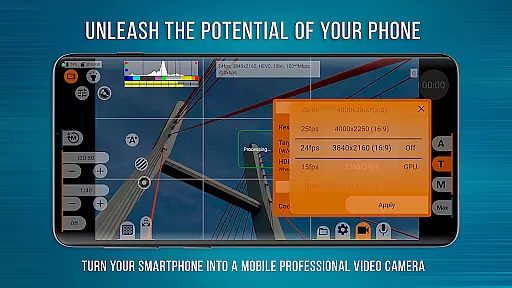
mcpro24fps Manual Video Camera is a professional-grade video camera app designed for Android devices, offering advanced cinematic capabilities previously exclusive to high-end camcorders. It supports shooting in 10-bit and HDR video formats like HLG/HDR10, making it ideal for videographers who require superior image quality.
The app provides an extensive range of features including Log recording without GPU activation, numerous Log modes, technical LUTs for post-production, and programmable focus and zoom controls. These functionalities enable users to achieve precise control over their footage, whether they are creating music videos, festival films, or live reports.
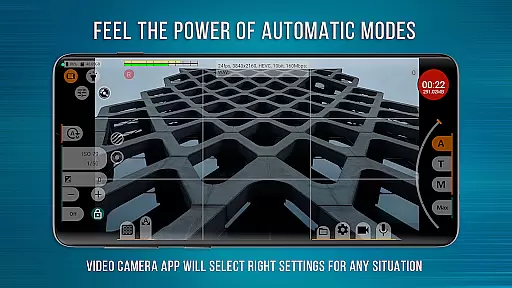
With its responsive interface and reliable automatic modes, mcpro24fps transforms any compatible smartphone into a powerful tool for professional filmmaking. The app caters to both manual adjustments and automated settings, ensuring flexibility and convenience for all types of shoots.
One of the standout features of mcpro24fps is its ability to record in 10-bit and support HDR video formats such as HLG and HDR10. This allows videographers to capture footage with exceptional color depth and dynamic range, essential for high-quality cinematic projects.
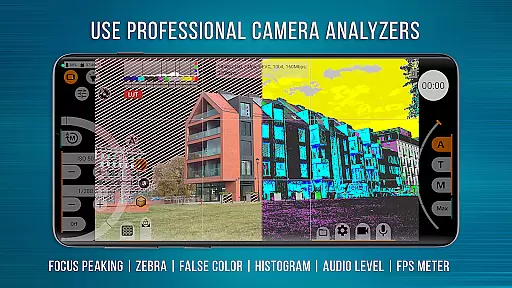
The app also offers advanced functionalities like Log recording without utilizing the GPU, various Log modes, and technical LUTs for seamless post-production processes. Additionally, features such as Focus Peaking, Expo Peaking, Spectral, and Zebra tools provide comprehensive exposure and focus control, empowering users to fine-tune every aspect of their shots.
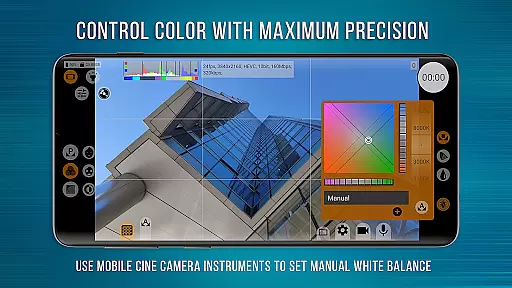
Moreover, mcpro24fps includes options for white balance adjustment in Kelvins, metadata management, flexible sound handling, and extensive GPU resource utilization. These capabilities ensure that videographers can fully leverage their device's hardware while maintaining creative control over their work.
Real-time capture and preview functionality is essential for any professional-grade camera application. mcpro24fps manual video camera app offers videographers the ability to see exactly what they are filming as they film it, ensuring that every shot meets their high standards.
The app supports multiple advanced features that enhance real-time capture. These include shooting in 10-bit for HDR video, recording in Log without GPU activation, and a vast array of Log modes tailored for different scenarios. This ensures that videographers can achieve the exact look they desire with precision control over the frame.
For users, this means no more guesswork or waiting to review footage after shooting. The responsive interface allows videographers to adjust settings like focus peaking, expo peaking, spectral, and zebra for exposure control on the fly. This immediate feedback empowers creators to make necessary adjustments instantly, saving time and enhancing productivity.
Ultimately, the real-time capture and preview feature transforms an Android phone into a powerful cinematic tool. By leveraging the technical capabilities of modern smartphones, mcpro24fps enables videographers to produce professional-quality videos with advanced functionalities previously only available in high-end camcorders.
While primarily focused on professional video capabilities, mcpro24fps also incorporates AI beauty and enhancement features that maintain naturalness. These tools are crucial for videographers who want to elevate their visual storytelling without compromising authenticity.
The AI enhancements work seamlessly with other advanced features such as technical LUTs for post-production, on-screen LUT for precise control during shooting, and programmable focus and zoom functionalities. Together, these ensure that any applied beauty enhancements blend naturally with the overall aesthetic of the video.
Users benefit from reliable automatic modes alongside convenient manual settings, allowing them to fine-tune the level of enhancement needed. Whether it's reducing noise through GPU resources or adjusting distortion correction, videographers have complete control over how much enhancement is applied while retaining a realistic appearance.
In summary, mcpro24fps not only excels in providing robust video capabilities but also thoughtfully integrates AI beauty enhancements that preserve the natural essence of subjects. This dual capability makes it an indispensable tool for creating visually stunning yet authentic cinematic works.
Advanced HDR support
Professional Log modes
Precise focus controls
Comprehensive exposure tools
Flexible sound settings
Complex for beginners
High device requirements
Limited free version
No iOS availability
Occasional stability issues

AI portrait generator and polaroid AI selfie, fun AI generated AI photo creator!
 4.30
4.30
Photo editor: face & body editor, beauty cam, filters and quality enhancer.
4.00
Edit like a pro with Hypic. Apply filters, AI effects, & magic touch.
4.40
Raw Image Viewer. Gallery with support of raw images (.cr3, .cr2, .nef, .raf).
2.00
USB Storage Access for Photos, Videos, Music and Documents
3.80
RAW video capture with advanced controls
4.40
Remote control the phone camera shutter from your smartwatch and take a picture
1.60
Unlock the full potential of your DJI drone with Litchi
4.50
Try an anime version, cartoon yourself, and generate AI hug or aging videos!
3.70
Safe & smart flight with Go Fly drone controller for 40+ drone camera, zone map
4.50
Create collages easily! Nice pic collage maker & background eraser for Instagram
4.50
AI photo enhancer with Sora 2! Enhance, descratch, and colorize your old photos.
4.50
Use AI Video Generator to turn your words to ai generated videos.
4.50
Shooting photos and records video easily and efficient with professional Camera
4.30
Turn your phone into a professional camera - full DSLR manual photography
4.30
Create AI Photos, Improve and restore quality of blurry, old or damaged pics.
4.20
AI-powered video creator by MiniMax - Where ideas meet cinema
4.20
GCamera allows all GCam features on all phone models! Better photos with GCamera
3.30
Superimpose one photo on top of another using the original Superimpose app!
3.20


User Reviews