
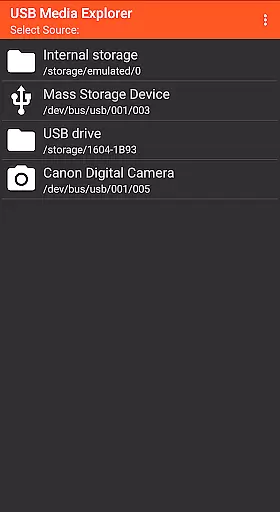
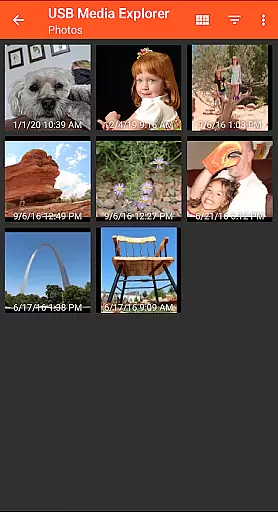
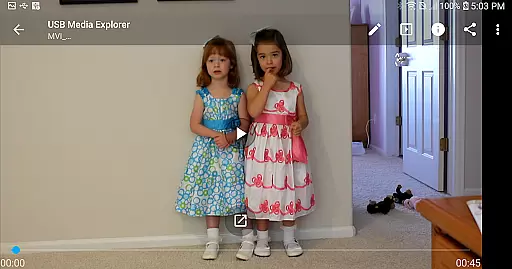
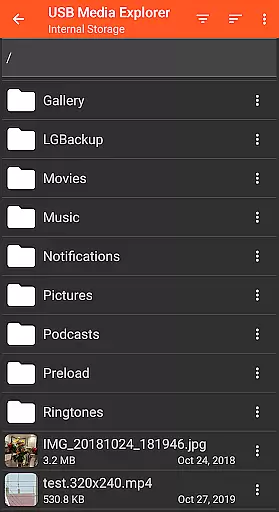
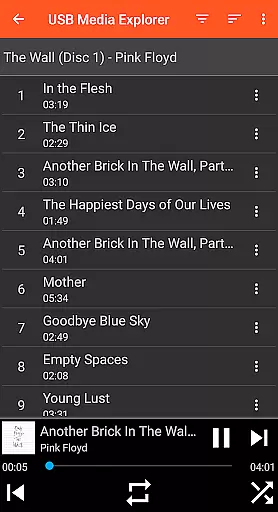
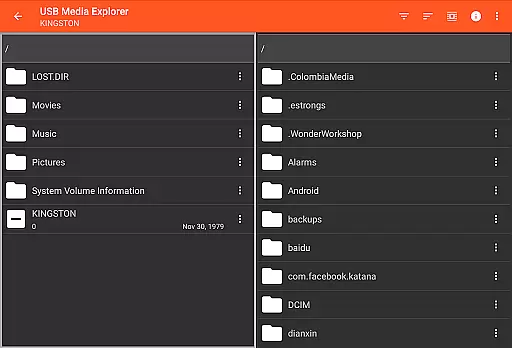
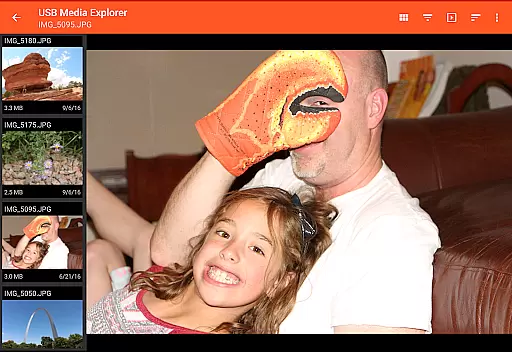
USB Media Explorer (UME) is a versatile photography app that allows users to view photos, stream videos, listen to music, and manage documents from various USB storage devices. With specialized viewing modes for different media types, it offers a comprehensive solution for photographers and content creators.
The app supports a wide range of devices including flash drives, card readers, hard drives, and cameras. Its standout feature is the ability to view full-size photos and videos without importing them, making it an essential tool for professionals who need quick access to their media files on the go.
Whether you're a photographer needing to review RAW images or a videographer checking footage, USB Media Explorer provides a seamless experience across supported devices, enhancing productivity in the field.
USB Media Explorer stands out with its specialized screens for different media types - photos, videos, music, documents, and file management. This ensures an optimized viewing and management experience tailored to each content type.
The app enables two-way file transfer between USB devices and your Android device. This feature is particularly useful for backing up important files or transferring new media to external storage without the need for a computer.
Advanced functionality includes support for both JPEG and RAW image formats, video streaming capabilities, and document viewing. The app also maintains full-size quality during media preview, eliminating the need for time-consuming imports before viewing.
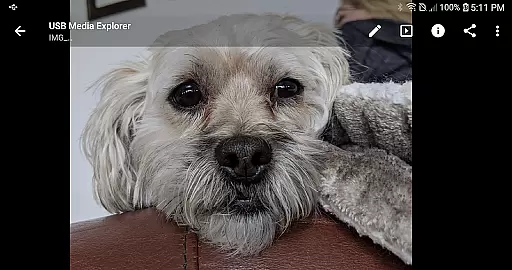
USB Media Explorer offers a unique real-time capture and preview feature that allows users to view photos and stream videos directly from USB storage devices without the need for importing. This functionality is crucial for photographers and videographers who require immediate access to their files on the go.
The app supports both Jpeg and Raw photo formats, ensuring compatibility with a wide range of cameras and professional workflows. Its specialized screens for photos and videos provide an optimal viewing experience, displaying full-size images and playing supported video formats directly on your Android device.
With this real-time capability, users can quickly assess their media files, make instant edits, or share their content directly from their USB devices. This not only saves time but also enhances productivity by eliminating the cumbersome process of file transfers.
Overall, the real-time capture and preview feature in USB Media Explorer empowers users with instant access to their media files, making it an invaluable tool for professionals and enthusiasts alike who demand efficiency and flexibility in their workflow.
While USB Media Explorer does not focus heavily on AI beauty and enhancement features, it still provides essential tools for managing and viewing media files, which can be used in conjunction with other apps for beautification purposes. The app's ability to handle various file types, including photos and videos, lays the groundwork for any subsequent editing processes.
For users interested in enhancing their images, the app's support for both Jpeg and Raw formats ensures that high-quality originals are available for editing. This is particularly important when using AI-powered beauty tools that rely on detailed image data to produce natural-looking enhancements.
Moreover, the app's straightforward interface and efficient file management capabilities allow users to organize their media library effectively. This organization is beneficial when applying AI enhancements, as it enables users to quickly locate and process specific files.
In summary, while USB Media Explorer may not offer direct AI beauty features, its robust media handling and management functions provide a solid foundation for integrating such enhancements into a user's digital workflow, ensuring that the final results maintain a natural appearance.
User-friendly interface
Wide device compatibility
RAW image support
Two-way file transfer
Comprehensive media management
No native AVI support
Hard drive power limitations
Proprietary protocol issues
Commercial DVD restrictions
Endoscope compatibility

A collection of tools and reference tables for DPs, ACs, DITs and Operators.
 4.70
4.70
Add Watermark - Sign your pictures with a text or logo. Effective, quick, easy!
4.50
Edit like a pro with Hypic. Apply filters, AI effects, & magic touch.
4.40
AI photo editor with hair editor, retouch tools, hair color changer & filters!
4.50
Professional photography on your mobile phone
4.20
Snap photos remotely using your Garmin watch as the camera trigger
4.2
PhotoSync Bundle Add-On License. Enables all features and services in PhotoSync.
4.60
Unlock the full potential of your DJI drone with Litchi
4.50
Welcome to ProShot, the most powerful camera app on Android.
4.20
Gallery show photo, video, slideshow, is perfect 3D effect private photo albums.
4.80
Amazing Photo Effects - The most fun you can have with your photos!
4.70
See your baby AI baby face generator AI baby maker Face generator babymaker fun!
4.70
A must-have app for landscape photographers
4.60
Create collages easily! Nice pic collage maker & background eraser for Instagram
4.50
AI portrait generator and polaroid AI selfie, fun AI generated AI photo creator!
4.30
Turn your phone into a professional camera - full DSLR manual photography
4.30
What celebrity do you look like? Celebs will find your celebrity match!
4.10
Long exposure camera with computational photography
2.60
HD Photo gallery and photo manager to edit, hide private photos, videos & albums
4.0


User Reviews