
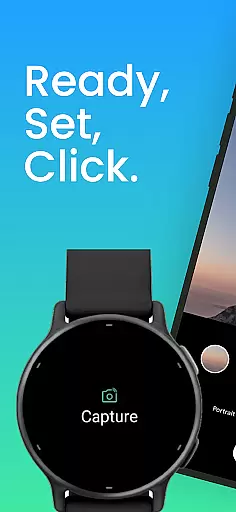
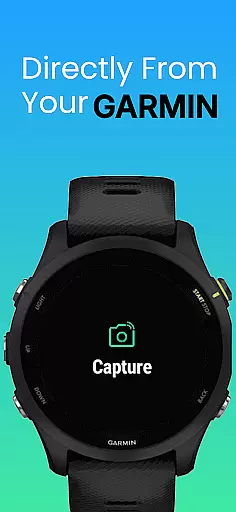
CameraClick is a photography app that connects Garmin smartwatches with Android phones, enabling wireless remote control of the phone's native camera. This seamless integration allows users to capture photos and videos directly from their wrist, making it ideal for group shots, solo adventures, or distance recordings.
The app works with your existing camera app, preserving preferred quality settings, lens choice, and storage paths. Using Android’s AccessibilityService, CameraClick interacts directly with the camera shutter button, ensuring compatibility across a wide range of devices and camera apps.
Whether you're an athlete filming workouts, a creator capturing nature, or simply someone who wants to take photos without reaching for the phone, CameraClick offers a reliable solution tailored to various needs.
CameraClick stands out with its unique ability to integrate with your phone's native camera app rather than relying on a custom viewer. This ensures that all your preferred camera settings—quality, lens choice, and storage paths—are preserved while using the app.
One of the key features is its use of Android’s AccessibilityService, which allows direct interaction with the camera shutter button. This makes CameraClick compatible with a broad spectrum of camera apps across different devices, providing users with full control over how their media is captured.
Additionally, CameraClick has been tested and proven to work well on popular Android devices from brands like Google, Samsung, Motorola, Xiaomi, Fairphone, OPPO, Honor, Nothing, OnePlus, and more. This extensive compatibility ensures a smooth experience regardless of your device.
CameraClick offers a seamless real-time capture experience by connecting your Garmin smartwatch with your Android phone. This integration allows users to take photos or record videos directly from their wrist, providing unmatched convenience for capturing moments without needing to physically interact with the phone.
The app leverages the native camera app on your phone, ensuring that all your preferred settings such as quality, lens choice, and storage options are preserved. By using Androidu2019s AccessibilityService, CameraClick interacts directly with the camera's shutter button, making it compatible with a wide range of devices and camera apps.
This functionality is particularly beneficial for content creators, athletes, and everyday users who need hands-free operation. Whether you're filming a workout, capturing nature, or taking group shots, CameraClick ensures that you won't miss a moment due to its efficient wireless control.
While CameraClick does not focus heavily on AI beauty enhancements, it provides reliable and natural photo captures by utilizing your phone's existing camera app. The emphasis is on maintaining the authenticity of each shot, preserving original details without excessive digital manipulation.
Users can expect consistent performance across various Android devices, including popular brands like Google, Samsung, and Xiaomi. This compatibility ensures that photos and videos retain their natural look and feel, adhering to the device's default quality settings.
For those prioritizing genuine and unaltered imagery, CameraClick delivers an intuitive and straightforward photography experience. It avoids over-processing images, thus offering true-to-life captures every time you press the shutter button on your smartwatch.
Wireless camera control
Native app integration
Wide device compatibility
Preserves user settings
Easy to use
Requires Accessibility permissions
Garmin watch needed
Limited to Android
No iOS support
Dependent on native app

[3DSteroid Pro] is a stereoscopic application for Android.
 4.30
4.30
Create funny photos and videos with the popular Time Warp Scan filter.
4.90
Superimpose one photo on top of another using the original Superimpose app!
3.20
HD Camera Pro with HD Video shooting, Panorama, Photo editor , Beauty Camera.
4.50
Smart, light, and fast photo and video gallery
4.30
Collage your moments in one tap: 1000+ layouts, filters, stickers, and texts.
4.90
Enhance, upscale, and transform your images — on your device, without limits
4.70
Effortlessly make high-quality GIFs from images & videos without any watermarks.
4.70
Unlock the full potential of your DJI drone with Litchi
4.50
Photo prints, cards, & gifts at Walgreens. Easy ordering & fast local pickup !
4.80
AI Photo Editor with 100+ Filters, Effects! Remove BG, Retouch & Photo Enhancer.
4.80
Amazing Photo Effects - The most fun you can have with your photos!
4.70
Take videos and pictures with the popular TikTok TIME WARP SCAN filter.
4.60
Virtual makeup, hair filters & body tuner—edit from face to full body!
4.20
live datamoshing
4.00
Turn photos into cartoons & avatars! - Photo Editor, Cartoon Face!
3.90
Create amazing frames with up to five photos. Rounded corners, effects and more!
3.60
Long exposure camera with computational photography
2.60
Raw Image Viewer. Gallery with support of raw images (.cr3, .cr2, .nef, .raf).
2.00


User Reviews