
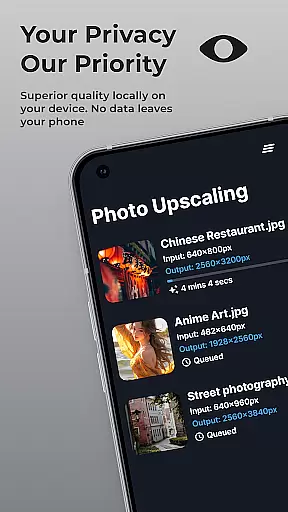
SuperImage Pro is an advanced AI-powered photo editing application designed for photography enthusiasts and professionals alike. This all-in-one photo toolbox offers a comprehensive suite of features that run entirely on your device, ensuring maximum privacy and security. The app's core functionality revolves around three main areas: image enhancement, transformation, and upscaling.
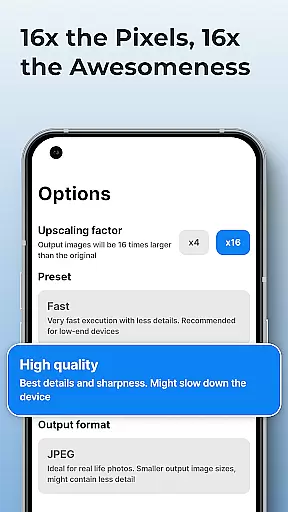
The application utilizes sophisticated on-device AI processing to deliver exceptional results without requiring an internet connection. Users can enhance their portraits by sharpening details and refining facial features, transform images by removing backgrounds or creating transparent cutouts, and upscale photos up to 16x their original resolution. These capabilities make SuperImage Pro particularly valuable for photographers who need to work on location or in environments where internet access might be limited.
What sets SuperImage Pro apart is its commitment to user privacy and customization options. The app never uploads images to the cloud, and advanced users can import custom AI models in various formats, making it an ideal solution for professionals who require both power and privacy in their photo editing workflow.
SuperImage Pro distinguishes itself through its innovative implementation of on-device AI processing and extensive feature set. The application runs advanced AI models optimized for modern hardware, enabling complex image manipulations while maintaining complete data privacy. This approach not only ensures faster processing speeds but also eliminates concerns about data breaches or unauthorized access to sensitive images.
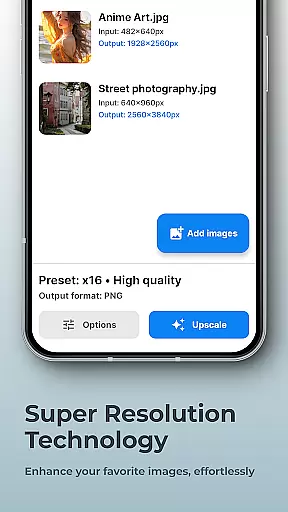
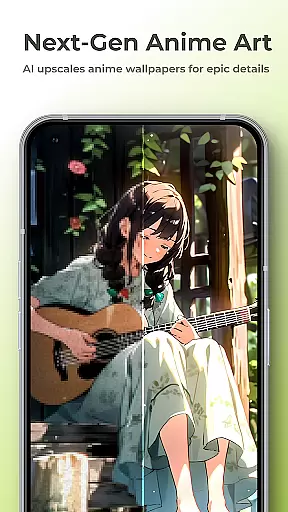
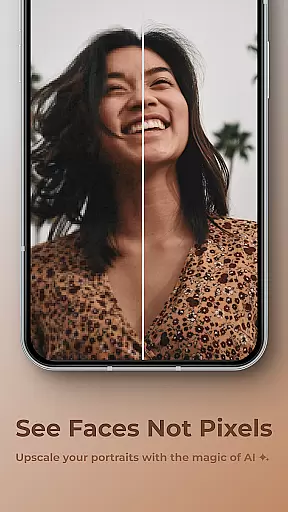
The app's feature set includes several groundbreaking capabilities. Users can enhance low-resolution portraits with remarkable precision, transforming blurry images into sharp, detailed masterpieces. The background removal tool works instantly and securely, making it perfect for creating professional-quality marketing materials or social media content. Additionally, the app supports upscaling of photos, wallpapers, and even anime images up to 16x their original size without losing quality.
For power users, SuperImage Pro offers advanced customization options through its model import feature. This allows professionals to load custom AI models in PyTorch, ONNX, and MNN formats with minimal effort, effectively turning the app into a highly flexible AI platform. The combination of these features creates a powerful ecosystem that caters to both casual users and demanding professionals in the photography field.
Real-time capture and preview functionality is essential for photography apps like SuperImage Pro. This feature allows users to see exactly what the camera is capturing, ensuring that every shot meets their expectations before it's taken.
SuperImage Pro leverages advanced AI models optimized for modern hardware to provide a seamless real-time preview experience. The app processes images directly on the device, which means there's no lag or delay in the preview window. Users can adjust settings such as exposure, focus, and white balance while seeing the changes instantly.
The benefit of this feature is clear: photographers can make informed decisions about composition and lighting, leading to higher-quality photos. With real-time feedback, users can fine-tune their shots without guesswork, resulting in professional-grade images every time they press the shutter button.
Ultimately, the real-time capture and preview capability enhances user confidence and satisfaction. By providing immediate visual feedback, SuperImage Pro empowers users to take full control of their photography, making the process both intuitive and enjoyable.
AI beauty and enhancement features are becoming increasingly popular in photography apps, offering users the ability to refine facial features and enhance overall image quality. In SuperImage Pro, these enhancements are designed to look natural, preserving the authenticity of the original photo.
The app uses sophisticated algorithms to analyze facial structures and apply subtle adjustments that highlight the subject's best features. Whether it's smoothing skin texture, brightening eyes, or enhancing smile lines, the transformations are carefully calibrated to avoid an over-processed appearance.
Users benefit from this feature by achieving polished yet genuine-looking portraits. Unlike traditional filters that may distort facial features, SuperImage Pro ensures that enhancements complement the subject's natural beauty. This approach not only boosts user confidence but also maintains the integrity of the photograph.
In summary, the AI beauty and enhancement tools in SuperImage Pro strike a perfect balance between improvement and authenticity. By prioritizing natural results, the app delivers a superior user experience that respects the originality of each image while elevating its aesthetic appeal.
Advanced AI processing
Complete privacy protection
High-quality upscaling
Instant background removal
Custom model support
Steep learning curve
High system requirements
Limited free features
No cloud backup
Complex interface

Professional video recording application with manual controls for filmmakers!
 2.80
2.80
Viewfinder, Light meter, Reciprocity failure time, DOF & Bellows Extension
4.60
Cut and paste photo editor & eraser to customize photos easy and swap faces fun
4.50
Take videos and pictures with the popular TikTok TIME WARP SCAN filter.
4.60
Raw Image Viewer. Gallery with support of raw images (.cr3, .cr2, .nef, .raf).
2.00
GCamera allows all GCam features on all phone models! Better photos with GCamera
3.30
Smart, light, and fast photo and video gallery
4.30
Easily view, share, delete photos with Gallery.
4.70
AI-powered video creator by MiniMax - Where ideas meet cinema
4.20
A collection of tools and reference tables for DPs, ACs, DITs and Operators.
4.70
Android Native system HD camera app. Never been so simple and faster.
4.70
Add Watermark - Sign your pictures with a text or logo. Effective, quick, easy!
4.50
Photo Exif Editor allows to view, add and modify EXIF data of multiple photos
4.50
RAW video capture with advanced controls
4.40
Natural Beauty, Selfie Retouch
4.30
A light meter for true photographers.
4.20
How old age camera Gender Swap App Face Shape Hairstyle App Hair Styler App fun!
4.00
live datamoshing
4.00
Be your best in every shot! Fix, edit and retouch your face in selfies & photos.
3.70


User Reviews