
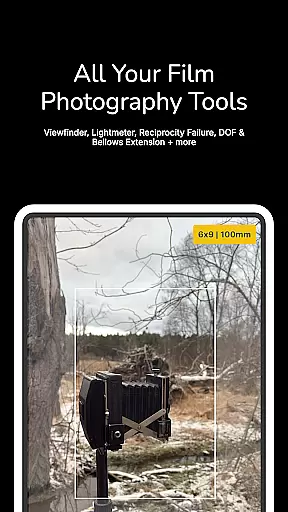
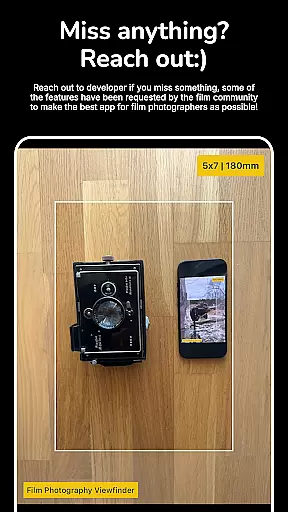
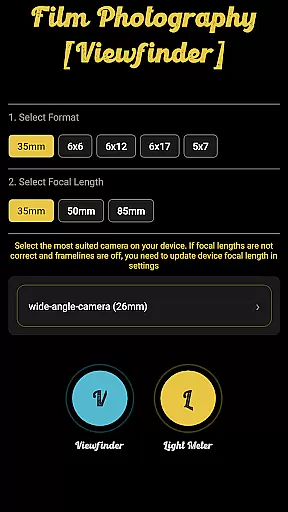
Film Photography Viewfinder is a specialized tool designed for film photographers who value precision and control in their craft. This app combines a digital viewfinder with an advanced light meter, making it suitable for various formats including large format, medium format, 35mm, pinhole, and wet plate photography.
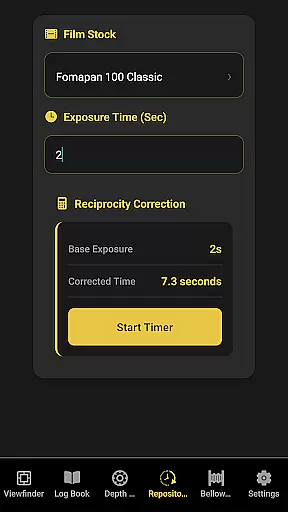
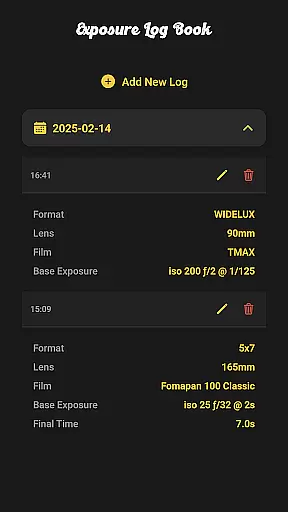
One of the standout features is its ability to compensate for reciprocity failure and bellows extension, ensuring accurate exposure settings. The app also offers an extensive range of f-stop and ISO settings, catering to both traditional and alternative process photographers. Additionally, the built-in exposure log book and depth of field calculator provide practical tools that enhance workflow efficiency and creative control.
Whether you're shooting landscapes with a large format camera or experimenting with pinhole photography, Film Photography Viewfinder provides the essential tools needed to achieve professional-quality results while maintaining the authentic experience of film photography.
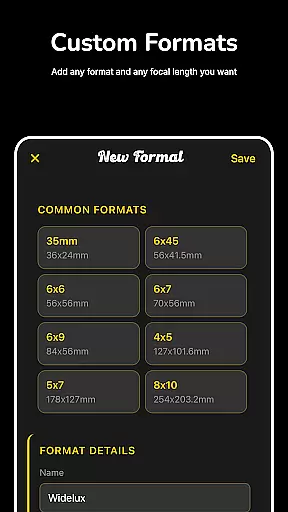
The app boasts several key features that cater specifically to the needs of film photographers. First, the digital viewfinder allows users to add and edit custom focal lengths, providing flexibility for different types of shoots. This feature ensures that photographers can adapt the app to their specific equipment and preferences.
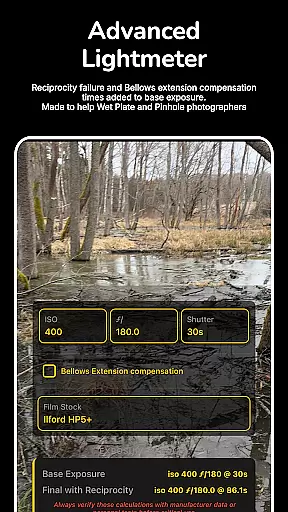
Another significant feature is the advanced light meter, which compensates for reciprocity failure and bellows extension. With an impressive f-stop range from 1 to 1024 and ISO settings from 0.25 to 25600, the app supports a wide variety of photographic techniques. It includes a film stocks list that automatically selects the appropriate ISO based on the film speed, streamlining the setup process.
In addition to these core functionalities, the app includes an exposure log book for tracking exposures and a depth of field calculator for precise focusing. These tools collectively empower photographers to maintain detailed records and make informed decisions about their shots, ultimately enhancing the quality of their work.
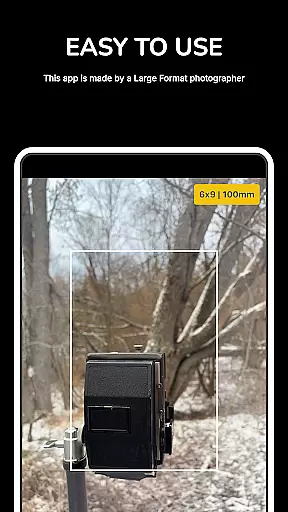
Real-time capture and preview functionality is essential for photographers who need to ensure their shot is perfectly composed before taking the final image. Film Photography Viewfinder offers a digital viewfinder that allows users to add and edit custom focal lengths, providing flexibility and precision in capturing scenes.
This app simulates various film photography scenarios, enabling photographers to visualize their shots as if they were using different camera formats and lenses. Whether shooting large format, medium format, 35mm, pinhole, or wet plate photography, this feature ensures that you can accurately frame your subject and adjust settings accordingly.
The ability to customize focal lengths within the app means that photographers can tailor their experience to match their specific equipment and preferences. This level of customization enhances the creative process by allowing users to experiment with different perspectives and compositions without needing to change physical lenses.
By offering real-time feedback on composition and exposure settings, Film Photography Viewfinder empowers photographers to make informed decisions quickly, improving overall efficiency and success rates in capturing the desired images.
While primarily focused on traditional film photography tools, Film Photography Viewfinder also incorporates features that enhance the natural beauty of photographs through careful exposure management. The light meter compensates for reciprocity failure or bellows extension, ensuring accurate exposures even under challenging lighting conditions.
The app's F-stop range extends from 1 to 1024, catering especially to pinhole photographers who require high F-stop limits. Additionally, the ISO range spans from 0.25 to 25600, accommodating wet plate collodion photographers who benefit from low ISO settings. These extensive ranges allow for precise control over image quality and exposure.
Film stocks list further refines the exposure process by selecting ISO based on film speed, adding another layer of authenticity and accuracy to each shot. By integrating these advanced controls, the app helps maintain the natural aesthetics of film photography while mitigating common technical challenges.
Overall, Film Photography Viewfinder not only aids in capturing technically sound images but also preserves the artistic integrity and natural beauty inherent in film photography, making it an invaluable tool for both amateur and professional photographers alike.
User-friendly interface
Wide ISO range
Custom focal lengths
Reciprocity compensation
Comprehensive tools
No live preview
Limited filters
High learning curve
Premium cost
Device compatibility

How would you look like with a differently shaped nose, chin or lips?
 3.90
3.90
Pet Camera
3.70
Photo editor: AI filters, photo enhancer, pic collage maker, AI art generator.
4.80
Take videos and pictures with the popular TikTok TIME WARP SCAN filter.
4.60
Automatically backup your photos and videos to computer, NAS and Cloud services
4.60
Add a dreamy vibe to your selfies and videos with soft style filters
4.2
See your baby AI baby face generator AI baby maker Face generator babymaker fun!
4.70
A light meter for true photographers.
4.20
Remote control the phone camera shutter from your smartwatch and take a picture
1.60
Photo prints, cards, & gifts at Walgreens. Easy ordering & fast local pickup !
4.80
AI photo editor with hair editor, retouch tools, hair color changer & filters!
4.50
Edit like a pro with Hypic. Apply filters, AI effects, & magic touch.
4.40
Natural Beauty, Selfie Retouch
4.30
All-in-One Editor & AI Photo Enhancer, Collage, Cartoonify, Funny Stickers & BGS
4.10
Create & Edit with AI: AI Remove, Enhance, Retouch, Filter
4.10
Catch sunlight, sunrise sunset times and sun phases with the AR sun tracker.
4.10
Photobooth mini FULL app will allow you to add more fun to your parties
4.00
Astrophotography with your smartphone, photo live stacking and much more!
3.90
Over 800 film simulation recipes for Fujifilm. Black Friday Offer!
4.3


User Reviews