
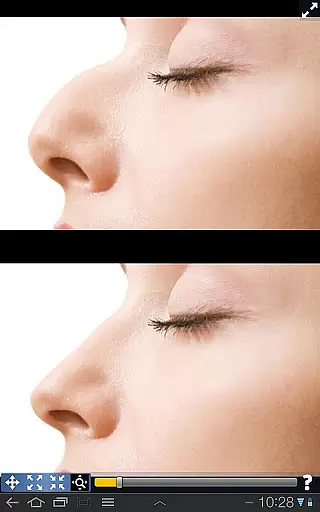
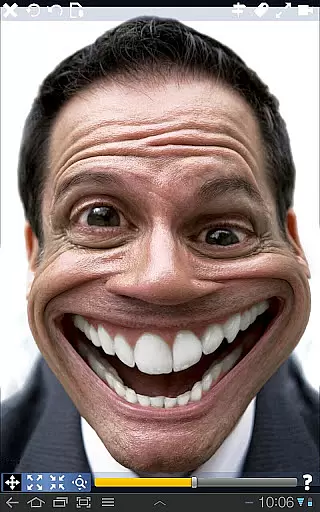
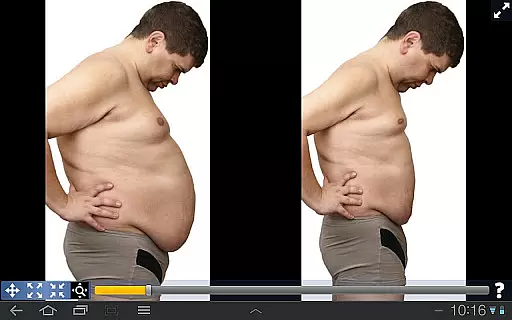
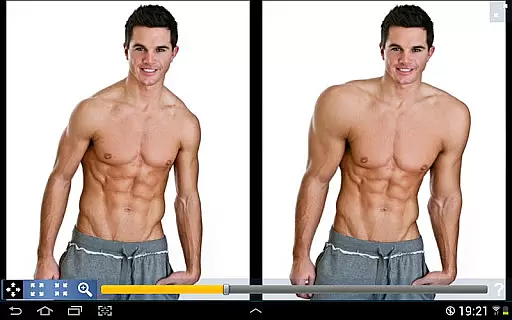
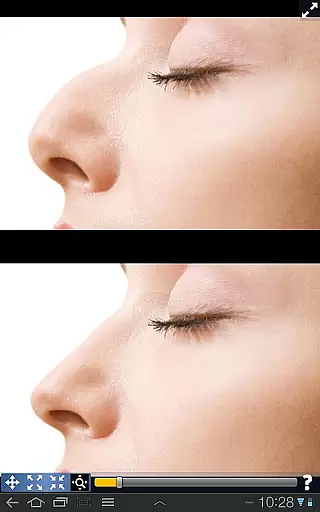
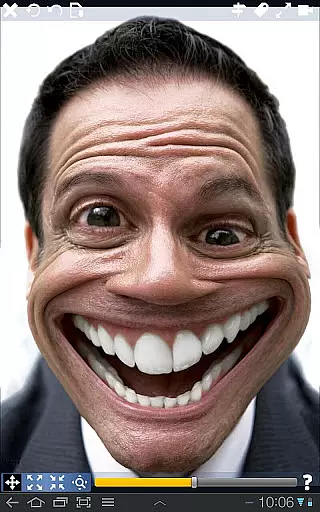
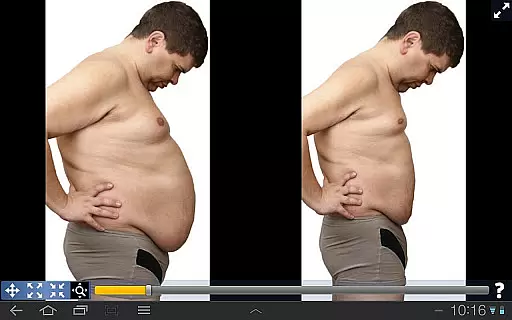
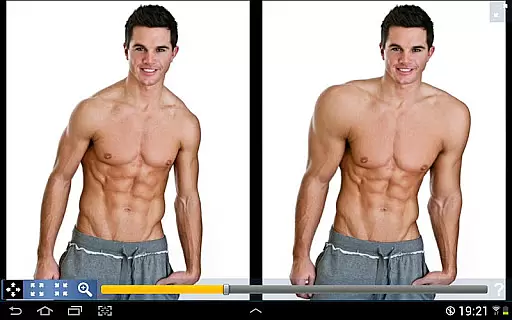
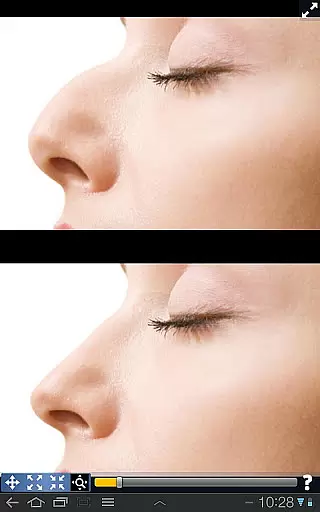
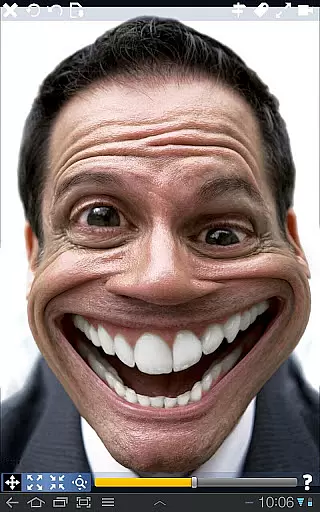
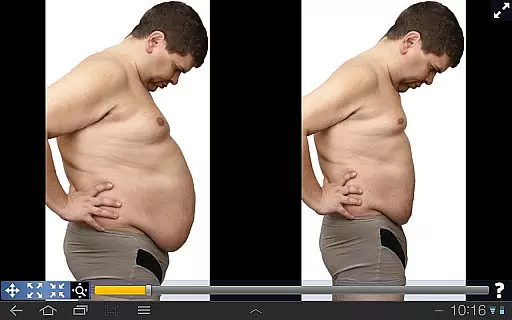
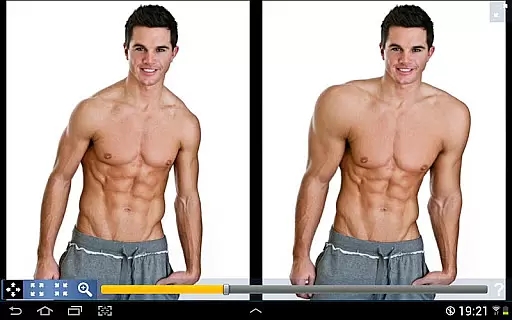
Plastic Surgery Simulator is a dynamic photo editing application designed for creative image manipulation. The app's core functionality lies in its ability to simulate physical transformations through an intuitive distortion toolset. Users can reshape facial features, modify body parts, and experiment with various aesthetic changes.
A standout feature of this photography app is its dual display mode. When rotating your device, the image automatically clones to the other side of the screen, enabling precise edits without obstruction from your fingers. This makes it particularly useful for smaller touch devices like smartphones. Whether you're looking to enhance social media photos or simply explore creative fun, Plastic Surgery Simulator offers both practical and entertainment value.
Plastic Surgery Simulator distinguishes itself through two key functionalities. First, its advanced photo distortion algorithm ensures smooth and realistic transformations. Unlike basic distortion tools, this app maintains image quality while allowing users to drag, grow, or shrink specific areas seamlessly.
The second notable feature is the innovative dual display mode. By cloning the image when the device is rotated, it provides an unobstructed view during edits. This enhances precision and usability, especially on small-screen devices. These capabilities make the app versatile for both casual entertainment and professional photo enhancement tasks, offering users a unique combination of power and convenience.
Real-time capture and preview functionality is essential for photography apps as it allows users to see the effects of their edits instantly. This feature ensures that users can make precise adjustments without delay.
Plastic Surgery Simulator excels in this area by providing a dual display mode. When you rotate your device, the image is cloned into the other half of the screen, allowing you to modify your image without your finger obstructing the view. This makes the editing process seamless and efficient, particularly on small touch devices like phones.
The app's powerful photo distortion algorithm further enhances the real-time experience by producing smooth transformations. Users can drag, grow, or shrink body parts they wish to distort, seeing the results immediately. This instant feedback loop empowers users to experiment freely and achieve their desired look with precision.
AI beauty and enhancement features are crucial for modern photography apps, aiming to improve appearance while maintaining a natural look. These tools leverage advanced algorithms to ensure enhancements are subtle yet effective.
Plastic Surgery Simulator stands out with its sophisticated photo distortion capabilities. The app allows users to simulate body transformations such as altering the nose, chin, or lips, or even adding more muscle. The transformations are smooth and realistic, thanks to the underlying powerful algorithm.
This focus on natural enhancement means users can explore different looks without appearing overly edited or artificial. Whether improving social network photos or simply having fun warping images, the app provides a balanced approach to beauty enhancement, ensuring results are both impressive and believable.
User-friendly interface
Realistic distortion effects
Innovative dual display
Wide range of editing options
Smooth transformation results
Limited advanced editing tools
No batch processing feature
Occasional lag on older devices
Subscription required for full access
Learning curve for beginners

Create funny photos and videos with the popular Time Warp Scan filter.
 4.90
4.90
HD Photo gallery and photo manager to edit, hide private photos, videos & albums
4.1
Superimpose one photo on top of another using the original Superimpose app!
3.20
The #1 app for B&W film developing featuring an advanced darkroom timer.
4.10
Raw Image Viewer. Gallery with support of raw images (.cr3, .cr2, .nef, .raf).
2.00
Turn photos into cartoons & avatars! - Photo Editor, Cartoon Face!
3.90
Welcome to ProShot, the most powerful camera app on Android.
4.20
Discover How to Plan any Sun, Moon and Milky Way Photo You Imagine in Seconds
4.70
Photo & Video Gallery app to manage albums and save WA Status easily.
4.70
Photo editor: AI filters, photo enhancer, pic collage maker, AI art generator.
4.80
See your baby AI baby face generator AI baby maker Face generator babymaker fun!
4.70
Light-weight Media Gallery app for Android made with Jetpack Compose
4.60
Easily create custom gifts, cards, photo books & more on the Shutterfly app!
4.60
Safe & smart flight with Go Fly drone controller for 40+ drone camera, zone map
4.50
RAW video capture with advanced controls
4.40
Virtual makeup, hair filters & body tuner—edit from face to full body!
4.20
Professional photography on your mobile phone
4.20
Hair color changer, AI haircut app, fun hair editor and buzz cut filter for all!
3.80
Application for remote controlling DSLR
3.00


User Reviews