
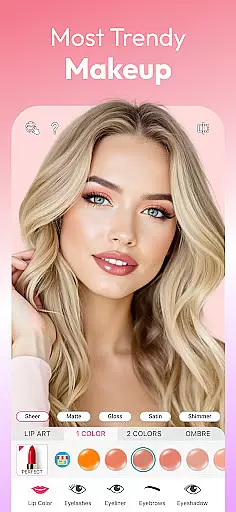
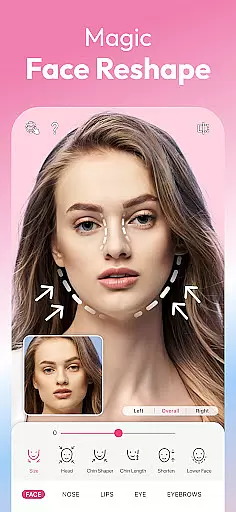
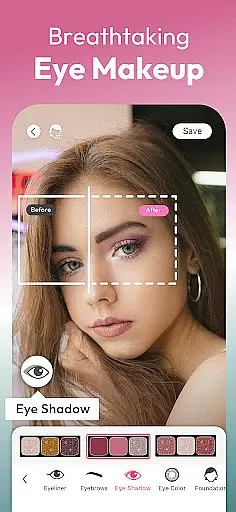
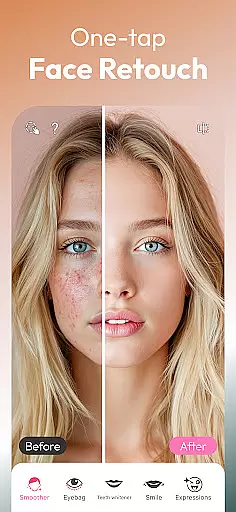
YouCam Makeup is the world's leading AR makeup and beauty camera app that utilizes advanced AI technology to transform your selfies into flawless masterpieces. With hundreds of virtual makeup styles, face retouching tools, and beauty filters, this app allows users to experiment with their appearance effortlessly. From applying lipstick and eyeshadow to reshaping facial features, YouCam Makeup offers a complete suite of beauty solutions.
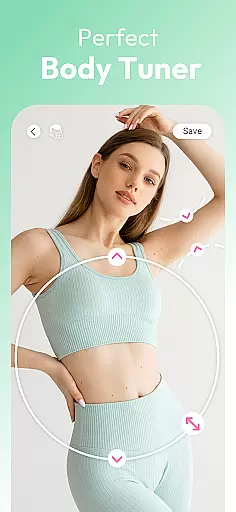
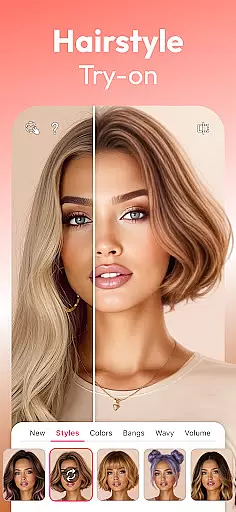
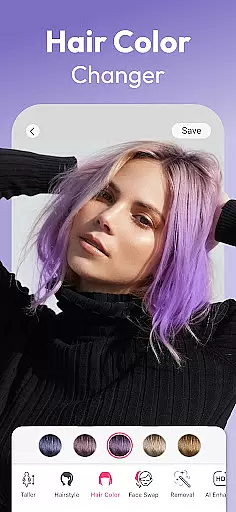
The app stands out with its AI-powered features like hairstyle try-ons, body tuning, and professional photo enhancements. Whether you're aiming for a natural look or a dramatic makeover, YouCam Makeup caters to all beauty needs. It is perfect for anyone who wants to enhance their selfies, try new styles, or prepare for a special occasion with confidence.
YouCam Makeup boasts an impressive array of features designed to elevate your beauty game. The app includes a comprehensive makeup editor where users can apply lipstick, foundation, blush, and more to achieve the perfect look. Its collection of eyeshadow palettes, contour tools, and highlight options allow for detailed customization of facial features, ensuring a professional finish every time.
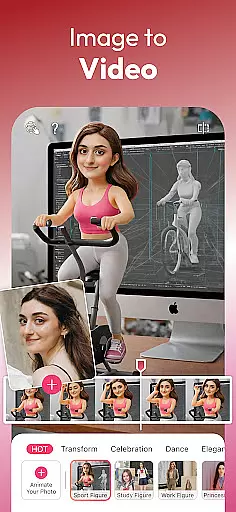
Beyond makeup, the app provides powerful face retouching tools such as skin smoothing, blemish removal, and teeth whitening. Users can also experiment with over 60 AI-generated hairstyles and colors, reshape facial structures, and even adjust body proportions. With additional features like AI avatar creation, virtual outfit trials, and image-to-video conversion, YouCam Makeup delivers a versatile and innovative beauty experience tailored to modern users.
Real-time capture and preview functionality is essential for any photography app as it allows users to see exactly what the camera sees before taking a shot. YouCam Makeup excels in this area by providing an augmented reality (AR) experience that lets users try on virtual makeup styles and see the results instantly through their device's camera.
The app uses advanced AR technology to ensure that makeup effects are accurately overlaid onto the user's face in real time. This feature is particularly useful when experimenting with different looks, as it gives users immediate feedback on how each style suits them without having to commit to applying physical makeup.
Users benefit from this seamless integration of digital enhancements into live video feed, which not only saves time but also enhances creativity. With hundreds of virtual makeup options available at their fingertips, they can explore various combinations until finding the perfect look that matches their personal preferences or occasion requirements.
AI beauty and enhancement features have become increasingly popular among smartphone users who want to improve their selfies quickly and effortlessly. YouCam Makeup stands out by offering sophisticated AI-powered tools designed to enhance natural beauty while maintaining authenticity.
These tools include skin smoothing filters, teeth whitening effects, eye enlargement capabilities, and moreu2014all tailored to create subtle yet noticeable improvements. The underlying algorithms work intelligently to preserve individual characteristics rather than producing overly processed images often associated with basic photo editing apps.
By leveraging these smart enhancements, users can achieve polished results that still appear genuine and true-to-life. Whether preparing for social media posts or simply wanting to feel confident about oneu2019s appearance, YouCam Makeup ensures every selfie reflects the best version of oneself without compromising on realism.
Extensive makeup options
Advanced AI tools
User-friendly interface
Versatile beauty features
Regular updates
Premium features locked
Occasional ads
High system requirements
Limited free styles
Subscription cost

A collection of tools and reference tables for DPs, ACs, DITs and Operators.
 4.70
4.70
Gallery show photo, video, slideshow, is perfect 3D effect private photo albums.
4.80
Easily stitch panoramas from multiple photos or video.
4.40
1M influencer's special filter
4.60
Application for remote controlling DSLR
3.00
Viewfinder, Light meter, Reciprocity failure time, DOF & Bellows Extension
4.60
Transform Photos: Edit, Beautify and Craft Memories & Make Collages!
4.10
A unique animation app. Powerful, easy to use, and lots of fun.
4.30
Try an anime version, cartoon yourself, and generate AI hug or aging videos!
3.70
Find time and duration of different sunlight phases at any location
4.90
Photo prints, cards, & gifts at Walgreens. Easy ordering & fast local pickup !
4.80
Photo editor: AI filters, photo enhancer, pic collage maker, AI art generator.
4.80
Amazing Photo Effects - The most fun you can have with your photos!
4.70
PhotoSync Bundle Add-On License. Enables all features and services in PhotoSync.
4.60
Photo editor & gallery. Crop pictures & edit photos offline, no wifi!
4.50
Natural Beauty, Selfie Retouch
4.30
Photo editor: face & body editor, beauty cam, filters and quality enhancer.
4.00
How would you look like with a differently shaped nose, chin or lips?
3.90
HD Photo gallery and photo manager to edit, hide private photos, videos & albums
4.1


User Reviews