
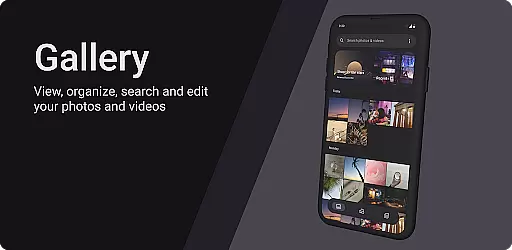
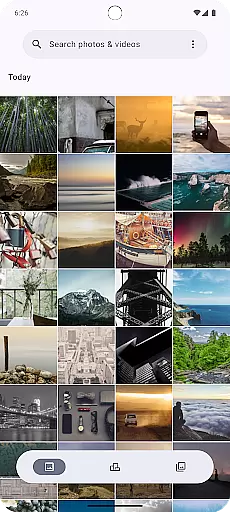
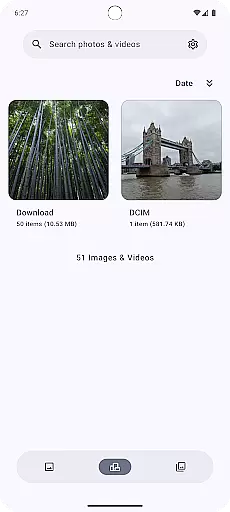
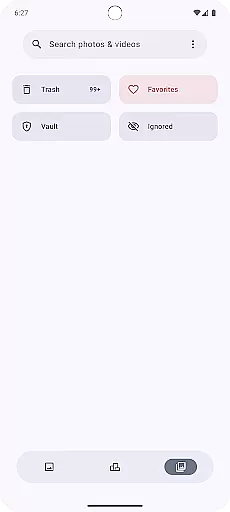
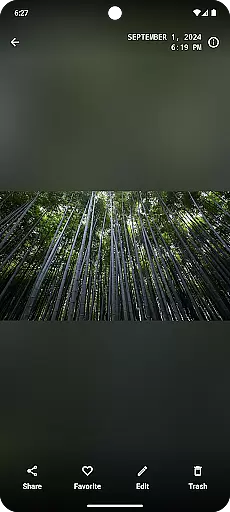
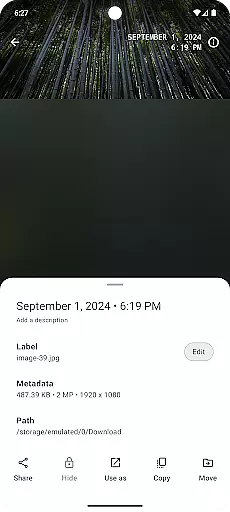
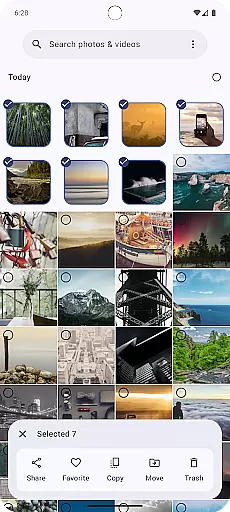
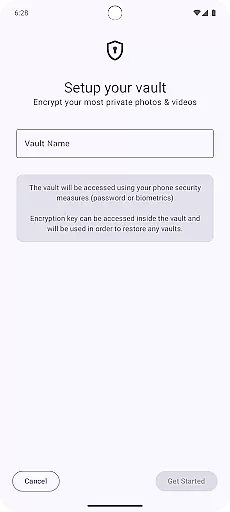
Gallery is a modern photography app designed for Android users who want an intuitive and efficient way to manage their photos. Built with Jetpack Compose, this app offers a sleek interface that makes photo organization simple and enjoyable.
The core functionality includes easy navigation through albums, quick search features, and customizable viewing options. Users can effortlessly sort, edit, and share their images directly from the app. Whether you're a casual photographer or someone who takes hundreds of photos daily, Gallery provides tools that enhance your photo management experience.
With its focus on user experience and performance optimization, Gallery ensures smooth operation even with large photo libraries. The app is particularly useful for those looking to declutter their device while maintaining easy access to cherished memories.
Gallery stands out with its innovative use of Jetpack Compose, providing a fluid and responsive user interface. Key features include smart album organization, where photos are automatically sorted based on date, location, or custom tags.
Advanced editing tools allow users to crop, adjust lighting, and apply filters without leaving the app. The built-in sharing functionality supports multiple platforms, making it easy to distribute your best shots to friends and family.
Additional capabilities include facial recognition for easier tagging, secure cloud backup options, and offline access to favorite images. These features combine to create a comprehensive photo management solution tailored for both novice and professional photographers.
Real-time capture and preview functionality is essential for any photography app as it allows users to see exactly what the camera sensor is capturing. This feature ensures that users can make instant adjustments to their settings, framing, and composition before taking a shot. The Gallery app leverages Jetpack Compose to provide a seamless and responsive interface that updates in real time as users interact with the camera.
The app's implementation of this feature ensures minimal lag between the camera's input and the preview displayed on the screen. By optimizing the rendering pipeline and utilizing efficient data processing techniques, the app delivers a smooth experience even on lower-end devices. Users can expect consistent performance without sacrificing quality, making it an ideal choice for both amateur and professional photographers.
With real-time capture and preview, users gain more control over their photography process. They can experiment with different angles, lighting conditions, and subjects while receiving immediate feedback through the live preview. This interactive approach not only enhances creativity but also helps users improve their skills by learning from each shot they take.
AI beauty and enhancement features have become increasingly popular in photography apps, offering users the ability to enhance their photos with just a few taps. The Gallery app incorporates advanced AI algorithms to provide natural-looking enhancements that preserve the authenticity of the original image. These enhancements include skin smoothing, blemish removal, and color correction, all applied with subtlety to maintain the photo's genuine appearance.
The AI-driven enhancements are designed to be highly customizable, allowing users to adjust the intensity of each effect according to their preferences. Whether you're looking to create stunning portraits or simply want to bring out the best in everyday snapshots, the app offers a range of tools that cater to various styles and tastes. The underlying AI models are trained on diverse datasets to ensure they work effectively across different skin tones and lighting conditions.
By focusing on naturalness, the Gallery app stands out in the crowded field of photo editing applications. Users can trust that their edited images will retain their unique character and charm, avoiding the overly processed look that plagues many other apps. This commitment to quality and authenticity makes the Gallery app a valuable tool for anyone looking to elevate their photography without compromising on realism.
User-friendly interface
Fast performance
Customizable views
Secure cloud integration
Offline access support
Limited video editing
No RAW format support
Basic filter options
Occasional bugs
Ads in free version

Application for remote controlling DSLR
 3.00
3.00
Be your best in every shot! Fix, edit and retouch your face in selfies & photos.
3.70
Create Business Headshots, Polaroid Filter, Retake Photos,Profile Pics,AI Photos
4.50
Transform photos into videos! Create realistic or anime-style images easily!
4.50
See your baby AI baby face generator AI baby maker Face generator babymaker fun!
4.70
Unblur, enhance & restore photos with powerful AI photo enhancer tools.
4.60
RAW video capture with advanced controls
4.40
A unique animation app. Powerful, easy to use, and lots of fun.
4.30
Discover How to Plan any Sun, Moon and Milky Way Photo You Imagine in Seconds
4.70
A collection of tools and reference tables for DPs, ACs, DITs and Operators.
4.70
Your personal guide to the sun and moon. Plan ahead, visualize and predict!
4.70
PhotoSync Bundle Add-On License. Enables all features and services in PhotoSync.
4.60
Discover & download millions of art for The Frame TV or Hisense CanvasTV
4.60
Effortlessly organize, view and share your photos & videos with Gallery app!
4.40
Future baby face generator: AI kids generator, kid face! What my baby look like?
4.40
Turn your phone into a professional camera - full DSLR manual photography
4.30
All-in-One Editor & AI Photo Enhancer, Beautify & Retouch, Collage, Cartoonify
4.20
How would you look like with a differently shaped nose, chin or lips?
3.90
GCamera allows all GCam features on all phone models! Better photos with GCamera
3.30


User Reviews